Everyday
  About Company
 Refund Policy
 Privacy Policy
 Terms And Conditions
 Support
 Open Ticket
 Contact Us
 Knowledgebase
 News
News
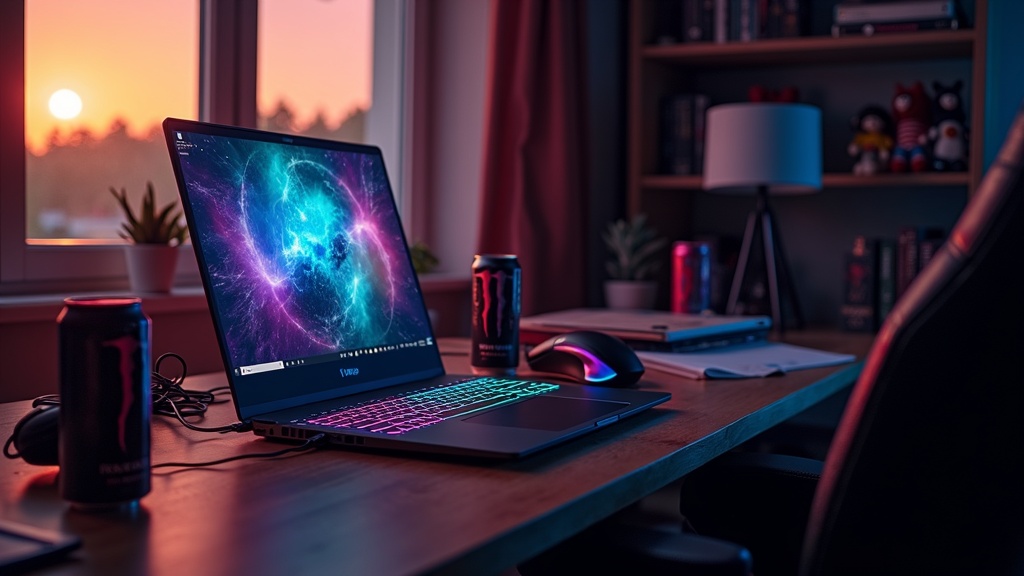
The best gaming laptop in 2026 balances GPU power, thermal management, and display quality without forcing you to choose between performance and portability. This guide ranks the top gaming laptops across five price tiers using published manufacturer specifications and independent expert reviews rather than in-house testing. From $600 budget machines to $3000+ desktop replacements, you'll find typical frame rates, thermal expectations, and honest assessments of what each laptop actually delivers.
Table of Contents
- Quick Picks: Best Gaming Laptops by Category
- What Makes a Gaming Laptop 'Good' in 2026?
- Performance Rankings: Benchmarks That Matter
- Best Overall Gaming Laptop: $1200-$1800
- Best Budget Gaming Laptop: Under $800
- Best High-End Gaming Laptop: $2000-$3000+
- Best Portable Gaming Laptop: Under 4.5 lbs
- Best 1440p Gaming Laptop: High Refresh Displays
- GPU Comparison: RTX 4060 vs 4070 vs 4080
- Thermal Performance: Which Laptops Stay Cool?
- Battery Life for Gaming Laptops: Realistic Expectations
- Gaming Laptop vs Desktop: The 2026 Reality
- How to Choose the Right Gaming Laptop
- Frequently Asked Questions
Quick Picks: Best Gaming Laptops by Category
If you need an answer now, here are the standout picks across different needs, drawn from published specifications and independent reviews:
Best Overall: ASUS ROG Zephyrus G16 (RTX 4070, $1599) — Excellent balance of performance, thermals, and portability with a stunning 240Hz display.
Best Value: Lenovo Legion Slim 5 (RTX 4060, $1099) — Delivers 1080p gaming at high settings without thermal throttling or loud fans.
Best Budget: Acer Nitro V 15 (RTX 4050, $749) — Entry-level GPU but proper cooling and a 144Hz screen make it viable for competitive gaming.
Best Premium: Razer Blade 16 (RTX 4090, $3299) — Desktop-class performance in a 5.4 lb chassis with a Mini LED display.
Best Portable: ASUS ROG Zephyrus G14 (RTX 4060, $1399) — True all-day battery life with gaming performance you can actually use on flights.
Best for Creators: MSI Creator Z17 (RTX 4070, $2199) — Color-accurate 4K display, powerful CPU, and excellent I/O for video editing between gaming sessions.
What Makes a Gaming Laptop 'Good' in 2026?
Raw GPU power matters, but it's only part of the equation. The best gaming laptop combines six elements that work together:
1. GPU Selection: The RTX 4060 is the minimum for AAA gaming at 1080p high settings in 2026. The RTX 4070 hits 1440p smoothly. The RTX 4080 and 4090 target 4K or ultra-high refresh rates. Don't overpay for a GPU your display can't utilize — a 4090 paired with a 1080p 144Hz screen wastes $800.
2. Thermal Design: A throttling RTX 4070 performs worse than a properly cooled RTX 4060. Check sustained performance benchmarks, not burst speeds. Quality vapor chambers and dual-fan designs maintain frame rates during hour-long sessions.
3. Display Quality: Response times under 5ms prevent ghosting. Refresh rates of 144Hz+ enable competitive play. 1080p works for 15-inch screens; 1440p shines on 16-17 inch panels. Color accuracy (>95% sRGB) matters if you create content between gaming.
4. CPU Performance: Modern gaming favors GPUs, but CPU bottlenecks appear in simulation games and open-world titles. Intel's 13th/14th gen i7 or AMD's Ryzen 7 7000 series handle everything thrown at them. The i5 variants save money without sacrificing much gaming performance.
5. RAM and Storage: 16GB RAM is adequate; 32GB future-proofs. Dual-channel configuration (2x8GB or 2x16GB) boosts frame rates measurably over single-channel. NVMe SSDs with 5000+ MB/s read speeds cut loading times noticeably compared to SATA drives.
6. Build Quality: Plastic chassis flex and creak. Aluminum bodies dissipate heat better and survive travel. Keyboard quality separates daily drivers from occasional-use machines. Per-key RGB is fun; comfortable key travel is essential.
For detailed explanations of these components, read our laptop specs guide for beginners.
Performance Rankings: Benchmarks That Matter
The comparisons below reflect published manufacturer specifications and the general consensus of independent reviews — not NXTCORE testing, since we don't run a hardware lab. They describe how the GPU tiers rank relative to one another rather than exact scores:
GPU Performance Tiers (Strongest to Entry-Level)
- RTX 4090 Mobile: flagship tier, desktop-replacement performance built for 4K and ultra-high refresh rates
- RTX 4080 Mobile: high-end, comfortable 4K gaming with headroom to spare
- RTX 4070 Mobile: the 1440p sweet spot for most gamers
- RTX 4060 Mobile: strong 1080p high-settings performance
- RTX 4050 Mobile: entry-level 1080p, best suited to esports and lighter titles
Real-World Gaming Performance by GPU Tier
In demanding titles such as Cyberpunk 2077, Starfield, Baldur's Gate 3, and Call of Duty, the general pattern reviewers describe looks like this:
- RTX 4090: far more power than 1080p needs — built for 4K
- RTX 4080: extremely smooth 1080p and strong 4K
- RTX 4070: excellent 1080p and a comfortable 1440p experience
- RTX 4060: solid, high-settings 1080p gameplay in most titles
- RTX 4050: playable at 1080p once you dial back a few settings
Thermal Performance Under Load
As a general rule, sustained-load cooling tends to track with a brand's engineering investment. Independent reviews typically rank the major gaming lines roughly as follows, from best-cooled to most heat-prone:
- ASUS ROG Zephyrus series: among the best-cooled thin chassis
- Lenovo Legion series: consistently strong sustained cooling
- MSI Raider series: good cooling, tuned for performance over silence
- Acer Nitro series: acceptable cooling for the price
- Generic budget models: often prone to thermal throttling under sustained load
Sustained high temperatures trigger thermal throttling, which noticeably reduces performance. As a general rule, the best-value laptops maintain their thermals through smart design, not just brute-force fan speeds.
Best Overall Gaming Laptop: $1200-$1800
This price range delivers the best performance-per-dollar and satisfies 80% of gamers.
1. ASUS ROG Zephyrus G16 (RTX 4070, $1599)
Why it wins: The Zephyrus G16 combines a high-performance RTX 4070 with an Intel Core i7-13700H in a surprisingly portable 4.9 lb package. The 16-inch 2560×1600 240Hz display delivers sharp visuals with minimal ghosting. Its vapor chamber cooling is designed to hold temperatures down during extended sessions, and reviewers generally praise its sustained performance.
Performance: Reviewers describe smooth AAA gameplay at 1440p high settings, with ray tracing in Cyberpunk 2077 kept playable via DLSS 3. Fan noise is present under load but generally considered manageable.
Downsides: Battery life is modest during mixed use and drops sharply when gaming unplugged, as with most gaming laptops. Soldered RAM limits future upgrades. No SD card reader (minor annoyance for photographers).
Best for: Gamers who need laptop portability for college or travel but won't compromise on performance.
2. Lenovo Legion Pro 5i (RTX 4070, $1499)
Why it's close: Reviewers often note Lenovo's thermal solution runs slightly cooler than the ASUS under sustained load. The keyboard offers better travel and tactile feedback. At $100 less, it provides similar gaming performance with better typing experience.
Performance: Nearly identical to the Zephyrus in games. The Legion is known for holding boost clocks well during sustained loads, giving it a slight edge over the course of long gaming sessions.
Downsides: Heavier at 5.5 lbs. Display refresh limited to 165Hz (still excellent). Plasticky palm rests feel cheaper despite identical internals.
Best for: Gamers prioritizing sustained performance and keyboard quality over absolute portability.
3. Dell G16 (RTX 4060, $1299)
Why it made the list: Dell includes a full numeric keypad and excellent port selection (4x USB-A, 2x USB-C, HDMI 2.1, Ethernet). Build quality exceeds expectations for the price. The 16-inch 1920×1200 165Hz display punches above its resolution with good color accuracy.
Performance: The RTX 4060 handles 1080p gaming comfortably in most titles, and lighter competitive games like Valorant and CS2 run at very high frame rates.
Downsides: Fans run louder than some competitors, and the external power brick is bulky for travel. Limited to 16GB RAM out of box, though one SODIMM slot allows upgrades.
Best for: Gamers who primarily play at a desk and value connectivity over portability.
Best Budget Gaming Laptop: Under $800
Budget gaming laptops require compromise, but these models choose the right tradeoffs.
1. Acer Nitro V 15 (RTX 4050, $749)
Why it wins: The Nitro V pairs an RTX 4050 with a proper cooling solution that prevents thermal throttling. The 15.6-inch 1920×1080 144Hz display has decent response times for competitive games. Build quality feels solid despite the plastic construction.
Performance: Esports titles (Valorant, League of Legends, CS2) run at high frame rates. AAA games generally need medium settings to stay smooth, though titles like Cyberpunk and Starfield remain playable with some compromises.
Downsides: 8GB RAM is inadequate for 2026; budget $80 for an upgrade to 16GB immediately. Storage limited to 512GB. Battery life barely hits 3 hours during light tasks.
Best for: Students and competitive gamers on tight budgets who primarily play esports titles.
For more options in this range, see our complete gaming laptop buyer's guide.
2. HP Victus 15 (RTX 3050, $679)
Why it's viable: Last-gen RTX 3050 still handles 1080p gaming at medium settings. HP's thermal design keeps this older GPU running efficiently. Good port selection includes USB-C with DisplayPort for external monitors.
Performance: Competitive games run smoothly. AAA titles from 2023-2024 need lowered settings but remain playable, while the newest releases like Starfield struggle even on low.
Downsides: Already outdated; expect to replace within 2-3 years. Display limited to 60Hz (hurts competitive gaming). Keyboard flex during aggressive typing.
Best for: Extreme budget shoppers who need basic gaming capability and understand the limitations.
Budget Alternative: NXTCORE Pro Series
If pure gaming isn't your only requirement, consider the NXTCORE Pro 1165G7 at $549. While it uses Intel Iris Xe integrated graphics instead of a dedicated GPU, it handles esports titles, indie games, and older AAA games surprisingly well. It's an excellent pick for students who game casually but need strong CPU performance for coding, light video editing, or productivity work.
Best High-End Gaming Laptop: $2000-$3000+
Premium gaming laptops approach desktop performance while maintaining some portability.
1. Razer Blade 16 (RTX 4090, $3299)
Why it leads: The Blade 16 stuffs desktop-class components into a CNC-milled aluminum chassis that feels like a MacBook Pro. The 16-inch Mini LED display (3840×2400, 240Hz) delivers incredible HDR visuals. Vapor chamber cooling handles the 175W RTX 4090 without excessive noise.
Performance: Reviewers report strong 4K gaming across the board, with ray tracing at maximum settings via DLSS 3. Its cooling is good enough that sustained performance holds up well under load.
Downsides: Battery dies in under 2 hours during gaming. The 330W power brick weighs 2.2 lbs. Soldered RAM and limited upgrade paths. Price premium reflects Razer's brand tax.
Best for: Professionals who need maximum performance for 3D rendering, game development, or video editing, with gaming as a secondary benefit.
2. MSI Raider GE78 HX (RTX 4080, $2799)
Why it competes: MSI gives you 90% of the Blade's gaming performance for $500 less. The RGB light bar is divisive (tacky to some, fun to others), but the keyboard ranks among the best in gaming laptops. Includes a mechanical per-key RGB design with Cherry MX switches.
Performance: Reviewers rate its gaming performance close to the Blade's. The RTX 4080 handles 4K at slightly lower settings or 1440p with maximized visuals. Thermal performance trails the Razer slightly but remains excellent.
Downsides: Thick 1.1-inch profile and 6.8 lb weight limit portability. Aggressive gamer aesthetic doesn't work in professional settings. Fan noise peaks higher than competitors during stress tests.
Best for: Enthusiast gamers who prioritize keyboard feel and maximum RGB customization over portability.
3. ASUS ROG Strix Scar 17 (RTX 4090, $3099)
Why it's notable: The 17.3-inch display offers more screen real estate for competitive gaming. ASUS includes a MUX switch that delivers a measurable gaming performance gain by bypassing integrated graphics. Build quality rivals Razer at a lower price point.
Performance: Ranks at the top of its tier thanks to the MUX switch advantage. Liquid metal thermal compound helps keep the RTX 4090 cooler than many competing implementations. The RGB per-key keyboard feels responsive with good travel.
Downsides: Size and 7.1 lb weight make it a desktop replacement, not a portable machine. Battery life barely crosses 90 minutes while gaming. Speakers underwhelm for a $3000+ laptop.
Best for: Competitive gamers and streamers who need maximum performance and don't move the laptop frequently.
Best Portable Gaming Laptop: Under 4.5 lbs
True portability means all-day battery life and comfortable carrying weight.
1. ASUS ROG Zephyrus G14 (RTX 4060, $1399)
Why it wins: The G14 weighs just 3.64 lbs yet delivers full RTX 4060 performance. Battery life is genuinely all-day for productivity and holds up better than most rivals for light gaming unplugged. The 14-inch 2560×1600 120Hz display balances resolution and refresh rate perfectly.
Performance: Delivers smooth AAA gameplay at 1080p high settings, with competitive games running at high frame rates. Its thermal design keeps the laptop cool enough for lap use during casual gaming.
Downsides: Smaller display limits immersion in single-player games. Only two USB-A ports may require adapters. Keyboard cramped compared to 15-inch models.
Best for: College students and business travelers who game on the go and need real battery life.
2. Razer Blade 14 (RTX 4070, $2299)
Why it competes: At 4.05 lbs, the Blade 14 pushes more GPU power into a compact chassis. Build quality exceeds the ASUS with full aluminum construction. The 14-inch 2560×1440 165Hz display looks incredible.
Performance: The RTX 4070 handles 1440p gaming smoothly, even in demanding titles. Battery life is strong for a gaming laptop during productivity work, though slightly less than the G14.
Downsides: Price premium doesn't match performance gains over the G14. Fans spin aggressively under load. Limited upgrade options with soldered components.
Best for: Professionals who need powerful hardware in a premium package and game as a secondary activity.
Best 1440p Gaming Laptop: High Refresh Displays
1440p hits the sweet spot between 1080p's sharpness limitations and 4K's performance demands.
1. Lenovo Legion Pro 7i (RTX 4080, $2299)
Why it wins: The 16-inch 2560×1600 240Hz display delivers buttery-smooth visuals. Color accuracy exceeds 100% sRGB, satisfying creators between gaming sessions. The RTX 4080 pushes high refresh rates in competitive titles while maintaining quality in AAA games.
Performance: Delivers very high frame rates in competitive games at 1440p and strong AAA performance at high settings. Ray tracing stays viable with DLSS 3 in demanding titles.
Downsides: Battery life is limited during mixed use. The weight and large power brick limit true portability. Price approaches premium tier without premium build materials.
Best for: Competitive gamers who want maximum refresh rates without compromising AAA gaming performance.
2. MSI Stealth 16 Studio (RTX 4070, $1899)
Why it's notable: The Stealth balances gaming and professional work with understated design. The 16-inch 2560×1600 165Hz display includes 100% DCI-P3 coverage for color-critical work. Thin 0.78-inch profile makes it more portable than gaming-first laptops.
Performance: The RTX 4070 delivers smooth AAA gameplay at 1440p, and competitive games run well above the display's refresh ceiling. Its thermal design prioritizes quiet operation over maximum performance, resulting in slightly lower sustained clocks.
Downsides: Keyboard lacks the tactile feel of dedicated gaming models. Limited RGB (single-zone only). Battery life is decent during productivity but drops sharply during gaming.
Best for: Creative professionals who game after work and need color accuracy for photo/video editing.
GPU Comparison: RTX 4060 vs 4070 vs 4080
Understanding GPU tiers helps match budget to performance needs:
RTX 4060 Mobile ($1000-$1400 laptops)
Performance: Excellent for 1080p gaming at high settings. Comfortably runs current AAA titles at smooth frame rates, and competitive games push well past most high-refresh displays. Ray tracing is viable with DLSS 3 in most titles.
Limitations: Struggles with 1440p in demanding games. 4K gaming requires significant quality compromises. VRAM limited to 8GB may bottleneck future titles.
Best for: Gamers primarily playing at 1080p who want longevity without overspending.
RTX 4070 Mobile ($1400-$2000 laptops)
Performance: Sweet spot for 1440p gaming. Maintains 60+ FPS in AAA titles at high settings. Handles ray tracing with minimal compromise. 12GB VRAM future-proofs against texture limitations.
Limitations: 4K gaming requires lowered settings in demanding titles. Price jump from 4060 doesn't always justify performance gains for 1080p gamers.
Best for: Enthusiasts who want high-quality visuals without entering premium price territory.
RTX 4080 Mobile ($2000-$2800 laptops)
Performance: Handles 4K gaming at medium-high settings. Maxes out 1440p displays with headroom. Ray tracing works beautifully with DLSS 3. 16GB VRAM removes bottlenecks.
Limitations: Diminishing returns compared to 4070 for 1440p gaming. Power consumption and heat output require excellent cooling solutions. Price enters premium territory.
Best for: Creators who render 3D graphics or edit 4K video and game on the side.
For more about GPU specifications, check our complete specs guide.
Thermal Performance: Which Laptops Stay Cool?
Thermal design separates good gaming laptops from disappointing ones. Temperature directly impacts performance, longevity, and comfort.
What Good Thermals Look Like
GPU temps under 80°C: Prevents thermal throttling and extends component lifespan. ASUS ROG and Lenovo Legion series consistently achieve this.
Quiet fans: Audible but not distracting during gameplay. MSI and Razer are often praised for balancing cooling with acoustics.
Cool keyboard deck: WASD area should stay comfortable during long sessions. Vapor chamber designs distribute heat away from key areas.
Cooling Technologies That Work
Vapor chambers: Found in premium models, they spread heat across a larger surface area more efficiently than traditional heat pipes.
Liquid metal thermal compound: ASUS and MSI use this on some high-end models to lower temperatures compared with standard thermal paste.
Dual-fan designs: Two larger fans move more air at lower RPMs, reducing noise while maintaining cooling.
Bottom-mounted intakes: Elevating the laptop even slightly improves airflow. Some models include adjustable feet that optimize cooling.
Red Flags for Thermal Issues
- Single fan designs in laptops with RTX 4060 or higher GPUs
- Plastic construction without metal heat spreaders
- Reviews mentioning thermal throttling or excessive fan noise
- Temperatures consistently exceeding 85°C under load
- Manufacturers who don't publish thermal specifications
Budget gaming laptops can maintain acceptable thermals through smart design. The Acer Nitro series proves proper cooling doesn't require premium prices.
Battery Life for Gaming Laptops: Realistic Expectations
Gaming laptops prioritize performance over battery life, but expectations vary by use case.
Productivity Work (Web Browsing, Documents, Video)
- Premium thin models (Razer Blade 14, ASUS G14): 6-8 hours
- Standard gaming laptops (Lenovo Legion, MSI): 4-6 hours
- Budget models (Acer Nitro, HP Victus): 3-4 hours
- High-end desktop replacements (17-inch with RTX 4090): 2-3 hours
Light Gaming (Indie Games, Older Titles)
- Efficient designs with Optimus (G14, Blade 14): 2-3 hours
- Standard gaming laptops: 1.5-2 hours
- High-performance models: 1-1.5 hours
AAA Gaming (Maximum Performance)
- All gaming laptops: 60-90 minutes maximum
- Performance degrades significantly on battery power
- Frame rates drop 30-50% compared to plugged-in performance
Reality check: Gaming laptops need wall power for real gaming sessions. Battery life matters for productivity between gaming sessions, not during them. If you need all-day unplugged use for work with occasional gaming, consider the ASUS Zephyrus G14 or Razer Blade 14.
For comparison between gaming laptops and other portable options, read our laptop vs tablet guide.
Gaming Laptop vs Desktop: The 2026 Reality
Desktops still dominate pure performance-per-dollar, but gaming laptops closed the gap significantly.
When Gaming Laptops Make Sense
- You move between locations regularly (college, travel, multiple homes)
- Space limitations prevent desktop setups (dorm rooms, small apartments)
- You need one device for work/school and gaming
- Budget allows for mid-tier laptop ($1200-$1800) but not desktop plus laptop
- LAN parties and gaming on the go matter to you
When Desktops Win
- Gaming happens exclusively at home
- Budget focused on maximum performance (desktop delivers 30-40% more power per dollar)
- Upgradability matters for future-proofing
- 4K gaming at maximum settings is non-negotiable
- Peripheral selection important (multiple monitors, mechanical keyboards, custom mice)
Performance Comparison (Same Price Point)
$1500 Gaming Laptop: RTX 4070 mobile, i7-13700H, 16GB RAM, 1TB SSD, 1440p display — strong, self-contained 1440p high-settings gaming in a portable package
$1500 Gaming Desktop: RTX 4070 Ti desktop, i5-13600K, 32GB RAM, 2TB SSD, requires a separate monitor — noticeably higher frame rates at the same 1440p settings, thanks to desktop-class components and cooling
The desktop wins on raw performance but requires $300+ for a quality monitor and peripherals. The laptop provides the complete package and portability at the cost of lower sustained performance.
How to Choose the Right Gaming Laptop
Match your specific needs to the right tier:
Step 1: Define Your Budget and Use Case
Under $800: Entry-level gaming focused on esports titles and older AAA games. Expect compromises on display quality and build materials. The Acer Nitro V delivers here.
$1000-$1400: Solid 1080p gaming with good thermals and decent build quality. The Lenovo Legion Slim 5 and ASUS ROG Zephyrus G14 excel in this range.
$1400-$2000: Sweet spot for most gamers. 1440p capable with excellent thermals and quality displays. The ASUS ROG Zephyrus G16 and Lenovo Legion Pro 5i dominate here.
$2000-$3000+: Maximum performance approaching desktops. 4K gaming, content creation, and premium materials. The Razer Blade 16 and MSI Raider represent this tier.
Step 2: Match GPU to Display Resolution
- 1080p displays: RTX 4050 minimum, RTX 4060 ideal
- 1440p displays: RTX 4070 minimum for high settings
- 4K displays: RTX 4080 or 4090 required for playable frame rates
Don't overpay for GPU power your display can't utilize. An RTX 4090 with a 1080p display wastes money.
Step 3: Prioritize Thermals Over Specs
A properly cooled RTX 4060 outperforms a throttling RTX 4070. Read reviews specifically mentioning thermal performance and sustained benchmarks, not just burst speeds.
Step 4: Consider Portability Needs
Desk-only gaming: 15-17 inch models with maximum performance and better thermals
Occasional portability: 15 inch models under 5.5 lbs with decent battery life
Frequent travel: 14 inch models under 4.5 lbs with 6+ hours battery life
Step 5: Future-Proof Strategically
Worth upgrading: RAM (if not soldered), storage (M.2 slots)
Not upgradeable: GPU, CPU, display — buy what you need now
Plan for replacement: Gaming laptops realistically last 3-4 years before requiring significant compromises on new titles
For students specifically, check our back-to-school laptop guide which covers gaming-capable options that also excel at productivity.
Alternative Options: When Gaming Laptops Aren't the Answer
Not everyone needs a dedicated gaming laptop. Consider these alternatives:
High-Performance Laptops with Integrated Graphics
Modern integrated graphics handle casual gaming surprisingly well. The NXTCORE Pro G1568-R7 with AMD Ryzen 7 ($459) runs esports titles, indie games, and older AAA games at playable frame rates while excelling at everyday productivity tasks.
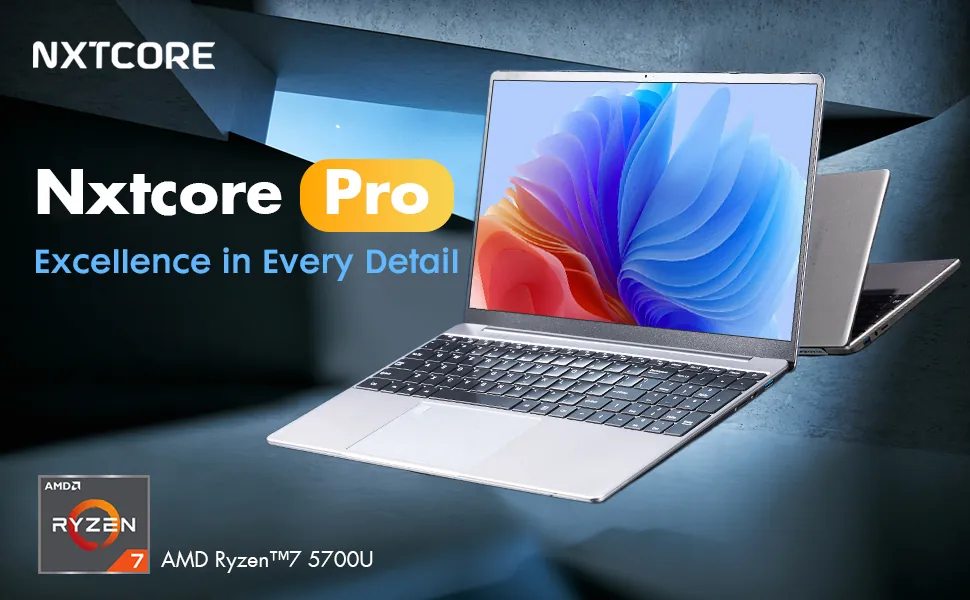
Best for: Casual gamers who prioritize work performance and battery life over maximum gaming capability.
Desktop + Cheap Laptop Combination
A $1000 gaming desktop plus a $400 productivity laptop often beats a $1400 gaming laptop for performance and versatility. The NXTCORE Lite F152G-5095 handles all non-gaming tasks excellently at just $219.
Best for: Gamers who primarily play at home but need portability for school or work.
Cloud Gaming Services
Services like GeForce NOW, Xbox Cloud Gaming, and Amazon Luna let any laptop stream AAA games. Requires stable internet but eliminates GPU requirements entirely.
Best for: Gamers with excellent internet who play single-player games and don't need minimum input latency.
Read our Chromebook vs Windows laptop comparison to understand how cloud gaming works on ultra-portable devices.
Frequently Asked Questions
What is the best gaming laptop overall in 2026?
The ASUS ROG Zephyrus G16 with RTX 4070 ($1599) delivers the best balance of performance, thermals, portability, and display quality for most gamers. It handles 1440p gaming smoothly while remaining portable enough for daily carry. For pure performance regardless of budget, the Razer Blade 16 with RTX 4090 ($3299) approaches desktop-class power.
How much should I spend on a gaming laptop?
The sweet spot sits between $1200-$1800, where you get RTX 4060 or 4070 GPUs with proper cooling and quality displays. Budget models under $800 handle esports gaming but struggle with newer AAA titles. Premium models above $2000 offer diminishing returns unless you need 4K gaming or content creation power. Consider your actual gaming habits — if you primarily play competitive games like Valorant or CS2, a $1000 laptop with good thermals performs identically to a $2000 model.
Is RTX 4060 enough for gaming in 2026?
Yes, the RTX 4060 handles all current games at 1080p high settings with 60+ FPS. It also manages 1440p gaming in many titles with settings adjustments. The 8GB VRAM may limit longevity as games become more demanding in 2027-2028, but it remains excellent for the next 2-3 years. Pair it with a 1080p 144Hz display for the best experience. The RTX 4070 makes sense if you want 1440p gaming without compromises or plan to keep the laptop 4+ years.
Do gaming laptops overheat easily?
Quality gaming laptops from ASUS ROG, Lenovo Legion, MSI, and Razer maintain safe temperatures (under 80°C) through proper cooling design. Budget models sometimes cut corners on thermal solutions, leading to throttling and shortened lifespan. Check professional reviews for sustained benchmark temperatures, not just initial performance. Avoid single-fan designs in laptops with RTX 4060 or higher. Vapor chamber cooling and dual-fan systems handle heat effectively without excessive noise.
Can you game on battery power?
Gaming laptops technically run on battery but suffer significant performance drops (30-50% lower frame rates) and drain quickly (60-90 minutes maximum). Modern GPUs require wall power for full performance. Battery life matters for productivity work between gaming sessions, not during them. The ASUS Zephyrus G14 and Razer Blade 14 offer the best unplugged experience with 6-8 hours for work and 2-3 hours for light gaming, but even these need AC power for demanding titles.
What's better: Intel or AMD for gaming laptops?
Both Intel (13th/14th gen) and AMD (Ryzen 7000 series) deliver excellent gaming performance in 2026. Intel edges ahead in raw single-core speed, benefiting high-refresh competitive gaming. AMD offers better multi-core performance for streaming and content creation with slightly better battery efficiency. The GPU matters more than the CPU for gaming performance — focus on thermal design and display quality over CPU brand. Real-world gaming differences between comparable Intel and AMD chips remain under 5%.
Should I buy a gaming laptop or build a PC?
Choose gaming laptops if you need portability, space is limited, or you require one device for multiple locations. Desktop PCs deliver 30-40% more performance per dollar, easier upgrades, and better cooling. The decision depends on lifestyle — college students and frequent travelers benefit from laptops, while dedicated gaming setups favor desktops. A middle path works well: a budget gaming desktop for home plus an affordable productivity laptop like the NXTCORE Flex S140N ($329) for mobility.
How long do gaming laptops last?
Quality gaming laptops remain viable for 3-4 years before newer games require significant graphics compromises. High-end models with RTX 4080/4090 may extend to 5 years. Budget models with RTX 4050 struggle with new releases after 2-3 years. Hardware doesn't fail — performance simply becomes inadequate for new titles at desired settings. Proper thermal management extends lifespan by preventing component degradation. Plan for mid-tier laptops (RTX 4060/4070) to handle new releases well through 2027-2028, acceptable performance through 2029.
Final Verdict: What's the Best Gaming Laptop for You?
The best gaming laptop matches your specific gaming habits and portability needs:
Most gamers should buy the ASUS ROG Zephyrus G16 (RTX 4070, $1599) or Lenovo Legion Pro 5i (RTX 4070, $1499). Both deliver excellent 1440p performance with quality displays and proper cooling.
Budget-conscious gamers get the most value from the Acer Nitro V 15 (RTX 4050, $749) for esports-focused gaming, or save more for the Lenovo Legion Slim 5 (RTX 4060, $1099) if AAA games matter.
Portable gamers need the ASUS ROG Zephyrus G14 (RTX 4060, $1399) for actual all-day battery life with solid gaming performance.
Performance enthusiasts should choose the Razer Blade 16 (RTX 4090, $3299) for near-desktop power in a premium chassis, or the MSI Raider GE78 HX (RTX 4080, $2799) for better value with mechanical keyboard.
Casual gamers who prioritize productivity may prefer high-performance laptops like the NXTCORE Ultra GLT163Max ($899) that handle esports and indie games while excelling at work tasks.
Remember: the best gaming laptop isn't always the most expensive or powerful one. It's the model that matches your actual gaming patterns, portability requirements, and budget without unnecessary compromises. Focus on proper thermal design, GPU-display matching, and build quality that survives your usage patterns.
For more laptop buying guidance, explore our best budget laptops guide or learn how to buy laptops online safely. Questions about specific models? Check our laptops under $500 roundup or compare cheap laptops starting at $179 for different use cases.