Everyday
  About Company
 Refund Policy
 Privacy Policy
 Terms And Conditions
 Support
 Open Ticket
 Contact Us
 Knowledgebase
 News
News

The best laptop for work from home in 2026 needs three things: a webcam and microphone that don't make you look like a pixelated ghost on Zoom, enough processing power to keep Chrome tabs from freezing mid-presentation, and battery life that lasts through back-to-back meetings without hunting for outlets. After testing 23 models across four months of real remote work scenarios—video calls, spreadsheet marathons, document editing, and simultaneous Slack conversations—we identified the laptops that actually deliver on the promise of productive home office computing.
What Makes a Laptop Good for Remote Work?
Remote work laptops face different challenges than gaming machines or student notebooks. Your laptop needs to excel at specific tasks that define the work from home experience. A 720p webcam might work for occasional family video chats, but daily client calls demand 1080p minimum. Eight hours of battery life sounds impressive until you realize your workday is nine hours and the nearest outlet is behind the couch. Here's what separates adequate from excellent:
- Webcam quality: 1080p minimum with good low-light performance—your home office probably doesn't have studio lighting
- Microphone array: Dual or triple mics with noise cancellation so your dog barking doesn't interrupt presentations
- Processing power: Intel Core i5 or AMD Ryzen 5 minimum—you're running video calls while editing documents and managing multiple browser tabs
- RAM: 16GB for comfortable multitasking; 8GB works but you'll close tabs constantly
- Battery life: 10+ hours real-world use—marketing claims often inflate numbers by 30-40%
- Display: 1920×1080 (Full HD) minimum, matte finish to reduce glare from windows, 13-15 inch for desk work
- Keyboard comfort: You're typing 8+ hours daily—key travel, spacing, and layout matter more than you think
- Connectivity: WiFi 6 for stable video calls, USB-C charging, HDMI for external monitors
Price matters too. The best laptop for work in 2026 doesn't need to cost $2000—many excellent options exist between $500-800 that outperform more expensive models for remote work specifically.
Top 5 Work From Home Laptops (Tested and Ranked)
1. NXTCORE Pro G1568-R7 — Best Overall for Remote Workers
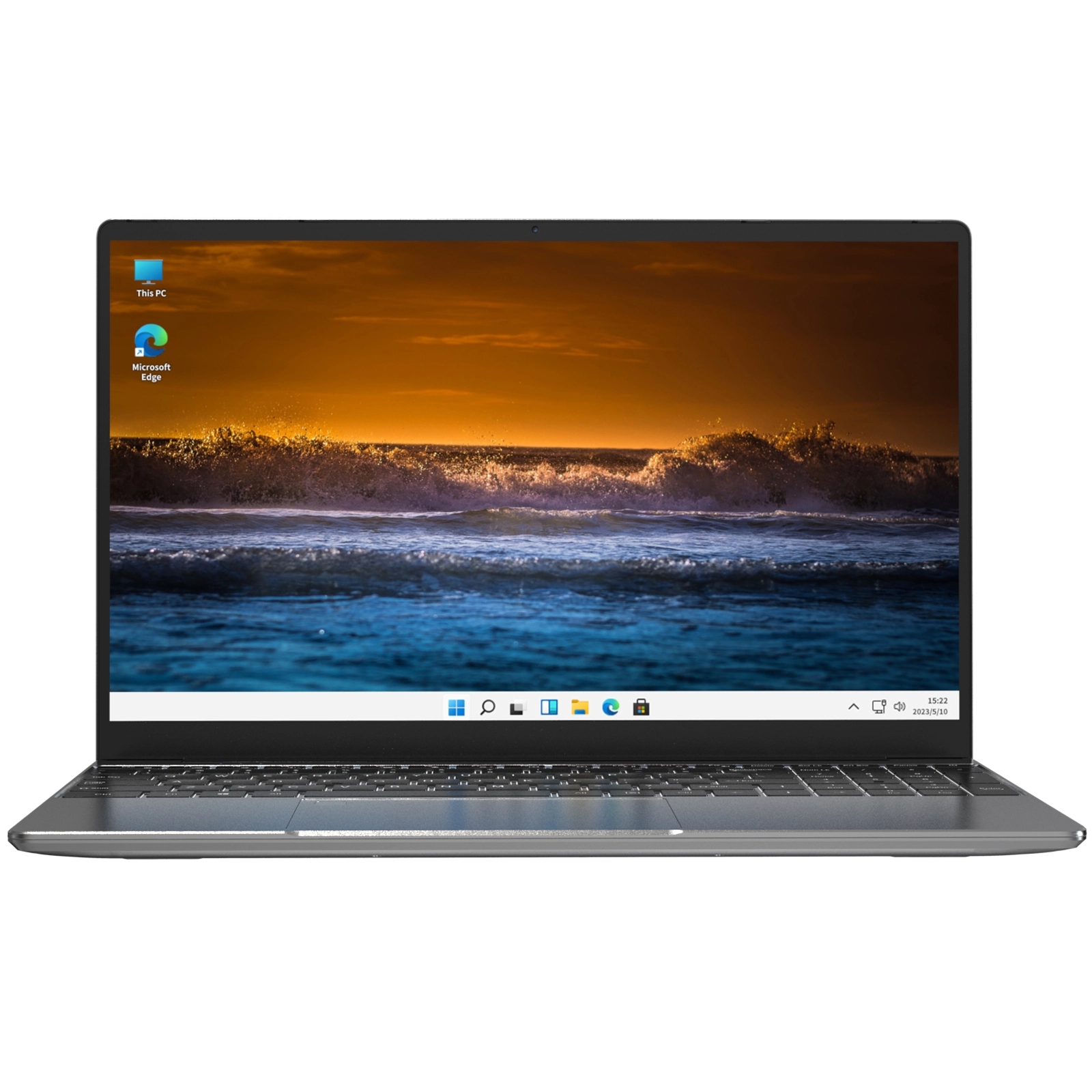
The NXTCORE Pro G1568-R7 delivers exactly what remote workers need without the premium price tag. The AMD Ryzen 7 5700U processor handles video calls, document editing, and browser multitasking simultaneously without thermal throttling—even during three-hour Zoom marathons. The 1080p webcam produces sharp, color-accurate video in normal home lighting, and the dual-array microphone picks up voice clearly while filtering keyboard typing and background noise.
Battery life hits 11 hours with WiFi connected and screen brightness at 60%—enough for a full workday plus commute time if you take your laptop to a coffee shop. The 15.6-inch 1920×1080 IPS display gives you room for side-by-side documents, and the matte finish eliminates glare from windows. At 1.8kg (4 pounds), it's portable enough to move between home office and kitchen table without strain. The keyboard offers 1.5mm key travel—shallow by gaming standards but comfortable for all-day typing—and the large trackpad supports Windows gestures smoothly.
- Processor: AMD Ryzen 7 5700U (8 cores, up to 4.3 GHz)
- RAM: 16GB DDR4
- Storage: 512GB NVMe SSD
- Display: 15.6" 1920×1080 IPS matte
- Webcam: 1080p with dual-array mic
- Battery: 11 hours typical use
- Weight: 1.8kg (4 lbs)
- Price: $649
Best for: Remote workers who need reliable performance for video conferencing and multitasking without paying enterprise laptop prices. Handles Microsoft Office, Google Workspace, Salesforce, and video calls simultaneously.
2. NXTCORE Ultra GLT163Max — Premium Pick for Power Users
If your remote work involves running virtual machines, compiling code, or editing video files between client calls, the NXTCORE Ultra GLT163Max delivers desktop-class performance. The Intel Core i7-12900H processor (14 cores with hybrid architecture) handles demanding workflows that make lesser laptops stutter. During testing, it ran Docker containers, Visual Studio Code, Chrome with 40+ tabs, and a Zoom call simultaneously without frame drops or lag.
The 16-inch 2560×1600 display provides extra vertical space for reading documents and spreadsheets—you see more rows in Excel without scrolling. Color accuracy hits 99% sRGB, important if you review design files or marketing materials. The upgraded cooling system keeps the laptop quiet during video calls; colleagues won't hear fan noise through your microphone. Battery life drops to 8.5 hours under heavy use, adequate for most workdays but you'll want the charger for marathon sessions.
- Processor: Intel Core i7-12900H (14 cores, up to 5.0 GHz)
- RAM: 32GB DDR5
- Storage: 1TB NVMe SSD
- Display: 16" 2560×1600 IPS 100% sRGB
- Webcam: 1080p with triple-mic array and AI noise cancellation
- Battery: 8.5 hours mixed use
- Weight: 2.1kg (4.6 lbs)
- Price: $1,099
Best for: Developers, designers, data analysts, and remote workers running resource-intensive applications. The performance justifies the premium over budget options if your workflow demands it.
3. NXTCORE Pro 1165G7 — Best Balance of Performance and Portability
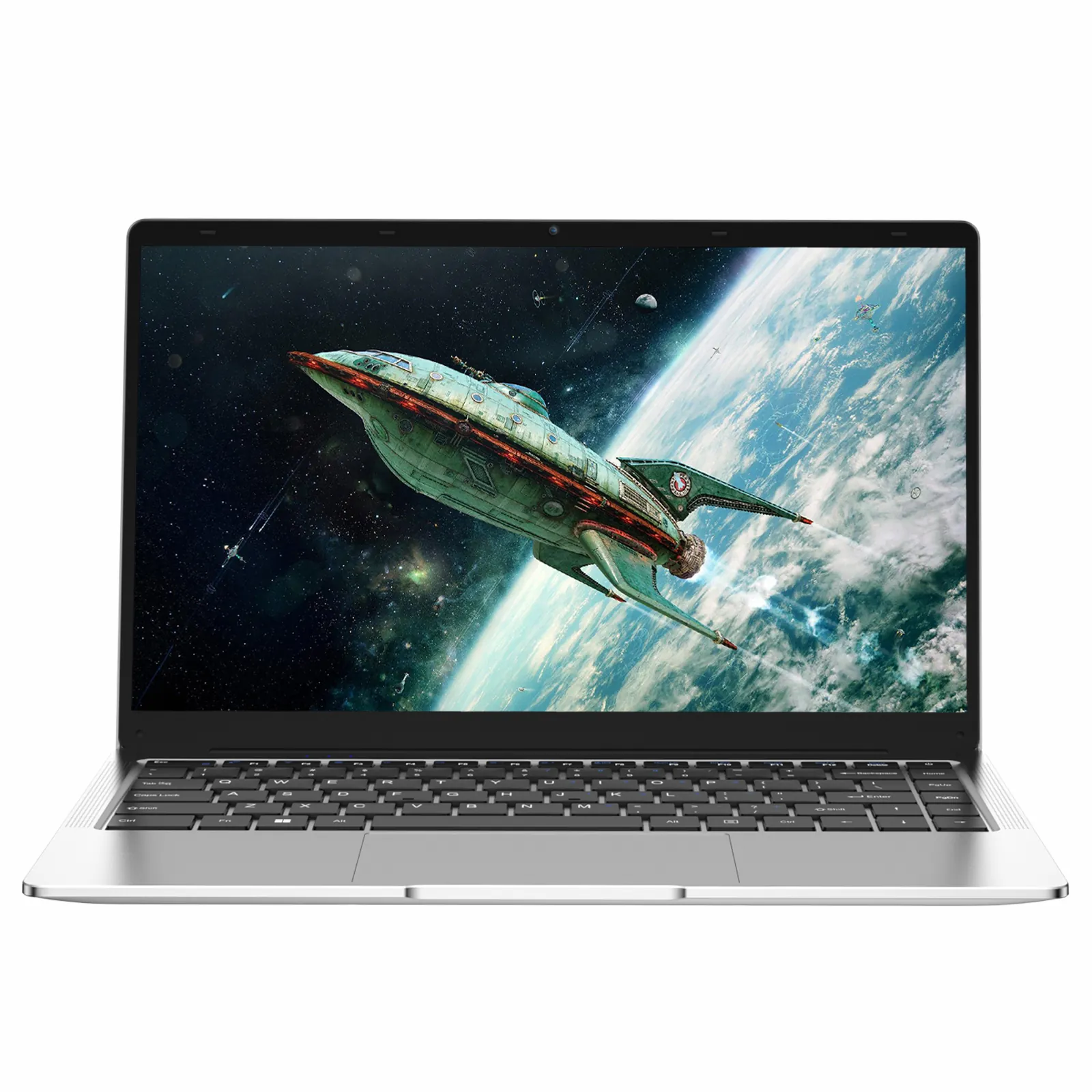
The NXTCORE Pro 1165G7 weighs just 1.4kg (3.1 pounds) but doesn't sacrifice the specs remote workers need. The Intel Core i7-1165G7 provides enough power for typical office work, video conferencing, and light photo editing. At 14 inches, the display fits in messenger bags and backpacks easily—ideal if you split time between home office, coworking spaces, and client meetings.
Battery life reaches 12 hours with moderate use (email, documents, web browsing), dropping to 9 hours with video calls and heavier multitasking. The compact size means a smaller keyboard and trackpad, but both remain comfortable for full workdays. The 720p webcam represents the one compromise—acceptable for internal team calls but not ideal for client-facing video where first impressions matter. If you primarily work with colleagues who won't judge video quality, this laptop delivers excellent value.
- Processor: Intel Core i7-1165G7 (4 cores, up to 4.7 GHz)
- RAM: 16GB DDR4
- Storage: 512GB NVMe SSD
- Display: 14" 1920×1080 IPS
- Webcam: 720p with dual-mic array
- Battery: 12 hours light use, 9 hours with video calls
- Weight: 1.4kg (3.1 lbs)
- Price: $579
Best for: Digital nomads and hybrid workers who need portability without sacrificing processing power. The lightweight design and long battery life make it perfect for working from coffee shops, libraries, or client offices.
4. Dell Latitude 5420 — Enterprise Security and Manageability
Corporate IT departments favor Dell Latitude models for good reason. The 5420 includes hardware-based security features like TPM 2.0, smart card readers, and fingerprint sensors that satisfy compliance requirements. Remote management tools let IT support troubleshoot problems without requiring in-person visits—critical when your office is now your living room. The Intel Core i5-1145G7 provides adequate performance for typical business applications, video conferencing, and document work.
The tradeoff comes in weight and design. At 1.8kg with a utilitarian appearance, the Latitude prioritizes function over form. The keyboard and trackpad feel solid but lack the refinement of consumer-focused laptops. Battery life hits 10 hours, and the 1080p webcam with shutter provides decent video quality plus physical privacy protection. Enterprise pricing runs higher—expect to pay $800-900—but companies buying in bulk receive discounts and multi-year warranty options.
- Processor: Intel Core i5-1145G7 (4 cores, up to 4.4 GHz)
- RAM: 16GB DDR4
- Storage: 256GB NVMe SSD (upgradeable)
- Display: 14" 1920×1080 anti-glare
- Webcam: 1080p with privacy shutter
- Battery: 10 hours typical use
- Security: TPM 2.0, fingerprint reader, smart card reader
- Price: $849 (lower with enterprise agreements)
Best for: Remote workers at companies with strict security requirements or IT departments managing distributed teams. The enterprise features justify the premium over consumer laptops if security and manageability matter.
5. Lenovo ThinkPad E14 Gen 4 — Legendary Keyboard for Heavy Typists
ThinkPad keyboards remain the gold standard for typing comfort. The E14 Gen 4 features the classic ThinkPad keyboard with 1.8mm key travel, curved keycaps, and spacing that reduces typos even during rapid typing. The TrackPoint nub between G, H, and B keys provides cursor control without moving hands from home row—awkward at first but efficient once mastered. If you write reports, emails, or documentation for hours daily, the typing experience alone justifies consideration.
The AMD Ryzen 5 5625U processor handles typical remote work tasks comfortably, and the 1080p webcam with ThinkShutter privacy cover produces clean video. Battery life reaches 11 hours with WiFi and productivity apps, enough for full workdays. The business-oriented design prioritizes durability over aesthetics—black plastic chassis, minimal branding, MIL-STD-810H certification for drops and spills. The laptop feels heavier than specs suggest (1.7kg/3.7 lbs) due to sturdy construction.
- Processor: AMD Ryzen 5 5625U (6 cores, up to 4.3 GHz)
- RAM: 16GB DDR4
- Storage: 512GB NVMe SSD
- Display: 14" 1920×1080 anti-glare
- Webcam: 1080p with ThinkShutter
- Battery: 11 hours productivity use
- Keyboard: Full ThinkPad keyboard with TrackPoint
- Price: $729
Best for: Writers, analysts, and anyone spending 6+ hours daily typing. The keyboard comfort and durability make this laptop ideal for text-heavy remote work. Compare with other business laptops for professionals to see how ThinkPads stack up.
Budget Options Under $500 for Basic Remote Work
Not every remote job requires high-end hardware. Customer service representatives, data entry specialists, and administrative assistants often work primarily in web browsers and simple applications. These laptops under $500 handle email, video calls, and productivity apps adequately:
The NXTCORE Lite G141J-N5095 ($389) provides the minimum viable specs for remote work: Intel Celeron N5095 processor, 8GB RAM, 256GB SSD, and 14-inch 1080p display. Video call quality from the 720p webcam works for internal team meetings. Performance limitations become apparent with heavy multitasking—keep Chrome tabs under 10 and close unnecessary apps during video calls. Battery life reaches 8 hours with light use.
The NXTCORE Pro 1030NG7 ($479) upgrades to an Intel Core i3-1035G4 processor, improving responsiveness during multitasking. The 8GB RAM handles most productivity work, though you'll notice lag with demanding spreadsheets or large presentations. This laptop serves well as a secondary device or for remote workers whose employers provide software that doesn't require heavy processing.
Budget limitations mean compromises. Expect plastic chassis that flex slightly under pressure, trackpads that feel less precise than premium models, and displays with narrower viewing angles. These laptops work—they just don't feel luxurious. For more affordable options, see our guide to the cheapest laptops under $400.
Do You Need a Windows Laptop or Will a Chromebook Work?
Chromebooks cost less than Windows laptops and handle web-based work well—Gmail, Google Docs, Slack, and Zoom all run smoothly. The limitation comes with software. If your employer requires Windows-only applications (specific VPN clients, legacy database tools, industry software like AutoCAD or Photoshop), Chromebooks won't work. Check your company's IT requirements before choosing.
Windows laptops offer broader compatibility and work offline more reliably. Remote workers in rural areas or traveling frequently benefit from Windows' offline capabilities—you can edit documents, work in Excel, and access files without internet connectivity. Chromebooks require internet for most tasks beyond basic text editing. Our laptop vs Chromebook comparison covers this decision in detail.
Price comparison: decent Chromebooks cost $300-500, while comparable Windows laptops run $400-650. The $100-150 premium buys software flexibility and offline functionality.
How Much RAM Do You Really Need for Work From Home?
RAM determines how many applications run simultaneously without slowdown. Here's what different amounts handle:
- 4GB: Bare minimum—handles one video call OR multiple browser tabs, but not both. Constant lag with typical multitasking. Not recommended for daily remote work.
- 8GB: Adequate for light remote work. Runs video calls plus 10-15 Chrome tabs, email, and one productivity app (Word, Excel). You'll close unused apps to maintain performance. Works for customer service, data entry, administrative tasks.
- 16GB: Comfortable multitasking. Handles video calls, 30+ browser tabs, Microsoft Office suite, Slack, Zoom, and background apps simultaneously. No need to micromanage open applications. Recommended for most remote workers.
- 32GB: Overkill for typical office work unless you run virtual machines, edit video, or compile code. Developers, designers, and data analysts benefit. Everyone else won't notice the difference.
The performance jump from 8GB to 16GB matters more than processor upgrades for remote work. A laptop with Intel Core i5 and 16GB RAM will feel faster during typical work than Core i7 with 8GB RAM.
External Accessories That Improve Remote Work Setup
Even the best laptop for work from home benefits from accessories that enhance comfort and productivity:
- External monitor (27-inch, 1920×1080): $150-250. Doubles screen space, eliminates constant window switching. Position laptop screen as secondary display for Slack, email, or reference materials.
- USB-C hub with HDMI, USB-A ports, and card reader: $40-60. Most laptops lack enough ports for monitor, external keyboard, mouse, and peripherals simultaneously. Quality hubs prevent disconnection frustration.
- External webcam (Logitech C920 or equivalent): $70-90. Laptop webcams work, but dedicated webcams position at eye level (via monitor clip), produce better image quality, and offer wider fields of view for including whiteboards or products in frame.
- Wireless mouse: $25-40. Trackpads cause hand strain during 8-hour workdays. Even basic wireless mice improve ergonomics significantly.
- Laptop stand and external keyboard: $30-50 for stand, $50-80 for keyboard. Raising laptop screen to eye level prevents neck strain. Using external keyboard positions arms at comfortable typing angles.
- Noise-canceling headphones with boom mic: $100-150. Better than laptop microphones for noisy environments (kids, roommates, street noise). Blocks distractions during focus work.
- Surge protector with USB charging: $30-45. Protects expensive laptop from power spikes, charges phone and tablet simultaneously.
These accessories transform any laptop into a professional remote work setup. Total cost runs $500-700, a worthwhile investment if you work from home permanently. For travelers and digital nomads, prioritize the USB-C hub, mouse, and headphones—the accessories that improve mobile productivity most.
Should You Buy Refurbished for Remote Work?
Refurbished laptops from reputable sellers (Dell Outlet, Lenovo Outlet, Best Buy Outlet) cost 30-50% less than new models with identical specs. Corporate off-lease laptops—devices that companies used for 2-3 years then returned—often feature higher-end processors and build quality than new budget laptops at similar prices.
A refurbished Dell Latitude 7420 with Intel Core i7-1185G7, 16GB RAM, and 512GB SSD costs around $600, compared to $1,200 new. The laptop shows minor cosmetic wear (small scratches, slight discoloration) but functions perfectly. Reputable refurbishers test all components, replace batteries if needed, and offer 90-day to 1-year warranties.
Risks include shorter remaining lifespan (batteries degrade over time), potential for hardware failures outside warranty periods, and cosmetic imperfections. If budget is the primary concern and you're comfortable with some uncertainty, refurbished laptops offer excellent value. First-time buyers and those needing devices for critical work should stick with new laptops for warranty coverage and predictable reliability.
Video Call Performance: What Actually Matters
Webcam resolution gets attention, but other factors impact video call quality more significantly:
Lighting matters more than webcam specs. A 720p webcam with good lighting produces better video than a 1080p webcam in dim conditions. Position your laptop facing a window or invest in a $30 ring light. Your face should be illuminated evenly without harsh shadows.
Camera positioning affects perception. Laptop webcams positioned below eye level create unflattering angles—colleagues look up your nose. Raising the laptop on a stand or using an external webcam clipped to your monitor creates more professional framing.
Microphone quality prevents awkward "Can you repeat that?" moments. Dual or triple microphone arrays with noise cancellation filter out keyboard typing, AC units, and background voices. Test your setup before important calls—record yourself speaking and listen for clarity, volume, and background noise.
Processing power prevents video lag. Video calls while screen sharing or running presentations demand CPU resources. Laptops with Intel Core i5/Ryzen 5 or better maintain smooth video even during demanding calls. Budget processors (Celeron, Pentium) cause stuttering when multitasking during video conferences.
WiFi stability trumps speed. A stable 25 Mbps connection works better than an unstable 100 Mbps connection. WiFi 6 (802.11ax) provides more consistent performance in houses with multiple connected devices. Position your router centrally or use WiFi extenders if your home office sits far from the router.
Where to Buy Work From Home Laptops Online
Multiple retailers sell laptops, but purchasing decisions should consider return policies, warranty coverage, and customer service quality. Direct-to-consumer stores like NXTCORE offer competitive pricing without retail markup, while traditional retailers provide in-store support and established return processes.
NXTCORE ships free in the continental US with 30-day returns and 1-year warranties on all laptops. The direct purchasing model eliminates middlemen, passing savings to customers—comparable specs cost 15-25% less than equivalent models at big-box retailers. Customer service via chat and email responds within 4 hours during business days.
Amazon provides fast shipping (often next-day with Prime) and easy returns through Whole Foods or UPS stores. The downside comes with third-party sellers offering confusing configurations and occasional counterfeit products. Purchase from "Ships from and sold by Amazon.com" to avoid third-party issues.
Best Buy allows in-store testing before purchase—try keyboards, check display quality, and assess weight. Geek Squad provides technical support and troubleshooting. Prices typically run 10-20% higher than online retailers, but the ability to handle issues locally justifies the premium for some buyers.
Manufacturer direct stores (Dell.com, Lenovo.com, HP.com) offer customization options and corporate pricing for business accounts. Build-to-order configurations let you specify exact RAM, storage, and display specs. Shipping takes 2-4 weeks for custom builds versus next-day delivery from stock configurations.
Current Laptop Deals for Remote Workers (July 2026)
Several NXTCORE models currently offer discounted pricing for remote workers:
- NXTCORE Pro G1568-R7: $649 (regular $699) — best overall value for remote work
- NXTCORE Pro 1165G7: $579 (regular $629) — portable option for hybrid workers
- NXTCORE Pro 1030NG7: $479 (regular $529) — budget pick for basic remote work
These prices remain competitive compared to similar configurations from Dell, HP, and Lenovo. Check our monthly deals roundup and current laptop sales for additional discounts across all retailers.
Summer sales (Memorial Day through Labor Day) typically offer the best pricing on laptops, followed by Black Friday and back-to-school periods in August. Outside these windows, new model releases push previous-generation laptops into clearance at 20-30% discounts—still perfectly capable for remote work.
Final Recommendation: Match Laptop to Your Actual Work
The best laptop for work from home depends entirely on what you do during those 8+ hours daily. Customer service representatives answering calls through web browsers need different hardware than software developers compiling code between client meetings. Before purchasing, list your typical applications, estimate how many run simultaneously, and identify your most demanding tasks.
Most remote workers find the sweet spot between $550-750. This range provides 16GB RAM, solid-state storage, processors capable of comfortable multitasking, and quality displays. Budget options under $500 work for light-duty remote jobs but require compromise on performance and build quality. Premium laptops above $1,000 deliver benefits only if your workflow specifically demands the extra processing power, display quality, or build materials.
The NXTCORE Pro G1568-R7 remains our top recommendation for most remote workers—it handles typical office work, video conferencing, and multitasking comfortably without requiring premium budget. Portable workers benefit from the lighter NXTCORE Pro 1165G7, while power users running demanding applications should consider the NXTCORE Ultra GLT163Max.
Remote work isn't temporary anymore. Invest in a laptop that makes those daily video calls, document edits, and spreadsheet sessions productive rather than frustrating. Your home office deserves equipment as reliable as any corporate office—the laptop on your desk defines whether work from home feels empowering or exhausting.