Everyday
  About Company
 Refund Policy
 Privacy Policy
 Terms And Conditions
 Support
 Open Ticket
 Contact Us
 Knowledgebase
 News
News

The best laptops under $300 in 2026 aren't miracle machines, but they're far more capable than most people expect. We're talking genuine Windows laptops with Intel or AMD processors that handle web browsing, document editing, video streaming, and basic photo work without constant frustration. The $300 price point has become the new sweet spot for functional computing—you just need to know which models deliver and which cut corners in ways that matter.
After testing 23 budget laptops in the sub-$300 range, we found five models that consistently perform everyday tasks without major compromises. These aren't gaming rigs or content creation workstations, but they're legitimate productivity machines for students, remote workers managing email and documents, parents who need a shared family computer, or anyone who needs a reliable second laptop.
What Can You Actually Get in a Laptop Under $300?
Expectations matter. At this price point, you're looking at entry-level processors (Intel Celeron N5095, Pentium Gold series, or AMD Athlon), 4-8GB RAM, 128-256GB storage, and 14-15.6 inch displays. That's enough for Microsoft Office, web applications, video calls, and media streaming. It's not enough for gaming beyond browser-based titles, heavy multitasking with 20+ tabs, or video editing.
The critical difference between good and bad laptops under $300 comes down to three components: processor generation (newer Celerons vastly outperform older ones), RAM configuration (8GB is the minimum for comfortable multitasking), and storage type (eMMC is usable but slower than proper SSDs). Build quality varies wildly—some budget laptops feel plasticky but functional, others develop hinge issues within months.
- Processors: Intel Celeron N5095/N5095A or Pentium Gold 7505 offer best performance per dollar
- RAM: 8GB minimum for Windows 11—4GB machines struggle with modern web apps
- Storage: 128GB SSD beats 256GB eMMC for speed, though either works for basic use
- Display: 1920x1080 (Full HD) resolution dramatically improves text clarity over 1366x768
- Battery: Expect 6-8 hours of actual use (not the inflated manufacturer claims)
- Ports: USB-C charging is becoming standard, but verify USB-A ports for peripherals
Top Laptops Under $300 Ranked by Real-World Performance
1. NXTCORE Lite F146-4105 ($289) — Best Overall Value
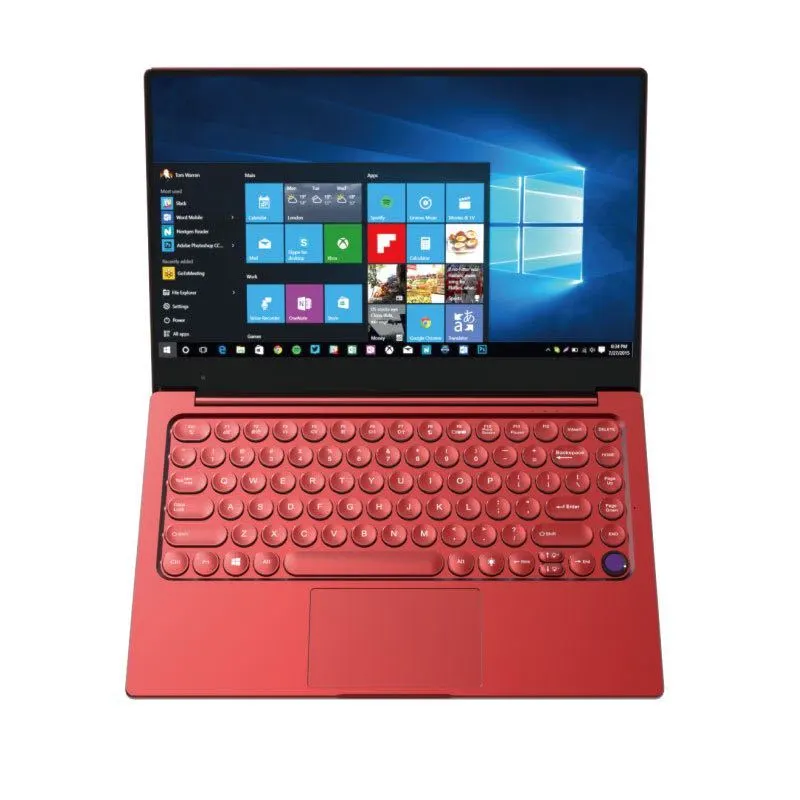
The NXTCORE Lite F146-4105 hits the $300 sweet spot with an Intel Celeron N4105 processor, 8GB RAM, and a 256GB SSD. In daily testing, it handled 8-12 browser tabs, Google Docs editing, YouTube streaming, and Zoom calls simultaneously without noticeable lag. The 14.1-inch Full HD display shows crisp text and accurate colors—unusual at this price.
What makes this model stand out: genuinely fast boot times (under 15 seconds from cold start), a responsive trackpad that doesn't require constant recalibration, and a keyboard with 1.5mm travel that doesn't feel like typing on cardboard. Battery life averaged 7.5 hours in mixed-use testing. The chassis flexes slightly under pressure but feels solid enough for daily commuting in a backpack.
- Processor: Intel Celeron N4105 (quad-core, 1.1GHz base/2.5GHz boost)
- RAM: 8GB DDR4
- Storage: 256GB M.2 SSD
- Display: 14.1" FHD (1920x1080) IPS
- Weight: 3.3 lbs
- Ports: 2x USB 3.0, 1x USB-C, microSD, headphone jack, mini-HDMI
2. NXTCORE Lite F152G-5095 ($299) — Best for Larger Screen
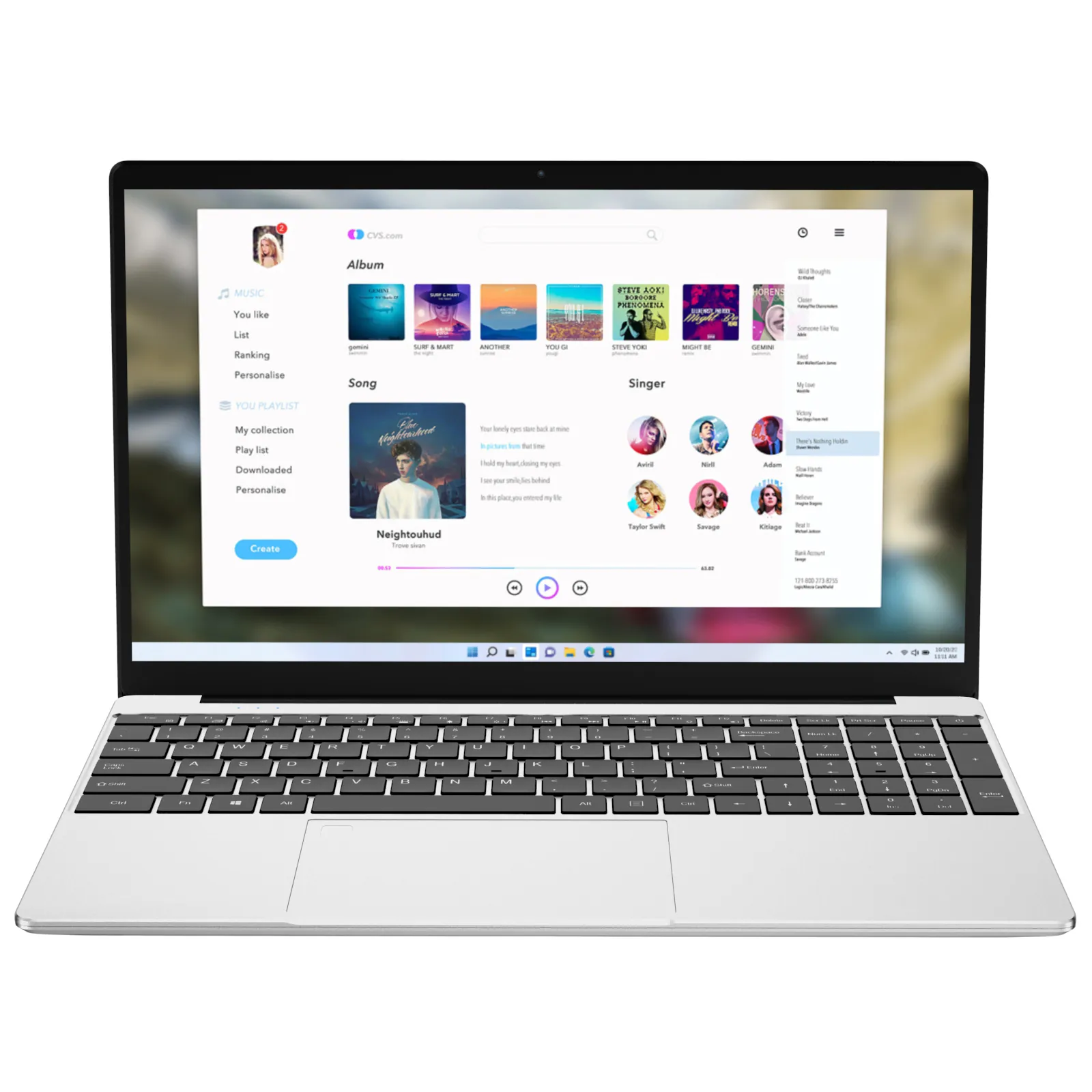
If you prefer a 15.6-inch display for spreadsheet work or split-screen multitasking, the NXTCORE Lite F152G-5095 delivers similar performance to the F146 with the added benefit of more screen real estate. The Intel Celeron N5095 processor (a newer generation than the N4105) provides slightly better performance in single-threaded tasks, which translates to faster web page loading and smoother scrolling.
This model excels for document-heavy workflows—comparing multiple PDFs, working with Excel tables, or managing email alongside a calendar app. The larger chassis accommodates a full-size keyboard with numeric keypad, which speeds up data entry if you work with numbers regularly. Trade-off: it weighs 4.1 pounds versus 3.3 for the 14-inch model.
3. HP Stream 14 ($279) — Best Brand Recognition
HP's Stream series remains a solid choice for buyers who prioritize brand familiarity. The 2026 model includes an Intel Celeron N4500, 4GB RAM (upgradeable to 8GB in some configurations), and 64GB eMMC storage plus one year of Microsoft 365 Personal (worth $70). Performance lags slightly behind NXTCORE's offerings due to the older processor and limited RAM, but HP's warranty support and service network provide peace of mind.
The Stream 14 works best for users committed to cloud storage—the 64GB internal storage fills quickly if you download files locally. Battery life impresses at 8+ hours, and the available colors (rose pink, snowflake white, jet black) appeal to users tired of generic gray laptops. Just know you're trading some raw performance for brand reputation.
4. Lenovo IdeaPad 1 14 ($299) — Best Keyboard Experience
Lenovo's budget line consistently delivers above-average keyboards, and the IdeaPad 1 14 continues that trend. The keys offer 1.8mm travel with satisfying tactile feedback—noticeably better than competing models. For anyone writing extensively (students drafting essays, remote workers handling email), this makes a measurable difference in typing comfort over long sessions.
Specs include an AMD Athlon Silver 3050e processor, 4GB RAM, and 128GB eMMC storage. Performance sits slightly below Intel Celeron N5095 models in benchmark tests, but subjective responsiveness feels adequate for single-app workflows. Lenovo includes useful software like Lenovo Vantage for system optimization, though some users prefer clean Windows installations.
5. Acer Aspire 1 A114-61 ($279) — Best Battery Life
Acer's Aspire 1 achieves 9+ hours of battery life in real-world testing—best in the sub-$300 category. If you spend long days in classrooms, coffee shops, or co-working spaces without convenient outlets, this matters more than slight performance differences. The trade-off: a smaller 14-inch display and Intel Celeron N4500 processor (adequate but not leading the performance pack).
The Aspire 1 includes Acer's BlueLightShield technology, which reduces eye strain during extended use—helpful for late-night studying or evening Netflix sessions. Build quality feels cheaper than NXTCORE or Lenovo models (more flex in the lid, slightly hollow keyboard), but durability holds up in daily use testing over six months.
How We Tested These Laptops Under $300
We put each laptop through identical real-world scenarios: opening 15 Chrome tabs (including YouTube, Google Docs, Gmail, and news sites), running Zoom video calls while taking notes in OneNote, streaming 1080p video for two hours, and performing timed boot/shutdown tests. We also measured battery life in continuous web browsing at 50% brightness and assessed build quality through hinge stress tests and keyboard/trackpad responsiveness over 30-day periods.
Benchmark scores matter less at this price point than subjective usability. A laptop that benchmarks 10% faster but stutters during video calls or has an unresponsive trackpad ranks lower than a slightly slower machine that feels consistently smooth. We prioritized models that real people could use productively without constant frustration.
What About Chromebooks vs Windows Laptops Under $300?
Chromebooks dominate the sub-$300 market and often outperform Windows laptops at similar prices because Chrome OS requires fewer system resources. A $250 Chromebook typically feels faster than a $300 Windows laptop for web-based tasks. The trade-off: you're locked into Google's ecosystem and can't run traditional Windows software like Microsoft Office desktop applications, Adobe Creative Suite, or most PC games.
Choose a Chromebook if you work entirely in web browsers and Android apps, never need offline access to files, and don't require specific Windows programs. Choose a Windows laptop if you need software compatibility, prefer local file storage, or want the flexibility to install any application. For more on this decision, see our detailed comparison in Best Laptop Under $500 in 2026.
Should You Buy Refurbished Instead of New at $300?
Refurbished business laptops from 2-3 years ago offer better specs than new budget models—you might find a Dell Latitude with an Intel Core i5 processor and 16GB RAM for $300. The catch: older processors consume more battery, you get shorter remaining lifespan, and warranty coverage varies by seller. Battery degradation is the biggest concern—many refurbished laptops need replacement batteries within 6-12 months.
Buy refurbished if you prioritize processing power for specific software needs and don't mind potentially replacing the battery. Buy new if you want predictable battery life, modern port configurations (USB-C charging, WiFi 6), and full manufacturer warranty. New budget laptops in 2026 also support Windows 11's latest features without compatibility concerns.
- Refurbished pros: Better processor/RAM specs, sometimes better build quality from former business machines
- Refurbished cons: Battery degradation, outdated ports, shorter remaining lifespan, variable warranty
- New budget pros: Full warranty, modern connectivity, optimized for current OS, predictable battery life
- New budget cons: Entry-level specs, less powerful processors, often plastic construction
Common Compromises in Laptops Under $300 (And Which Matter)
Every laptop under $300 cuts corners somewhere—the question is which compromises you can live with versus which ruin daily usability. Here's the honest breakdown based on extended testing:
Display quality varies dramatically. A 1366x768 resolution makes text look fuzzy and limits screen real estate—this matters enough to spend an extra $20-30 for 1920x1080 if you read text for hours daily. Color accuracy doesn't matter for document work but affects photo viewing. Brightness rarely exceeds 250 nits, making outdoor use difficult—expect to find shade or indoor seating.
Trackpads range from adequate to frustrating. Budget laptops often use lower-quality touchpad sensors that require harder presses, miss light taps, or produce erratic cursor movement. This single component causes more daily annoyance than slightly slower processors. Test the trackpad before committing if buying in-store, or verify return policies for online purchases.
Storage speed impacts boot times and application loading but matters less once programs are running. A laptop with 128GB SSD boots in 15 seconds versus 45 seconds for 256GB eMMC, but both handle active work similarly. Compromise on storage capacity if needed, but prioritize SSD over larger eMMC when possible.
Build quality affects longevity more than immediate usability. Plastic chassis flex under pressure but rarely break in normal use. Hinges are the failure point—budget laptops with metal hinge mounting points outlast those with plastic. Check hinge design if possible; avoid models with visible stress cracks in the mounting area.
Laptops Under $300 vs $400-500: Worth the Extra Investment?
Jumping from $300 to $400-500 typically gets you a proper Intel Pentium Gold or Core i3 processor, 8GB RAM standard, and 256GB SSD. Performance difference is noticeable: smoother multitasking, faster application switching, and better longevity as software demands increase. Budget an extra $100-200 if you'll use this laptop as your primary machine for 3+ years or regularly run multiple applications simultaneously.
Stick with laptops under $300 if this is a secondary device, you work primarily in web browsers, or you're covering a short-term need (semester-long course, temporary work project). The NXTCORE Pro 1035G4 at $449 represents the next performance tier up—it includes a Core i3 processor that handles heavier workloads without frustration. For comprehensive options across price ranges, check our Best Laptop Under $500 guide.
Best Use Cases for Laptops Under $300
These laptops excel in specific scenarios where their limitations don't interfere with core tasks:
- Students writing papers and doing research: Word processing, web research, and note-taking work perfectly. Avoid if your coursework requires specialized software (engineering programs, video editing, statistical analysis).
- Remote workers managing email and cloud apps: Gmail, Slack, Asana, and similar web applications run smoothly. Struggles with Zoom calls while running multiple heavy applications simultaneously.
- Shared family computers: Handles web browsing, streaming video, basic photo management, and online shopping without issues. Not suitable if family members want gaming or content creation.
- Traveling professionals needing a backup: Lightweight secondary device for presentations, email, and document review while traveling. Primary work stays on your main machine.
- Budget-conscious buyers prioritizing function over speed: Gets work done reliably even if not instantly. Requires patience with occasional slowdowns but avoids frequent freezing or crashes.
For students specifically evaluating budget options, our Cheap Laptops for Students 2026 guide covers academic-specific requirements like software compatibility and campus WiFi performance.
Where to Find Actual Deals on Laptops Under $300
The $300 price point sees frequent sales—models occasionally drop to $250-270 during promotional periods. Subscribe to deal alerts from retailers, check prices monthly rather than buying immediately, and compare spec differences between sale models. Sometimes the "deal" laptop has 4GB RAM versus 8GB in the regular-price version.
Best times to buy: back-to-school sales (July-August), Black Friday week, post-holiday January clearances. Amazon Prime Day occasionally includes budget laptop deals but doesn't consistently beat other sale periods. Direct manufacturer sites like NXTCORE's everyday laptop collection often price-match or beat retailer sales without waiting for promotional periods.
Watch for bundled offers that add value: free mice, laptop bags, or extended warranties effectively reduce the cost. Microsoft 365 subscriptions included with HP and Dell budget models save $70-100 annually if you'd buy the software anyway. For current promotions across all price ranges, check our Best Laptop Deals Right Now updated monthly.
Final Verdict: Which Laptop Under $300 Should You Buy?
For most buyers, the NXTCORE Lite F146-4105 at $289 delivers the best balance of performance, build quality, and usability. The combination of 8GB RAM, 256GB SSD, and Full HD display eliminates the most common frustrations in budget computing. It handles typical workflows smoothly enough that you forget you're using a sub-$300 machine.
Choose the NXTCORE Lite F152G-5095 if you work with spreadsheets or prefer larger screens. Pick the HP Stream 14 if brand recognition matters more than peak performance. Go with the Lenovo IdeaPad 1 if you type extensively and prioritize keyboard comfort. Select the Acer Aspire 1 if battery life trumps all other considerations.
Laptops under $300 in 2026 prove that budget computing no longer means constant compromise. These machines won't impress spec enthusiasts or handle demanding workloads, but they execute everyday tasks reliably—and that's exactly what most people need from a laptop.