Everyday
  About Company
 Refund Policy
 Privacy Policy
 Terms And Conditions
 Support
 Open Ticket
 Contact Us
 Knowledgebase
 News
News

If your entire laptop budget tops out somewhere south of $400 and every single dollar has to earn its keep, the buying rules flip. This is not a “which premium ultrabook wins” roundup. It is a guide for the tightest budgets — where the only question that matters is how to squeeze the most usable computer out of the least money. Below, NXTCORE ranks its cheapest laptops under $400 by value per dollar, starting at just $179, and shows you exactly where to spend and where to save.
The real danger at the bottom of the market is false economy: a rock-bottom machine with 4GB of RAM and slow eMMC storage that feels broken within weeks costs you far more in daily frustration than a slightly pricier one that actually works. So the target here is the opposite of “cheapest possible” — it is the lowest price that still clears the bar for real daily use: browsing, email, documents, video calls, and streaming. Nail those fundamentals and a sub-$400 laptop can serve you well for years.
Spend It Here, Skip It There: A Priority Guide for the Tightest Budgets
On a rock-bottom budget you cannot have everything, so spend on purpose. Pour your limited dollars into the few things that make a cheap laptop feel genuinely usable, and cut the extras that mostly just inflate the sticker price. Here is the priority order, from most to least worth your money.
| Put your money into | Why it is worth it | Where to save instead |
|---|---|---|
| An SSD (never eMMC or a spinning hard drive) | The single biggest reason a cheap laptop feels fast — quick boot and snappy app loads | Don’t chase huge capacity; a modest SSD plus free cloud storage is plenty |
| Enough RAM for everyday multitasking | Keeps a dozen browser tabs, your documents, and a video call alive at the same time | Skip 16GB and up — you will never touch it on basic tasks |
| A current-generation low-power CPU (Celeron N5095-class or newer) | Older chips choke on modern web apps; a 2021-era part still holds up fine today | Skip Core i7 / Ryzen 7 tiers — real power you will pay dearly for and rarely use |
| A 1080p screen if you read or write for hours | Sharper text is noticeably easier on the eyes over long sessions | Skip 4K, OLED, and touchscreens — battery-draining luxuries at this price |
| A real warranty and a return window | Your safety net when you are buying at the low end of the market | Skip pricey extended add-on plans; a solid 1-year plus returns has you covered |
The flip side of that list is just as important. On the tightest budget, do not pay extra for a discrete graphics card, a machined-metal chassis, a backlit keyboard, a fingerprint reader, a 4K or OLED panel, or a giant 1TB drive. Every one of those pushes the price up without changing whether the laptop can browse, type, and stream — the things you actually bought it to do.
The reason the picks below start at $179 rather than the very bottom of the internet is simple: they already clear the “spend here” column. Every NXTCORE model ships with an SSD, Windows 11 Pro, a 1-year warranty, a 90-day return window, and free shipping across the US and Canada. Even the cheapest one covers the non-negotiables, which is exactly what protects you from false economy.
The Cheapest Laptops Under $400, Ranked by Value Per Dollar
These six models are the sub-$400 slice of the NXTCORE lineup — the ones that make sense when the budget is genuinely tight. They are ordered the way a stretched budget actually thinks about them: cheapest first, with each step up justified only by what that extra money buys.
- The floor — $179: NXTCORE Lite F146-4105. The cheapest way in that still clears the fundamentals.
- The smart $20 upgrade — $199: NXTCORE Lite G141J-N5095. A newer, quicker Celeron N5095 for almost nothing extra.
- Cheapest big screen — $219: NXTCORE Lite F152G-5095. Same class of chip on a roomier 15-inch frame.
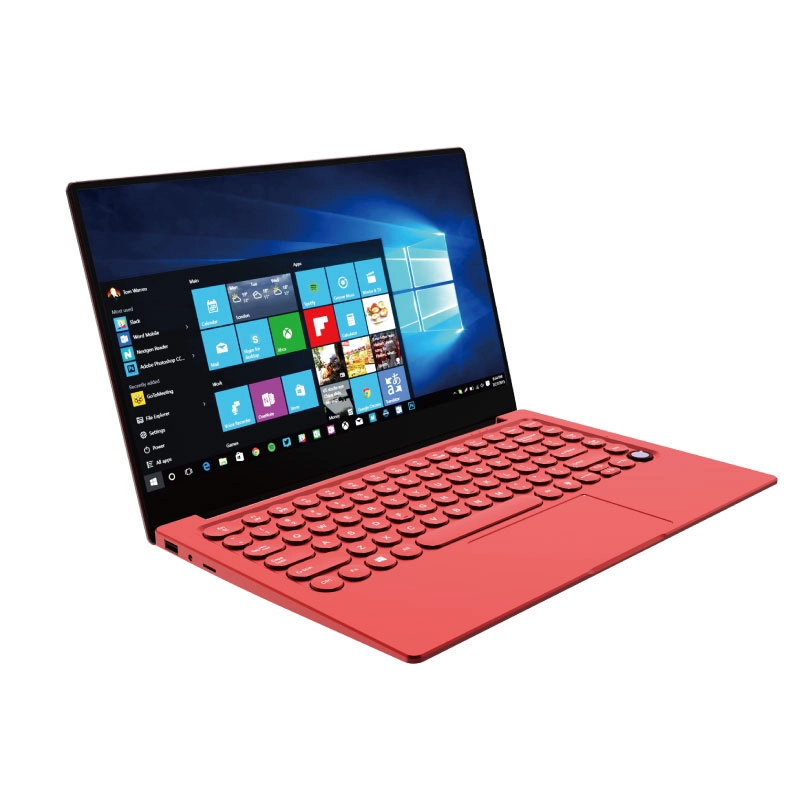
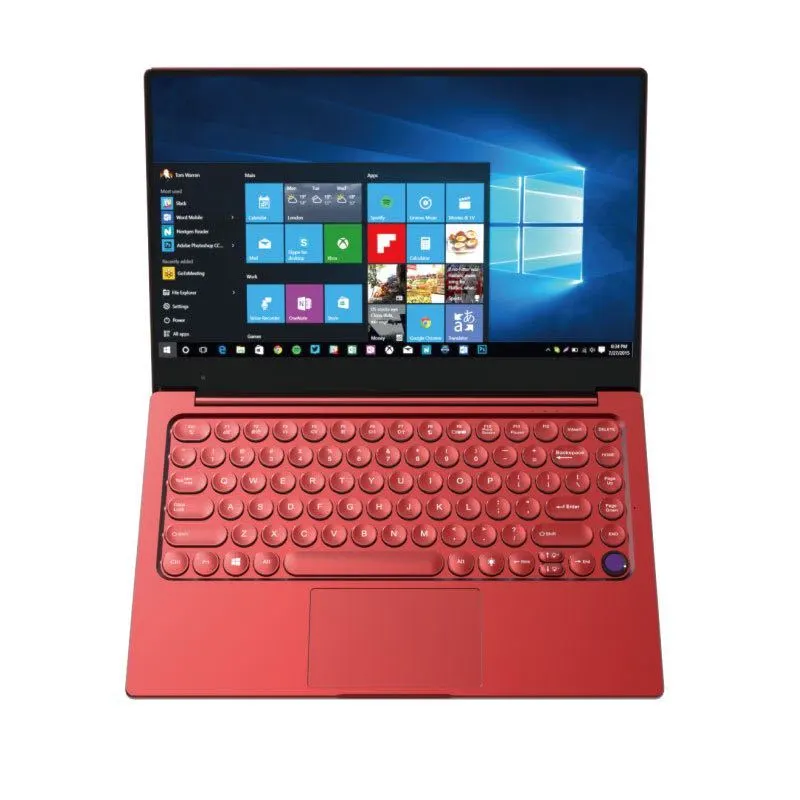
- Nicer daily carry — $329: NXTCORE Flex S140N. A step up in build and finish for lighter, cleaner everyday use.
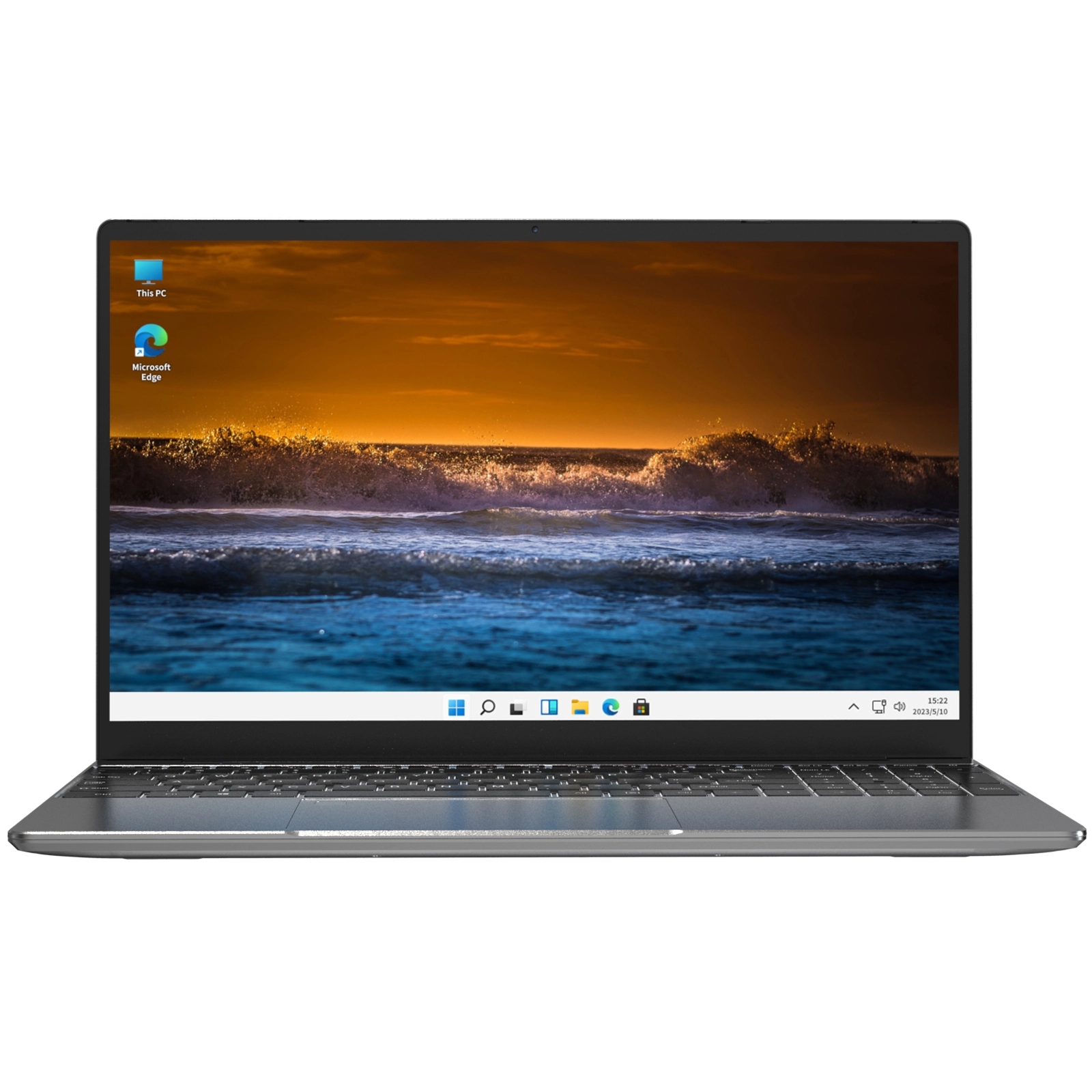
- Most screen — $359: NXTCORE Flex Y156N. A generous 15.6-inch panel for multitasking and media.
- The ceiling — $369: NXTCORE Pro 1030NG7. Intel Core-class performance without crossing $400.
The Price Ladder: What Each Step Up Actually Buys
Before you spend more than you have to, look at what each rung of the ladder gets you. On the tightest budget the goal is to stop climbing the moment the laptop does what you need — not one dollar higher.
| Price | Model | What the extra money buys |
|---|---|---|
| $179 | Lite F146-4105 | The floor — a genuinely usable everyday laptop, nothing you don’t need |
| $199 | Lite G141J-N5095 | A newer, faster Celeron N5095 for just $20 more |
| $219 | Lite F152G-5095 | The same N5095 class of chip on a larger 15-inch screen |
| $329 | Flex S140N | A cleaner build and finish for a nicer, lighter daily carry |
| $359 | Flex Y156N | A roomy 15.6-inch display for side-by-side windows and video |
| $369 | Pro 1030NG7 | Intel Core-class horsepower — the top of what this budget allows |
1. NXTCORE Lite F146-4105 — The $179 Floor (Best Value Per Dollar)
Verdict: The cheapest laptop here and the one that best embodies the whole point of this guide — the lowest price that still does the job.
At $179, the NXTCORE Lite F146-4105 is the entry point, built around an Intel Celeron N4105 and a solid-state drive rather than the sluggish eMMC storage that wrecks the experience on truly bottom-tier machines. That one detail is why it feels responsive for the tasks it is made for: web browsing, documents, email, and video calls. It ships with Windows 11 Pro, a 1-year warranty, and 90-day returns — so the safety net is there even at the lowest price.
- Best for: the smallest budgets, a first laptop, a backup machine, or a simple everyday driver
- Spend-here boxes it ticks: SSD storage, Windows 11 Pro, real warranty and returns
- What you are trading away: it is the least powerful option, so keep the tab counts and expectations modest
2. NXTCORE Lite G141J-N5095 — The $20 Upgrade Most People Should Take
Verdict: If you can find another $20, this is where it does the most work — a meaningfully newer processor for almost no extra spend.
The NXTCORE Lite G141J-N5095 at $199 steps up to the Intel Celeron N5095, a newer and quicker quad-core part than the N4105 in the F146. In everyday terms that means it holds together better when you push it — more open tabs, a busier browser, background apps running while you work. For most tight-budget buyers this $20 jump is the single best-value decision on the whole ladder, and it keeps the same SSD, Windows 11 Pro, warranty, and returns.
- Best for: anyone who can stretch $20 past the absolute floor and wants the smoothest cheap experience
- Spend-here boxes it ticks: current-generation N5095 CPU, SSD, Windows 11 Pro, warranty and returns
- What you are trading away: very little — this is the value sweet spot of the range
3. NXTCORE Lite F152G-5095 — The Cheapest Big-Screen Pick
Verdict: The lowest-cost way onto a larger 15-inch screen without leaving the Celeron N5095 value class.
At $219, the NXTCORE Lite F152G-5095 pairs the same N5095-class chip as the $199 model with a bigger 15-inch frame. If you plan to keep the laptop parked on a desk and value roomier viewing over portability, the extra $20 buys screen size rather than raw speed — a reasonable trade for reading, spreadsheets, and side-by-side windows. As with every pick here, it includes an SSD, Windows 11 Pro, the 1-year warranty, and 90-day returns.
- Best for: a stay-at-home desk laptop where a larger screen beats a smaller, lighter body
- Spend-here boxes it ticks: N5095-class CPU, SSD, Windows 11 Pro, warranty and returns
- What you are trading away: portability — a 15-inch chassis is bigger to carry than the 14-inch Lites
4. NXTCORE Flex S140N — A Nicer Daily Carry at $329
Verdict: The point where you stop buying pure function and start paying a little for a better everyday feel.
The NXTCORE Flex S140N at $329 moves up from the bare-bones Lite tier into the Flex line, aimed at people who carry a laptop around and want it to feel a step nicer to live with day to day. On the tightest budget this is a want, not a need — but if your machine travels with you constantly, the improved build can be worth the jump. It keeps the same core promises: SSD, Windows 11 Pro, 1-year warranty, 90-day returns, and free US and Canada shipping.
- Best for: buyers who carry a laptop daily and will notice a cleaner build and finish
- Honest budget note: this is a comfort upgrade, not a fundamentals upgrade — skip it if money is genuinely tight
5. NXTCORE Flex Y156N — The Most Screen Under $400
Verdict: Choose this only if screen real estate is the thing you most want from the extra money.
At $359, the NXTCORE Flex Y156N gives you a generous 15.6-inch display, the roomiest panel in this budget group. For anyone who works with two windows side by side, reads long documents, or leans on their laptop for streaming, that space is the payoff. It sits near the top of the sub-$400 range, so it only makes sense when the larger screen genuinely earns its place over the cheaper Lites.
- Best for: multitaskers and media watchers who want the largest screen without crossing $400
- Honest budget note: you are paying for size, not speed — the cheaper N5095 Lites keep pace on everyday tasks
6. NXTCORE Pro 1030NG7 — The Ceiling of the Budget at $369
Verdict: The most capable machine you can get here without breaking $400 — for tight budgets with a demanding task or two.
The NXTCORE Pro 1030NG7 at $369 steps out of the Celeron tier entirely into Intel Core-class performance. If your work occasionally asks more of the machine — heavier multitasking, a busier workload than pure browsing — this is the ceiling of what a sub-$400 budget can reach, and it is a real step up in headroom. If your needs are the everyday basics, though, the money is better saved: the $199 Lite covers that ground for far less.
- Best for: tight budgets with one or two genuinely demanding tasks that justify the Core-class jump
- Honest budget note: overkill for browsing and documents — only pay this if your workload truly needs it
What a Sub-$400 Laptop Won’t Do (Set Expectations Before You Spend)
The fastest way to waste money at the bottom of the market is to buy for the wrong job. These machines are built to do the everyday things well and cheaply. They are not built for:
- Modern AAA gaming — recent big-budget titles are out of reach; only older or lightweight games are realistic.
- Serious video editing or 4K rendering — possible in principle, painfully slow in practice.
- Professional photo work in Photoshop or Lightroom with large RAW files.
- Extreme multitasking — dozens of tabs plus virtual machines will find the limits fast.
- Heavy software development — compiling large projects or running multiple dev environments.
If your real needs land outside that list, the honest move is to save a little longer rather than buy the wrong cheap laptop twice. Our Best Laptops Under $500 guide shows what another $100–$150 unlocks, and How Much RAM Do You Actually Need in 2026 helps you judge whether you are about to over- or under-buy.
Tight-Budget FAQ
What is the cheapest laptop actually worth buying — not just the cheapest one out there?
The cheapest one worth buying is the cheapest one that still clears the fundamentals: an SSD (not eMMC), enough RAM for everyday multitasking, and a current-enough processor. In this lineup that floor is the $179 Lite F146-4105. Go much below that on the open market and you start hitting 4GB-RAM, eMMC machines that feel broken quickly — the classic false economy.
Is $179 too cheap — will it just frustrate me?
It depends entirely on the job. For browsing, email, documents, video calls, and streaming, a well-specified $179 machine handles the load. Frustration at this price almost always comes from mismatched expectations — trying to game, edit video, or juggle fifty tabs. Match the laptop to everyday tasks and it will not disappoint.
If I only have $20 more, where should it go?
Into the processor. Stepping from the $179 Lite F146-4105 to the $199 Lite G141J-N5095 swaps the older Celeron N4105 for the newer, quicker N5095. That single $20 buys the most noticeable everyday improvement of any step on the ladder — more so than a bigger screen or a nicer chassis.
On the tightest budget, what should I never cut?
Never cut the SSD, and never drop below enough RAM to multitask. Those two are what separate a cheap laptop that feels fine from one that feels broken. Everything else — screen size, build materials, a fancier CPU — is negotiable. Every model here keeps the SSD as a baseline, which is why they start where they do.
Can I buy cheap now and upgrade RAM or storage later?
Sometimes, but do not count on it — many budget laptops solder their RAM, and adding storage is not always practical. If you are buying at the very bottom, it is safer to pick the configuration that meets your needs on day one than to gamble on a later upgrade. See Laptop Specs Explained for Beginners if you want to decode what a listing does and doesn’t let you change.
Is buying used cheaper than a new budget laptop?
A used or refurbished machine can cost less on paper, but you often trade away the warranty and returns that matter most on a tight budget — when there is no cushion for a bad purchase. A new laptop with a 1-year warranty and a 90-day return window can be the safer value even at a slightly higher price. If you do shop used, our How to Buy a Laptop Online guide covers protecting yourself.
Do these cheap laptops still come with a warranty and returns?
Yes — and that is deliberate. Every NXTCORE model in this list, including the $179 pick, ships with Windows 11 Pro, a 1-year warranty, a 90-day return window, and free shipping across the US and Canada. On the tightest budget that safety net is part of the value, not an optional extra.
A Word on How These Rankings Are Built
The Bottom Line for the Smallest Budgets
If the budget is as tight as it gets, start at the $179 Lite F146-4105 — it clears every fundamental and nothing more, which is exactly the point. If you can find another $20, move up to the $199 Lite G141J-N5095; its newer N5095 processor is the single best-value step on the whole ladder.
Only climb past that when you have a specific reason to. Pay $219 for the Lite F152G-5095 if a bigger screen matters more than portability, reach for the Flex Y156N at $359 if you want the most screen under $400, and stretch to the Pro 1030NG7 at $369 only if a genuinely demanding task justifies the Core-class jump. For everyone else, the money is better left in your pocket.
Browse the full range of affordable everyday laptops to see current pricing, or compare across categories in our 2026 laptop rankings. Because NXTCORE ships direct, more of your tight budget goes into the laptop instead of retail markup.