Everyday
  About Company
 Refund Policy
 Privacy Policy
 Terms And Conditions
 Support
 Open Ticket
 Contact Us
 Knowledgebase
 News
News

One laptop. Three people who all need it before dinner. If you are trying to find budget-friendly laptops that can serve a whole family — a parent answering work email, a teenager writing an essay, a younger kid on a learning app, and everyone taking turns in the evening — you do not actually need a separate machine for each person. You need one affordable, sturdy laptop set up so everyone has their own space on it. This guide focuses on exactly that: the best family laptops under $400 in 2026, how to split one machine into separate accounts for parents and kids, and which models hold up to the daily chaos of a busy household.
Family Picks at a Glance
- Best overall family laptop: NXTCORE Lite F152G-5095 — 15.6" screen big enough to share, 8GB RAM, 256GB SSD, $219
- Best for younger kids: NXTCORE Lite F146-4105 — light, cheap enough that a spill isn't a crisis, $179
- Best compact second machine: NXTCORE Lite G141J-N5095 — 14" quad-core for a homework corner, $199
- Best step-up for a busy home: NXTCORE Flex Y156N — roomy 15.6" for heavier shared use, $359
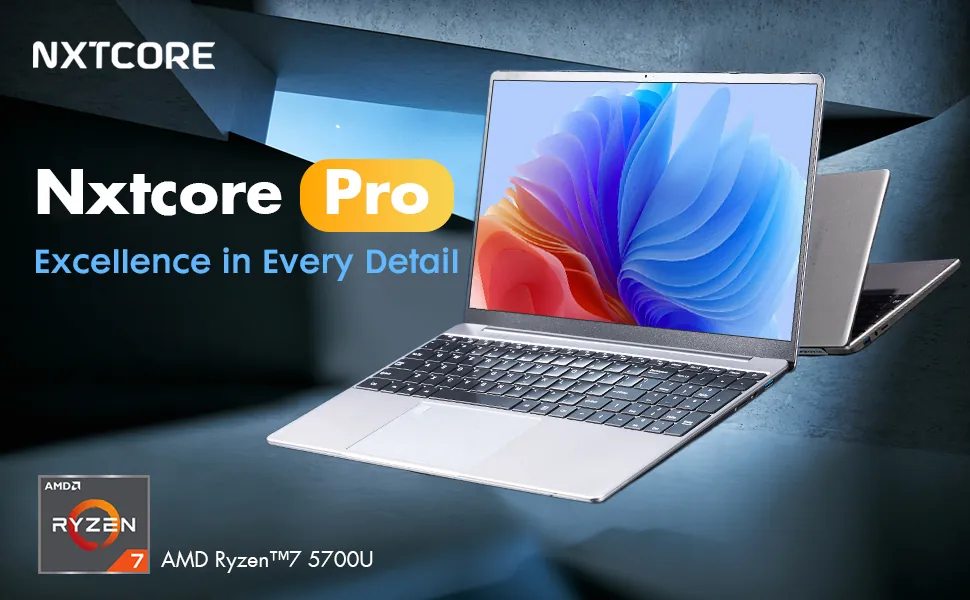
- Best for a work-from-home parent: NXTCORE Pro 1030NG7 — Intel Core i3 muscle the whole family can borrow, $369
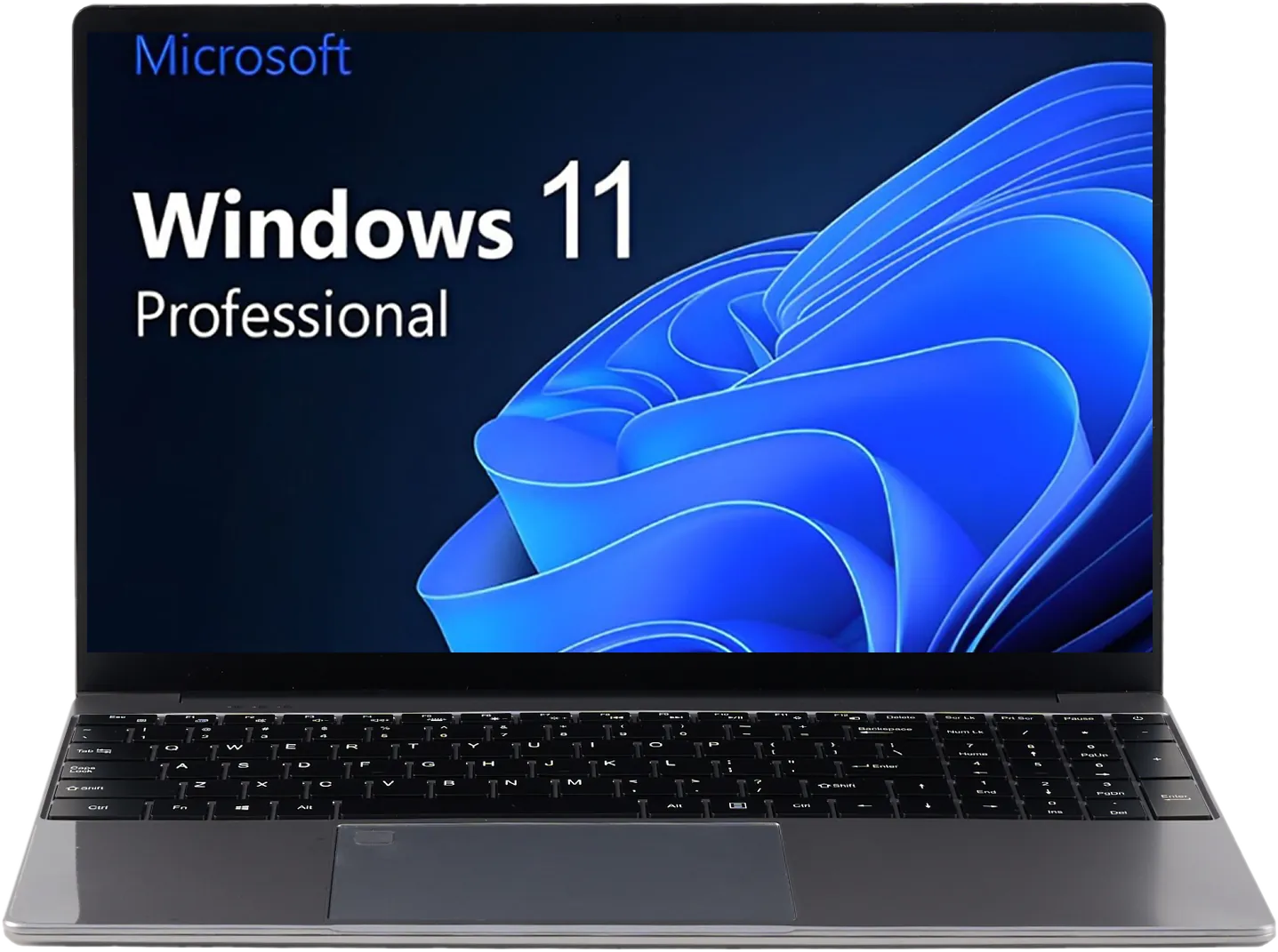
Every model here ships with Windows 11 Pro, a 1-year warranty, 90-day returns, and free shipping across the US and Canada — details that matter more when a laptop is going to take a beating from more than one person.

What a Whole-Family Laptop Actually Needs
A family laptop is a different buy than a personal one. It is not about maxing out a single person's needs — it is about being good enough for several people at once and forgiving when things go wrong. Five things matter most:
- Separate accounts: everyone needs their own login, files, and settings so a kid's homework doesn't land on a parent's work desktop.
- A shareable screen: a 15.6" display is easier for two people to look at together (homework help, a shared show) than an 11" or 13".
- Enough storage for several profiles: multiple accounts each accumulate photos, downloads, and apps, so a 256GB SSD beats a cramped 64GB drive.
- Durability for daily handoffs: a household laptop gets carried, closed one-handed, and used near snacks — build quality counts.
- Low enough stakes: a $179–$369 laptop is one you can hand to a seven-year-old without your stomach dropping.
Shared Use: One Machine, a Separate Account for Everyone
The single biggest thing that makes one laptop work for a whole family is user accounts. Windows 11 Pro lets you create a distinct account for each family member, and each one is genuinely walled off: separate desktop, separate Documents and Downloads folders, separate browser logins, separate app settings. Your kid signs in and sees their stuff; you sign in and see yours. Nobody accidentally deletes anyone's files, and your saved work passwords never sit on the account a nine-year-old uses.
- One parent (administrator) account that controls installs, updates, and the other accounts.
- A standard account per adult so a partner's browser, email, and work apps stay separate.
- A child account per kid, linked to Microsoft Family Safety for age-appropriate limits.
- A guest-style account for visitors or homework groups, kept clear of everyone's personal files.
For the kids' accounts specifically, Microsoft Family Safety (free and built into Windows 11) lets you set daily screen-time limits, schedule when the laptop can be used, filter websites and search results, approve app downloads, and see weekly activity reports — all from your phone. That means one shared laptop can be locked-down for a first-grader and wide-open for a parent at the same time, on the same machine. Because switching accounts takes seconds, handoffs between family members stay quick even during the after-school rush.
Built for a Busy Household: Spills, Drops & Sticky Hands
A family laptop lives a harder life than a personal one. It gets closed with one hand, carried by the screen, set down next to cereal bowls, and passed between people who did not pick it out and do not baby it. When you are choosing among cheap laptops for a household, durability is not a luxury spec — it is the whole point. Here is what to look at:
- Chassis flex: press the keyboard deck and lid. Budget laptops are plastic, and that is fine — well-designed plastic actually survives drops better than thin aluminum — but you want minimal give.
- Hinge feel: the hinge is the first thing to fail when kids open and close a laptop dozens of times a day. A firm, even hinge with little screen wobble is a good sign.
- Keyboard resilience: a spill-aware layout and firm keys handle crumbs and sticky fingers better than mushy, loose ones.
- Weight and size: lighter machines (the 14" Lite models are genuinely light) survive being carried around the house more gracefully.
- Warranty and returns: a 1-year warranty and 90-day return window are your safety net when a household laptop meets a household accident.
This is also why we cap the family recommendations well under $400. A laptop that a busy family will scuff, drop, and eventually outgrow should not cost as much as a car payment. The NXTCORE Lite F146-4105 at $179 is a good example: cheap enough that a cracked corner or a juice spill is an annoyance, not a disaster — but still a real Windows 11 Pro laptop, not a toy.
The Best Budget Family Laptops for 2026
1. NXTCORE Lite F152G-5095 — Best Overall Family Laptop ($219)
Verdict: The one to buy if you want a single laptop the whole family can genuinely share. The NXTCORE Lite F152G-5095 pairs a spacious 15.6" Full HD screen — large enough for a parent and child to look at together — with the two specs that keep a multi-account laptop pleasant: 8GB of RAM and a 256GB SSD. The quad-core Intel Celeron N5095 is not fast, but it never gets in the way of homework, video calls, browsing, and streaming, and the roomy SSD comfortably holds several family members' accounts and files.
Specs: Intel Celeron N5095 (4 cores, up to 2.9GHz), 8GB DDR4, 256GB SSD, 15.6" FHD IPS, Intel UHD Graphics, Windows 11 Pro
- 256GB SSD is double the storage of most laptops this cheap — room for four or five accounts
- 15.6" FHD screen is easy for two people to share
- Quad-core is noticeably smoother across multiple accounts than a dual-core budget chip
- Full-size keyboard with numpad suits both kids' typing practice and a parent's spreadsheets
Best family role: The main living-room or kitchen-table computer everyone signs into.
2. NXTCORE Lite F146-4105 — Best for Younger Kids ($179)
Verdict: The lowest-stakes laptop we would actually recommend for a household with little kids. At $179 the NXTCORE Lite F146-4105 is light, simple, and cheap enough that you can lock it to a child account, hand it over, and not hover. The dual-core Celeron N4020 handles learning apps, kid-safe browsing, video, and homework; 8GB of RAM is generous at this price and keeps a handful of tabs honest.
Specs: Intel Celeron N4020 (2 cores, up to 2.8GHz), 8GB DDR4, 128GB storage, 14.1" FHD IPS, Intel UHD Graphics 600, Windows 11 Pro
- Cheap enough that a spill or drop is an annoyance, not a catastrophe
- 8GB RAM in a sub-$200 laptop is rare and keeps a child account responsive
- Sharp 14.1" Full HD screen for reading and learning apps
- 128GB storage fills up, so pair it with a child's cloud folder or a cheap SD card
Best family role: A dedicated kid's laptop, or a shared machine for younger children. See our guide to the best cheap laptops for kids' homework and online school.
3. NXTCORE Lite G141J-N5095 — Best Compact Second Machine ($199)
Verdict: When one laptop is not quite enough and two homework sessions collide, a cheap second machine beats fighting over the first one. The NXTCORE Lite G141J-N5095 brings the same quad-core Celeron N5095 as our top pick into a smaller 14" body for $199, making it an easy homework-corner or bedroom machine that still logs into the same family Microsoft accounts.
Specs: Intel Celeron N5095 (4 cores, up to 2.9GHz), 8GB DDR4, 256GB SSD, 14.1" FHD IPS, Intel UHD Graphics, Windows 11 Pro
- Quad-core performance for the price of most dual-core laptops
- Compact 14" size is easy for a kid to carry and store
- 256GB SSD keeps a couple of accounts comfortable
- A sensible "second laptop" so two people are not stuck sharing one at 8pm
Best family role: The overflow machine for a two-kid household, or a portable companion to a bigger shared laptop.
4. NXTCORE Flex Y156N — Best Step-Up for a Busy Home ($359)
Verdict: If your family leans on one laptop hard — several accounts, lots of tabs, a parent's real work plus kids' schoolwork — the NXTCORE Flex Y156N gives you more headroom on a 15.6" Full HD screen. It is the natural pick for a household that wants one capable, shareable machine rather than two entry-level ones.
Specs: Intel quad-core processor, 8GB DDR4, 256GB SSD, 15.6" FHD IPS, Windows 11 Pro
- Roomy 15.6" display that two people can share comfortably
- Handles heavier multi-account, multi-tab days better than the Lite models
- 256GB SSD for a family's worth of accounts, photos, and downloads
- A single do-everything machine for homes that don't want a second laptop
Best family role: The one shared laptop in a household that uses it a lot.
5. NXTCORE Pro 1030NG7 — Best for a Work-From-Home Parent ($369)
Verdict: When a parent's work laptop is the family laptop after 5pm, you want a bit more processor. The NXTCORE Pro 1030NG7 steps up to an Intel Core i3 (the 1030NG7), which handles a parent's video calls, spreadsheets, and dozens of tabs during the day and switches over to the kids' accounts in the evening without feeling sluggish.
Specs: Intel Core i3-1030NG7 (4 cores), 8GB DDR4, 256GB SSD, FHD IPS display, Windows 11 Pro
- Core i3 performance is a real step up from Celeron for a working parent
- Comfortable for daytime work and evening family use on separate accounts
- 256GB SSD keeps a work account and family accounts side by side
- Windows 11 Pro management features suit a parent who also works from home
Best family role: A work-from-home parent's daytime machine that becomes the family laptop at night. If a parent needs still more power for demanding work, the NXTCORE Pro 1165G7 ($549, Core i5, 16GB RAM) is the heavier-duty option.
Family Laptop Comparison
| Model | Price | Screen | CPU | RAM | Storage | Best family role |
|---|---|---|---|---|---|---|
| Lite F146-4105 | $179 | 14.1" FHD | Celeron N4020 (2c) | 8GB | 128GB | Younger kids |
| Lite G141J-N5095 | $199 | 14.1" FHD | Celeron N5095 (4c) | 8GB | 256GB SSD | Second machine |
| Lite F152G-5095 | $219 | 15.6" FHD | Celeron N5095 (4c) | 8GB | 256GB SSD | Main shared laptop |
| Flex Y156N | $359 | 15.6" FHD | Intel quad-core | 8GB | 256GB SSD | Busy-home step-up |
| Pro 1030NG7 | $369 | FHD | Core i3-1030NG7 (4c) | 8GB | 256GB SSD | WFH parent + family |
All models ship with Windows 11 Pro, a 1-year warranty, 90-day returns, and free US and Canada shipping. Prices are shown in your local currency at checkout.
Matching the Laptop to Each Family Member
For a parent working from home: prioritize the processor. The NXTCORE Pro 1030NG7 ($369) handles video calls plus a stack of browser tabs during the workday and hands cleanly over to the family in the evening. Read our cheap laptops for remote work guide for more.
For teenagers and schoolwork: a 15.6" Full HD screen and 8GB of RAM make essay writing, research, and video assignments comfortable. The Lite F152G-5095 ($219) is the sweet spot; see our back-to-school laptop guide for more student picks.
For younger kids: low stakes and simplicity win. The Lite F146-4105 ($179) is cheap enough to hand over freely, and a locked-down child account keeps it age-appropriate.
For grandparents or shared reading: the largest screen and sharpest text help. A 15.6" FHD model like the F152G-5095 or Flex Y156N pairs well with Windows 11's larger icons — our laptops for seniors guide has more.
Setting Up One Laptop for the Whole Family
Buying the laptop is half the job; setting it up so it truly serves everyone is the other half. Here is a simple order that keeps a shared machine tidy and safe:
- Sign in first with your own Microsoft account as the administrator — this is the account that controls everything else.
- In Settings → Accounts → Family, add a child account for each kid and a standard account for any other adult.
- Turn on Microsoft Family Safety and set screen-time limits, website filters, and app-approval for the child accounts.
- Point each account's OneDrive (or Google Drive) at that person's files so a full 128GB or 256GB drive never wipes out someone's homework.
- Leave automatic Windows Updates on, and do a quick weekly restart so updates install without interrupting anyone mid-task.
- Label the charger and pick a home base (kitchen counter, desk) so the family laptop is always findable and charged.
With separate accounts and Family Safety in place, one $219 laptop can safely be a parent's browser, a teen's essay machine, and a first-grader's learning tablet — each person seeing only their own world when they sign in. For more on the specs that matter, see our laptop specs explained and how much RAM you need guides.
Frequently Asked Questions: Family & Shared-Use Laptops
Can one laptop really work for our whole family?
Yes, for most families. With a separate Windows 11 account per person, one laptop keeps everyone's files, logins, and settings apart, so it feels like a personal machine each time someone signs in. Where it breaks down is timing: if two people routinely need it at once, add a cheap second machine like the $199 Lite G141J-N5095 rather than buying one expensive laptop.
How do I give my kids and myself separate accounts?
Set up your own account as the administrator, then go to Settings → Accounts → Family and add a child account for each kid and a standard account for any other adult. Each account gets its own desktop and files, and child accounts can be managed with Microsoft Family Safety from your phone.
How much storage do we need if several people share one laptop?
Aim for a 256GB SSD if you can — each account collects its own photos, downloads, and apps, so storage fills faster with multiple users. The $219 Lite F152G-5095 and the Flex Y156N both offer 256GB. On the 128GB Lite F146-4105, lean on free cloud storage (OneDrive or Google Drive) to keep the drive from filling up.
Which laptop is toughest for a house with young kids?
Durability at this price is more about low stakes than armor. The $179 Lite F146-4105 is light, simple, and cheap enough that a drop or spill is not a disaster, and the 1-year warranty plus 90-day returns are your backstop. Well-designed plastic budget laptops generally survive household knocks better than thin, pricey metal ones.
Can I limit screen time and block content on a shared laptop?
Yes. Microsoft Family Safety is free and built into Windows 11 Pro. On each child account you can set daily time limits, schedule allowed hours, filter websites and searches, require approval for app installs, and get weekly activity reports — while the adults' accounts on the same laptop stay unrestricted.
Is a cheap laptop powerful enough for a parent to work while the kids do homework?
For everyday work — email, documents, video calls, lots of tabs — yes. Step up to the Core i3 Pro 1030NG7 ($369) if a parent works from home daily, since it has more headroom than the Celeron Lite models. Remember that only one account is active at a time, so "working while kids do homework" usually means a second machine or taking turns.
Should we buy one shared laptop or two cheaper ones?
If your family can take turns, one solid 15.6" laptop (the $219 F152G-5095) is the simplest, cleanest option. If two people regularly need a laptop at the same time — two kids doing homework, or a parent working while a child studies — two entry-level machines (say, the $179 and $199 Lite models) often beat one pricier laptop everyone fights over.
How long will a budget family laptop last with heavy daily use?
A well-known-brand budget laptop used carefully typically lasts several years; the battery will weaken over time but the machine stays usable. In a busy household, the biggest risks are physical — drops, spills, worn hinges — which is exactly why keeping the price low and the warranty active matters for a family.
The Bottom Line for Families
For most households, the NXTCORE Lite F152G-5095 at $219 is the best family laptop in 2026: a 15.6" screen big enough to share, 8GB of RAM and a 256GB SSD to keep several accounts happy, and a price low enough that it is not precious. Set it up with a separate account for each person and Family Safety on the kids' logins, and one machine quietly serves the whole family.
If you have young kids, add or start with the NXTCORE Lite F146-4105 at $179 — the lowest-stakes real laptop in the lineup. If two people always need a screen at once, pair it with the $199 Lite G141J-N5095. And if a parent works from home, the Core i3 NXTCORE Pro 1030NG7 ($369) carries the workday and the family evening on one machine.
Whichever you choose, the trick is not buying the most powerful laptop — it is buying an affordable, durable one and setting it up so everyone in the house has their own space on it.
More buying guides: best laptops under $500, affordable laptops for sale, and Chromebook vs Windows laptop for families deciding between platforms.