Everyday
  About Company
 Refund Policy
 Privacy Policy
 Terms And Conditions
 Support
 Open Ticket
 Contact Us
 Knowledgebase
 News
News

Choosing the perfect laptop in 2026 can feel overwhelming, with hundreds of models released each year across every price point. This laptop buying guide breaks down exactly how to choose a laptop that fits your needs and budget - whether you want an affordable everyday machine, a reliable business notebook, a color-accurate creative workstation, or a capable performance laptop. Throughout, we anchor the advice to real, in-stock options, including NXTCORE everyday laptops starting at just $179, so you can move from theory to a concrete decision.
Start With Your Primary Use Case
The first step in choosing a laptop is determining what you will primarily use it for. Different tasks demand different hardware and form factors, and understanding your needs prevents you from overspending on features you will never use - or, just as frustrating, buying an underpowered machine that slows you down every day.
- Gaming: dedicated GPU, high refresh-rate display, and strong cooling
- Business: long battery life, durable build quality, and a comfortable keyboard
- Creative work: color-accurate display and a powerful multi-core processor
- Everyday use: a sensible balance of performance, portability, and price
Gaming: Performance and Immersion
Gaming laptops are specialized machines built to handle the demanding requirements of modern titles. When shopping, prioritize the following:
- Dedicated graphics card (GPU): non-negotiable for gaming. Look for NVIDIA GeForce RTX 40-series or AMD Radeon RX 7000-series GPUs. An RTX 4060 is a sensible 1080p baseline, while an RTX 4070 or higher enables smooth 1440p play with ray tracing.
- High refresh-rate display: a 144Hz or faster panel transforms fast-paced genres like shooters and racing. Competitive players often prefer 240Hz or higher for the lowest input lag.
- Robust cooling: gaming generates real heat. Quality machines use multiple heat pipes, dual or triple fans, and generous ventilation. Poor cooling causes thermal throttling, which quietly wastes the hardware you paid for.
- Supporting specs: at least 16GB of RAM (32GB to future-proof), a fast NVMe SSD (512GB minimum, 1TB recommended), and a capable CPU such as an Intel Core i7/i9 or AMD Ryzen 7/9.
Example configuration: for serious gaming, a laptop with an RTX 4070, Intel Core i7, 16GB DDR5 RAM, a 1TB NVMe SSD, and a 15.6-inch QHD 165Hz display hits a strong balance. For a deeper look at the trade-offs, see our guide on gaming laptop vs desktop in 2026.
Business: Productivity and Reliability
Business users need laptops that work reliably through the whole day without interruption. Key factors include:
- Extended battery life: target 10+ hours of real-world runtime so meetings, flights, and client visits do not send you hunting for an outlet. Efficient modern CPUs excel here.
- Professional build quality: aluminum or magnesium-alloy chassis survive daily commutes. Business lines such as Lenovo ThinkPad, Dell Latitude, and HP EliteBook are frequently tested to MIL-STD-810G/H durability standards.
- Excellent keyboard: since you type all day, look for 1.5mm+ key travel, tactile feedback, and a backlight.
- Security features: fingerprint reader, TPM 2.0, a webcam privacy shutter, and Windows 11 Pro for management.
- Connectivity: USB-C with Thunderbolt 4, USB-A, HDMI, and ideally Ethernet for reliable wired connections.
Example configuration: a business-focused machine might pair an Intel Core i5, 16GB RAM, a 512GB SSD, and a 14-inch Full HD display while weighing under 3 pounds. On a tighter budget, our roundup of budget laptops for small business owners covers affordable alternatives.
Creative Work: Color Accuracy and Processing Power
Photographers, video editors, designers, and 3D artists have specialized requirements:
- Color-accurate display: aim for 100% sRGB, or ideally 100% DCI-P3, with factory calibration (Delta E < 2). IPS or OLED panels beat older TN screens for color and viewing angles.
- High resolution: 4K (3840x2160) offers the pixel density for detailed editing, while QHD (2560x1440) balances sharpness and battery life.
- Powerful multi-core CPU: rendering and batch processing scale with cores. Intel H-series or AMD Ryzen 7/9 chips with 8+ cores cut export times.
- Ample RAM: 32GB is a practical minimum for video editing; 64GB adds headroom for complex, multi-stream 4K projects.
- Fast, roomy storage: Gen4 NVMe SSDs at 5000+ MB/s, 1TB minimum (2TB preferred) for RAW photos and 4K footage.
- Discrete GPU: video editors and 3D artists gain from GPU acceleration and hardware encoding in creative apps.
Example configuration: a creator's laptop might combine an Intel Core i9, an NVIDIA RTX 4060, 32GB DDR5 RAM, a 1TB Gen4 SSD, and a 16-inch 4K OLED display with 100% DCI-P3 coverage.
Everyday and General Use: Balanced Versatility
For everyday computing - web browsing, documents, streaming, and light multitasking - you do not need premium specifications:
- Sufficient processing power: Intel Core i3/i5 or AMD Ryzen 3/5 chips handle typical tasks with ease; even entry-level processors are capable today.
- Adequate memory: 8GB is the practical minimum in 2026, though 16GB adds comfortable breathing room.
- Reasonable storage: a 256GB SSD covers the essentials, while 512GB removes storage anxiety.
- Comfortable display: a 13-15 inch Full HD (1920x1080) panel offers clarity without draining the battery.
- Balanced portability: 3-4 pounds and under 0.8 inches thick keeps it easy to carry.
Example configuration: a well-rounded everyday laptop pairs a modern Ryzen 5 or Core i5, 16GB RAM, a 512GB SSD, and a 14-inch Full HD display with all-day battery life - without a premium price.
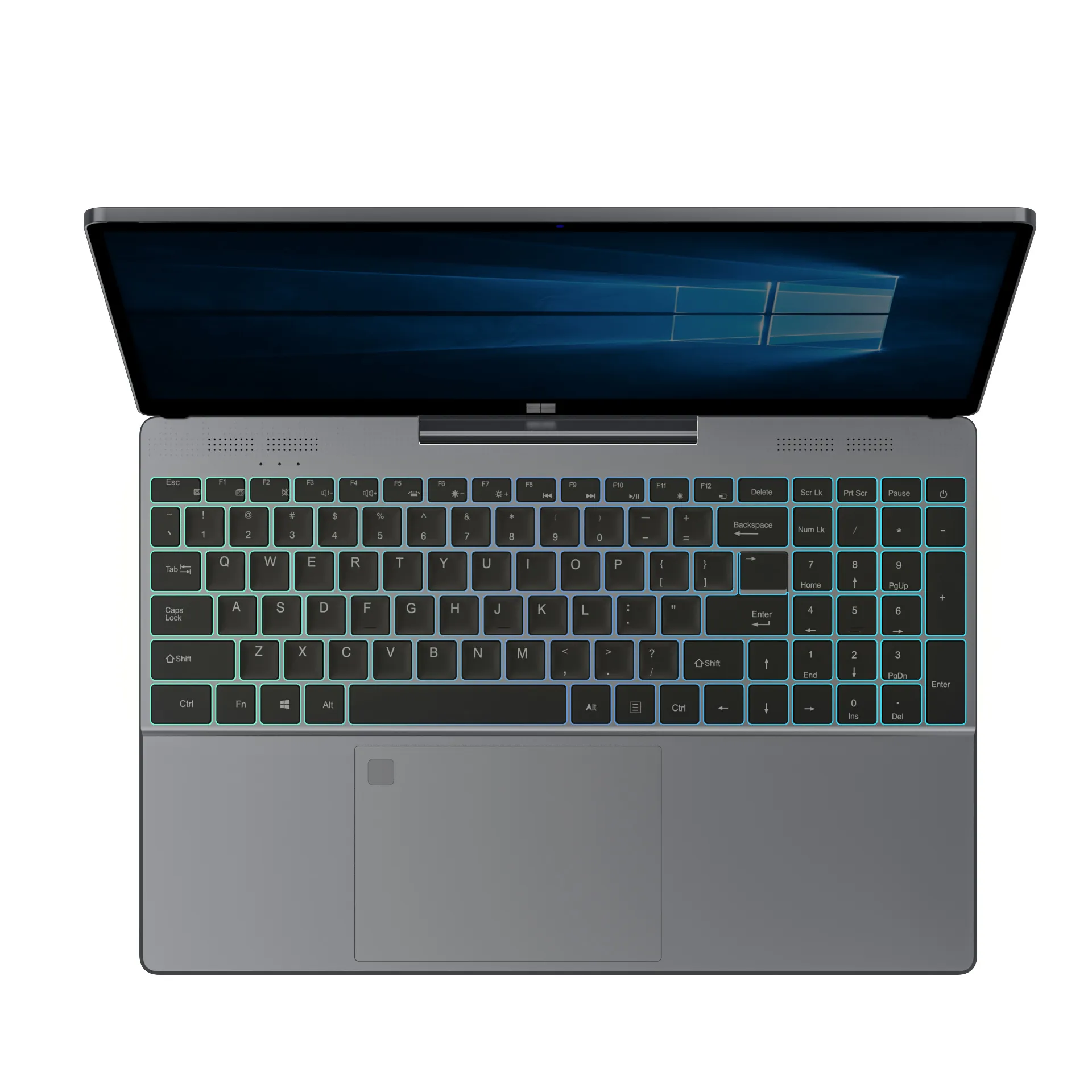
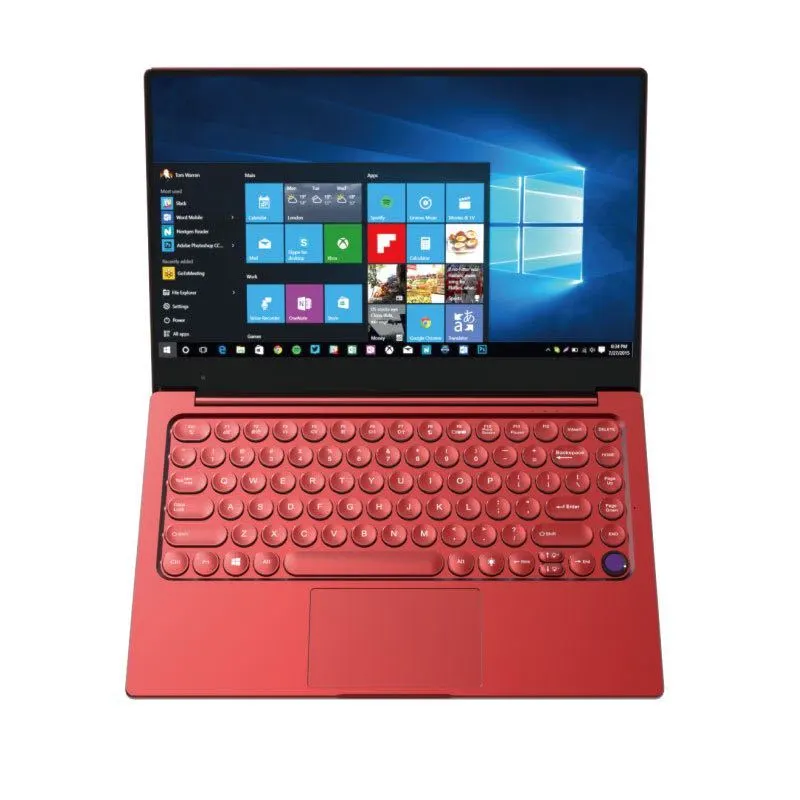
This is exactly the niche NXTCORE focuses on. The NXTCORE Flex S140N ($329) and the larger Flex Y156N ($359) are built for browsing, office work, streaming, and schoolwork, while the Lite F146-4105 ($179) covers the essentials on the tightest budget. If you are shopping for a household, our picks for affordable laptops for kids' homework and online school are a helpful companion read.

Key Specifications to Compare
Once you know your use case, focus on the specifications below. Understanding what each component does - and how it affects performance - makes it far easier to compare models fairly instead of chasing spec-sheet numbers you do not need.
Processor (CPU): The Brain of Your Laptop
The processor determines how quickly your laptop completes tasks. Key considerations:
- Generation: newer generations are faster and more efficient. In 2026, look for recent Intel Core / Core Ultra or AMD Ryzen 7000-series-and-newer processors.
- Core count: 4 cores suffice for basic use, 6-8 cores suit most people, and 12+ cores benefit professionals.
- Clock speed: higher GHz improves single-threaded tasks like gaming and many productivity apps.
- TDP: higher-power chips (45W+) offer more performance but shorter battery life; low-power chips (15-28W) prioritize efficiency.
Performance hierarchy: Intel Core i3 / Ryzen 3 (entry) -> Core i5 / Ryzen 5 (mainstream) -> Core i7 / Ryzen 7 (high-performance) -> Core i9 / Ryzen 9 (enthusiast).
Memory (RAM): Multitasking Capacity
RAM is your laptop's short-term memory, where active apps and data live:
- Capacity: 8GB (basic) -> 16GB (recommended for most) -> 32GB (content creation, heavy multitasking) -> 64GB+ (professional workloads).
- Type: DDR5 is faster than DDR4, but the everyday difference is modest - do not reject an otherwise-ideal DDR4 laptop over it.
- Upgradeability: some laptops solder the RAM; others use accessible SO-DIMM slots. If you may need more later, favor upgradeable designs.
Practical impact: with 8GB you will notice slowdowns juggling many browser tabs and apps; with 16GB, multitasking stays smooth; with 32GB+, demanding creative workflows run unconstrained. Still unsure? Our detailed breakdown of how much RAM you actually need in 2026 walks through real scenarios.
Storage: Speed and Capacity
Modern laptops use Solid State Drives (SSDs), which are dramatically faster than traditional hard drives:
- Type: NVMe PCIe SSDs are standard. Gen3 delivers ~3500 MB/s and Gen4 reaches 7000+ MB/s; for most users Gen3 is plenty.
- Capacity: 256GB (light users with cloud storage) -> 512GB (the sweet spot) -> 1TB (gamers, creators, large local libraries) -> 2TB+ (professional media work).
- Upgradeability: many laptops allow storage upgrades via M.2 slots, and some include a spare slot for expansion.
Pro tip: do not confuse eMMC storage (common in the cheapest laptops) with a proper SSD. eMMC is much slower and best avoided unless the budget is absolutely fixed.
Display: Your Visual Interface
Display quality profoundly shapes the daily experience:
- Resolution: HD (1366x768) is outdated; Full HD (1920x1080) is the sharp, efficient standard; QHD (2560x1440) is noticeably crisper; 4K suits pro work and media.
- Panel technology: IPS offers wide angles and accurate color; OLED delivers perfect blacks and vivid color at a premium; TN is fast but has poor angles.
- Brightness: 300 nits is fine indoors, 400+ handles bright rooms, and 500+ enables comfortable outdoor use.
- Refresh rate: 60Hz is standard, 120Hz+ feels smoother, and 144Hz+ is essential for gaming.
- Color coverage: sRGB for general use; DCI-P3 or Adobe RGB for professional creative work.
Graphics (GPU): Visual Processing Power
Graphics processing handles everything from drawing your desktop to rendering 3D games:
- Integrated graphics: built into the CPU and fine for general use, video playback, and light gaming. Intel Iris Xe and AMD Radeon integrated graphics are surprisingly capable now.
- Dedicated graphics: a separate GPU with its own VRAM for serious gaming, 3D, and video. Rough tiers: RTX 4050 (entry) -> RTX 4060 (mainstream) -> RTX 4070 (high-end) -> RTX 4080/4090 (enthusiast).
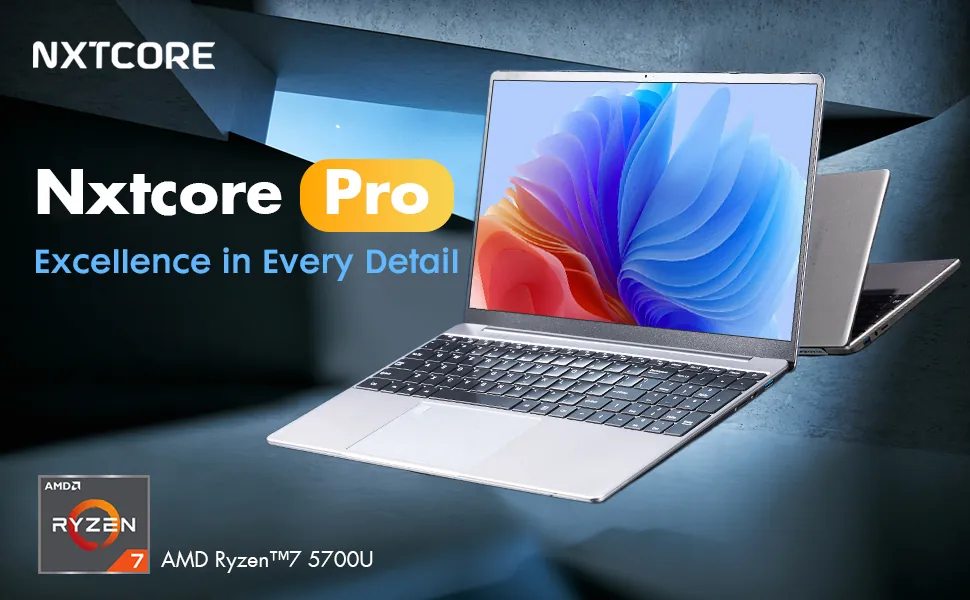
Important: a laptop GPU is not equivalent to its desktop namesake. A laptop RTX 4070 typically performs between a desktop RTX 4060 and 4070 depending on its power budget (TGP). For balanced performance without a gaming-tier price, browse the NXTCORE performance laptops, which top out with the Ultra GLT163Max at $899.
Battery Life: Unplugged Productivity
Manufacturer battery claims often exceed real-world results. Look for:
- Capacity: measured in watt-hours (Wh) - 50Wh is small, 70-80Wh is good, 90Wh+ is excellent.
- Real-world testing: trust standardized third-party battery tests. As a general rule, expect 6-8 hours from gaming laptops, 8-12 from mainstream models, and 12-20 from ultra-efficient business laptops.
- What drains it: display brightness, resolution and refresh rate, background apps, CPU efficiency, and discrete-GPU usage.
Pro tip: many laptops include a battery-care mode that caps charging near 80% when plugged in, which extends long-term battery health.
Build Quality and Design
Physical characteristics matter for daily satisfaction:
- Materials: plastic (budget), aluminum (premium and durable), magnesium alloy (light, pricier), carbon fiber (ultra-premium and very light).
- Weight: 2-3 lbs (ultraportable), 3-4.5 lbs (mainstream), 4.5-6 lbs (desktop replacement), 6+ lbs (gaming/workstation).
- Keyboard and touchpad: key travel, spacing, and feedback drive typing comfort; Windows Precision touchpads offer the best gesture experience.
- Ports: USB-C with Thunderbolt 4, USB-A, HDMI, an SD reader for photographers, Ethernet, and a headphone jack.
Operating System Considerations
Most laptops ship with Windows 11, but alternatives exist:
- Windows 11: widest software compatibility, essential for gaming and many professional apps.
- macOS: Apple MacBooks only - excellent optimization and tight ecosystem integration at a premium price.
- Chrome OS: lightweight, secure, and affordable, but centered on web and Android apps - great for students and light users.
- Linux: free and customizable, ideal for developers, with more limited commercial-software support.
Torn between a low-cost Chromebook and a traditional Windows machine? Our Chromebook vs Windows laptop comparison lays out which one fits which buyer.
Budget Considerations and Value
Understanding where to allocate your budget maximizes value. The table below summarizes what each price band typically delivers in 2026:
| Price band | Best for | Typical specifications |
|---|---|---|
| Under $300 | Basic tasks, students, second machines | Entry CPU, 4-8GB RAM, 128-256GB storage |
| $300-$500 | Everyday computing and schoolwork | Core i3/i5 or Ryzen 3/5, 8-16GB RAM, 256-512GB SSD |
| $500-$900 | Mainstream performance and multitasking | Core i5/i7 or Ryzen 5/7, 16GB RAM, 512GB SSD |
| $900-$1,500 | Entry gaming and creative work | Discrete GPU, 16-32GB RAM, 512GB-1TB SSD |
| $1,500+ | High-end gaming and workstations | Top CPU/GPU, 32GB+ RAM, fast 1TB+ SSD |
For context, NXTCORE's own lineup spans $179 to $899, averaging about $396 - firmly in the value-focused end of the market. The NXTCORE Lite F146-4105 ($179) is a genuine entry point for basic browsing and documents, while the Flex S140N ($329) steps up to comfortable everyday use.
Value Optimization Strategies
- Prioritize CPU and RAM: these are often non-upgradeable, whereas storage can usually be added later.
- Consider last-generation components: a previous-gen Intel or AMD chip can deliver most of the performance for noticeably less money.
- Buy for your real needs: paying for a discrete GPU or 4K panel you will never use is the most common way to overspend.
- Check upgradeability: an accessible SSD or RAM slot can extend a laptop's useful life by years.
NXTCORE Picks by Budget
If you would rather skip straight to a concrete, affordable choice, here are real NXTCORE models mapped to common needs. Every price is current and every model is in stock:
| Need | NXTCORE model | Price |
|---|---|---|
| Tightest budget / basic tasks | NXTCORE Lite F146-4105 | $179 |
| Everyday use and students | NXTCORE Flex S140N | $329 |
| Larger everyday screen | NXTCORE Flex Y156N | $359 |
| Mainstream performance | NXTCORE Pro 1165G7 | $549 |
| Top of the lineup | NXTCORE Ultra GLT163Max | $899 |
Browse the full range of everyday laptops and performance laptops, or start from the NXTCORE homepage to compare every model side by side.
Frequently Asked Questions
How much should I spend on a laptop in 2026?
For everyday use, a well-chosen laptop in the $300-$500 range covers browsing, office work, and streaming comfortably. Gaming and creative workstations start higher. NXTCORE's everyday models begin at $179, so you can spend based on your actual workload rather than the sticker price alone.
How much RAM do I need?
8GB is the practical minimum for basic tasks in 2026, and 16GB is the comfortable sweet spot for most people. Content creators and heavy multitaskers benefit from 32GB or more. Our RAM guide explains the trade-offs in detail.
Is an SSD really necessary?
Yes. An NVMe SSD is the single biggest factor in how fast a laptop feels day to day - boot times, app launches, and file transfers are all dramatically quicker than on an old hard drive. Avoid slow eMMC storage unless the budget is fixed.
Do I need a dedicated graphics card?
Only if you game seriously, edit video, or do 3D work. For browsing, office tasks, and streaming, modern integrated graphics are more than enough - and skipping a discrete GPU improves battery life and lowers the price.
Which laptop is best for students?
Students are usually best served by a light, affordable everyday laptop with 8-16GB of RAM and an SSD. The NXTCORE Flex S140N ($329) is a solid example. For more options, see our list of best budget laptops for 2026.
Putting It All Together
Choosing the perfect laptop comes down to matching real specifications to how you actually work and play, then buying at the price band that fits. Define your use case, prioritize the CPU, RAM, and SSD, and treat the display and GPU as needs rather than defaults. When you are ready to buy, explore the affordable, in-stock range at the NXTCORE store - with laptops from $179, there is a well-matched option for nearly every budget.