Everyday
  About Company
 Refund Policy
 Privacy Policy
 Terms And Conditions
 Support
 Open Ticket
 Contact Us
 Knowledgebase
 News
News
The Complete Gaming Laptop Buyer's Guide 2026: How to Read Every Spec Before You Buy
Most people shopping for the best gaming laptops of 2026 lose money in the same way: they read a spec sheet as a wall of numbers, assume bigger is better, and pay for a headline part the rest of the machine can't keep up with. This guide flips that around. Instead of just handing you a ranked list, it teaches you to read a gaming-laptop spec sheet line by line — to know at a glance which GPU tier you're looking at, whether the CPU will bottleneck it, what the refresh-rate number really buys you, and where the thermal catch is hiding. Learn the specs once and every listing, at every budget from $400 to $3,000, becomes easy to judge on your own.
What This Guide Covers
- How to read a gaming-laptop spec sheet (line by line)
- GPU tiers explained: the number that decides everything
- CPU: spotting a bottleneck on the spec sheet
- RAM and storage: reading the fine print
- Refresh rate, resolution, and panel type: decoding the display line
- Thermals: the spec nobody prints (and how to infer it)
- Matching specs to budget, from $400 to $3,000+
- Where NXTCORE fits: affordable performance without the gaming tax
- Spec questions gaming buyers actually ask
How to Read a Gaming-Laptop Spec Sheet (Line by Line)
Almost every gaming laptop is advertised with a single dense line that looks something like this:
NVIDIA GeForce RTX 4060 8GB · Intel Core i7-13650HX · 16GB DDR5-5600 · 1TB NVMe SSD · 15.6” 1080p 165Hz IPS
A typical mid-range gaming-laptop spec string
That one line contains everything you need to judge the machine — if you know how to decode each token. Here is exactly what each part is telling you and the one thing to verify before you trust it:
| What the sheet says | What it actually means | What to check |
|---|---|---|
| RTX 4060 8GB | The graphics chip (GPU) and its video memory (VRAM). This is the single biggest performance number on the whole sheet. | Identify the tier (see the GPU table below) and the VRAM — 6GB is the modern floor, 8GB is comfortable. |
| Intel Core i7-13650HX | CPU brand, tier (i5/i7/i9), generation (“13” = 13th gen) and power class (the letters). “HX” and “H” are high-power gaming chips; “U” is low-power and a red flag on a gaming machine. | Make sure the generation is recent and the class is H/HX, not U, so it won't hold the GPU back. |
| 16GB DDR5-5600 | Memory: capacity (16GB), type (DDR5 beats DDR4) and speed (5600 MT/s). | 16GB is the floor in 2026. Also look for “dual-channel” — single-channel RAM quietly costs you frames. |
| 1TB NVMe SSD | Storage: capacity plus the interface. NVMe is fast; plain “SATA SSD” or “HDD” is much slower. | Modern games run 100GB+, so 512GB is minimum, 1TB is comfortable. Insist on NVMe. |
| 15.6” 1080p 165Hz IPS | Screen size, resolution (1080p), refresh rate (165Hz) and panel type (IPS). | Refresh rate matters most for competitive play; demand IPS or OLED, never TN. Match resolution to the GPU tier. |
Read in that order — GPU first, then CPU, then RAM, storage, and display — and you'll catch the two mistakes that cost buyers the most: a strong-sounding CPU paired with a weak GPU, and a high-resolution screen bolted onto a GPU that can't drive it. The rest of this guide expands each line into the detail you need.
GPU Tiers Explained: The Number That Decides Everything
Your GPU determines gaming performance more than any other component, full stop. In 2026 NVIDIA's RTX 40-series dominates gaming laptops, with AMD's Radeon RX 7000M-series as the value alternative. Here is what each tier realistically delivers, according to published benchmark data — memorize the shape of this list and you can place any listing in seconds:
- GTX 1650 / RX 6500M — esports (Valorant, CS2, League) at 1080p high, 60+ FPS; older AAA at medium. The true entry floor.
- RTX 4050 (6GB) — current AAA at 1080p medium-high, ~60 FPS. Ray tracing is technically present but limited.
- RTX 4060 (8GB) — AAA at 1080p high-ultra, 75+ FPS; solid 1440p at medium; ray tracing playable with DLSS. The value sweet spot.
- RTX 4070 (8GB) — high-refresh 1080p (100+ FPS) or 1440p ultra at 60+ FPS; strong ray tracing.
- RTX 4080 / 4090 — desktop-replacement class; 4K high, or 1440p ultra with ray tracing maxed.
VRAM (video memory) is the number right after the GPU name, and it matters more every year. 4GB struggles with ultra textures in 2026, 6GB is the working minimum for AAA titles, and 8GB or more is what you want if you also edit video or plan to keep the laptop for several years.
CPU: Spotting a Bottleneck on the Spec Sheet
The CPU handles game logic, physics, AI, and everything running in the background. A weak CPU throttles even a powerful GPU — most visibly in strategy games, open-world titles, and busy multiplayer matches. The trick on a spec sheet is reading the whole model number, not just “i7”:
- Core i5 (12th/13th gen) or Ryzen 5 (7000-series): plenty for most gaming; pairs naturally with RTX 4050/4060-class GPUs.
- Core i7 (13th gen) or Ryzen 7 (7000-series): the pick for high-refresh gaming and streaming; matches RTX 4060/4070.
- Core i9 or Ryzen 9: overkill for gaming alone, but earns its keep if you also do video editing or 3D rendering.
Two quick reads save you here. First, the suffix: H and HX are full-power gaming chips, while a U suffix means a thin-and-light processor that will bottleneck a gaming GPU. Second, aim for at least 6 cores / 12 threads. As a reference point, the NXTCORE Pro G1568-R7 ($459) pairs an 8-core AMD Ryzen 7 with up to 32GB of RAM — more than enough CPU for multitasking and lighter gaming, even though it leans on integrated rather than discrete graphics.
RAM and Storage: Reading the Fine Print
16GB is the RAM floor for gaming in 2026. 8GB stutters in modern AAA titles and chokes when you add Discord, a browser, and streaming software; 32GB only pays off for content creators, heavy modders, or virtual machines. On the spec sheet, hunt for two words the marketing likes to hide: dual-channel (two sticks, faster than one) and whether the RAM is soldered (unupgradeable) or in accessible SO-DIMM slots. Our deeper dive on how much RAM you actually need covers the edge cases.
For storage, every 2026 gaming laptop should use an NVMe SSD, not SATA and never a mechanical HDD as the primary drive. Modern games routinely exceed 100GB (Call of Duty north of 150GB, Baldur's Gate 3 around 120GB), so treat 512GB as the minimum and 1TB as comfortable. If a cheap machine pairs a small SSD with an HDD, that's fine for bulk files — just keep your games on the SSD, where they load in seconds instead of minutes.
Refresh Rate, Resolution, and Panel Type: Decoding the Display Line
The display line packs four numbers into a few characters, and each one changes the deal. Refresh rate (60Hz, 144Hz, 165Hz, 240Hz) is how many times per second the screen updates — higher means less motion blur and lower input lag, which is decisive in shooters and MOBAs. For competitive play, prioritize refresh rate over resolution: a 1080p 144Hz panel feels smoother than a 4K 60Hz one, and it asks far less of the GPU.
Resolution should match the GPU tier. 1080p is right for most laptops under $1,500 because higher resolutions demand more graphics power; 1440p is a genuine upgrade for single-player and story games without the punishing cost of 4K; and 4K only makes sense on RTX 4080/4090-class machines that can actually drive it. Panel type is the last token: insist on IPS (accurate color, wide angles) or OLED (perfect blacks, at a premium and with slight burn-in risk), and walk away from TN panels even on budget models.
Thermals: The Spec Nobody Prints (and How to Infer It)
Here's the spec that decides whether your laptop keeps its advertised performance — and it never appears on the sheet. Gaming generates heat, and heat forces the chips to slow down (“thermal throttling”) unless the cooling can keep up. Since the spec line won't tell you, infer it: thin, light gaming laptops are the most likely to throttle; look for multiple heat pipes, dual or triple fans, and generous venting in the product photos and manuals; and above all, read independent reviews for sustained-load temperatures and fan noise before you buy. Even performance-focused everyday machines lean on dual-fan cooling — you can compare NXTCORE's own performance laptops (from $369) to see where affordable, cooler-running hardware lands versus a full gaming rig.
Matching Specs to Budget: What to Expect at Each Tier
Now put the spec literacy to work. This table maps price bands to the GPU class you should expect and the gaming reality that comes with it — so you can tell instantly whether a listing is priced fairly for what it delivers:
| Budget | Expected GPU class | Realistic gaming experience |
|---|---|---|
| Under $800 | GTX 1650 / RTX 3050 / integrated | Esports at high settings; older or lighter AAA at medium. Compromises on display and build. |
| $800–$1,200 | RTX 4050 / RTX 4060 | 1080p high-ultra in current AAA; the best performance-per-dollar tier for most buyers. |
| $1,200–$1,800 | RTX 4060 / RTX 4070 | High-refresh 1080p or smooth 1440p; premium build, better displays, creator-capable. |
| Over $1,800 | RTX 4070 / 4080 / 4090 | 1440p ultra with ray tracing or 4K; Mini LED / OLED screens; desktop-replacement power. |
A few honest rules of thumb that fall straight out of the spec sheet: the $800–$1,200 band (RTX 4050/4060, 16GB, 144Hz+) is where most gamers should land; spending under $800 means accepting older GPUs and weaker screens; and spending over $1,800 brings diminishing returns unless you specifically need 1440p/4K or content-creation muscle. If your budget is tighter than the gaming tiers above, our guides to the best budget laptops and best cheap laptops in 2026 cover capable, affordable machines for everyday use with light gaming.
Where NXTCORE Fits: From Esports Value to a Real Discrete-GPU Flagship
Most of NXTCORE's lineup is built for a specific buyer: someone who wants a fast, affordable machine for esports, emulation, and everyday performance without paying the premium — or lugging the weight and heat — of a high-end RTX build. But the range does climb into genuine discrete-GPU territory at the top. Judged by the same spec-reading you just learned, here is where each model lands.
NXTCORE Pro G1568-R7 ($459) — esports and everyday performance
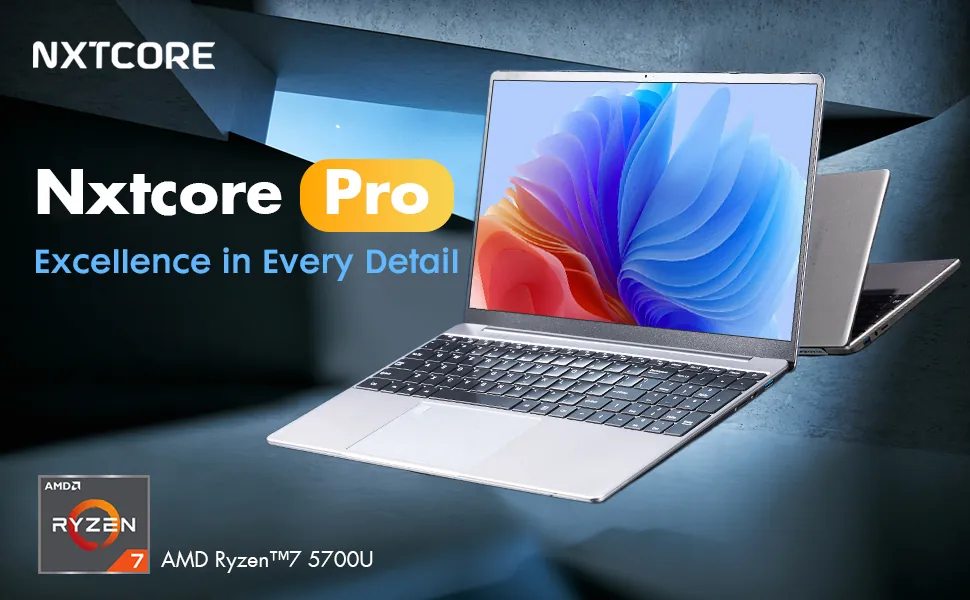
Read its spec sheet the way we practiced: an 8-core AMD Ryzen 7 CPU, configurable to up to 32GB RAM and up to a 2TB NVMe SSD, and a sharp 2K QHD (2560×1440) IPS panel, with integrated AMD Radeon graphics rather than a discrete GPU. The GPU line tells the truth here: it's built for Valorant, Rocket League, League of Legends, and Fortnite at modest settings, not Cyberpunk 2077 at ultra. As an affordable everyday laptop that also handles lighter gaming and doubles for school or work, it's a strong value.
NXTCORE Pro 1165G7 ($549) and Pro 1030NG7 ($369)
Stepping through the range, the NXTCORE Pro 1165G7 ($549) is our top everyday performer, while the NXTCORE Pro 1030NG7 ($369) is the value entry point — both on Intel with integrated graphics, both far more versatile than a Chromebook for light gaming, streaming, and productivity, and both ship with Windows 11 Pro rather than a locked-down web OS.
NXTCORE Ultra GLT163Max ($899) — the discrete-GPU flagship
At the top of the range, the NXTCORE Ultra GLT163Max ($899) is the one machine in our lineup that reads like the gaming spec sheets above. Decode its line the way we practiced: a 14-core Intel Core i9-12900H, a dedicated NVIDIA RTX 3060 GPU (configurable up to 32GB RAM), and a 2K QHD (2560×1440) 144Hz IPS panel. That is a genuine discrete-GPU gaming laptop — RTX 30-series tier, with a high-refresh screen the GPU can actually drive — and the natural NXTCORE pick if you want real AAA gaming alongside creative work and everyday multitasking.
On a strict budget: NXTCORE Lite G141J-N5095 ($199)
If gaming is genuinely occasional and portability is the priority, the NXTCORE Lite G141J-N5095 ($199) is one of the cheapest ways to stay mobile. It won't play modern AAA titles, but for browser games, older titles, and staying productive on the go it's hard to beat on price. Every NXTCORE laptop ships with Windows 11 Pro, a one-year warranty, 90-day returns, and free US and Canada shipping.
Spec Questions Gaming Buyers Actually Ask
How do I tell if a CPU will bottleneck the GPU?
Read the CPU's power class and generation, then match it to the GPU tier. A recent H or HX-class chip (Core i5/i7 13th-gen, or Ryzen 5/7 7000-series) will feed an RTX 4050/4060/4070 comfortably. The warning signs are a U-suffix processor (a thin-and-light chip paired with a gaming GPU), an older generation number, or fewer than 6 cores. As a rule, pair mid-tier GPUs with mid-tier CPUs — an i9 next to an RTX 4050 is wasted money, and an i5 next to an RTX 4080 leaves frames on the table in CPU-heavy games.
What does the letter after the GPU or CPU name mean?
On CPUs, the suffix is the power class: H and HX are full-power gaming parts, HS is a slightly cooler high-performance part, and U is low-power (avoid it on a gaming laptop). On GPUs, the number after the name is VRAM in gigabytes — for example “RTX 4060 8GB.” Laptop GPUs also carry a hidden “TGP” (total graphics power) that the spec sheet often omits; the same RTX 4060 can perform noticeably better in a well-cooled chassis than a thin one, which is why reviews matter.
Is 8GB of VRAM enough, or do I need more?
For 1080p gaming in 2026, 8GB of VRAM is comfortable and 6GB is the practical minimum; below that you'll be forced to drop texture quality in newer titles. If you plan to game at 1440p, keep the laptop several years, or edit video alongside gaming, favor 8GB or more. Note that VRAM is separate from system RAM — both numbers appear on the sheet, and 16GB system RAM plus 8GB VRAM is a healthy mid-range pairing.
Why does refresh rate matter more than resolution for competitive gaming?
A higher refresh rate means the screen redraws more often, cutting motion blur and input lag — the difference you feel when tracking a target in a shooter. A 1080p 144Hz panel will feel smoother and more responsive than a 4K 60Hz one, and it's far easier for the GPU to hit those high frame rates at 1080p. The catch is that the display only helps if the GPU actually produces the frames: esports titles easily clear 144 FPS on any modern gaming laptop, while demanding AAA games may sit at 60–90 FPS even on strong hardware.
The spec sheet doesn't list thermals — how do I judge cooling?
You infer it. Thinner, lighter gaming laptops throttle more easily, so treat a slim chassis with a top-tier GPU with suspicion. Look at the cooling hardware in photos and manuals — more heat pipes and fans and larger vents are good signs — and then read independent reviews specifically for sustained-load temperatures and fan noise. Two laptops with identical spec lines can perform very differently once the cooling is factored in, which is exactly why the printed sheet only gets you part of the way.
Can I upgrade a gaming laptop later if I buy cheaper now?
Partly. RAM and storage are usually upgradeable — look for accessible panels, SO-DIMM slots (not soldered RAM), and a spare M.2 slot on the spec sheet. The GPU and CPU, however, are soldered to the motherboard and cannot be changed, so the graphics tier you buy is the one you keep. That's why the smart move is to spend on the GPU up front and treat RAM and storage as things you can add later.
Do I actually need a gaming laptop, or will a performance laptop do?
If you mainly play esports titles, older games, or emulators — and want the machine for school, work, or creative apps the rest of the time — an affordable performance laptop with integrated graphics often makes more sense than a heavier, hotter, pricier discrete-GPU rig. NXTCORE's Pro line (from $369) is built for exactly that buyer. If your library is modern AAA at high settings, you'll want a discrete RTX-class GPU — the NXTCORE Ultra GLT163Max ($899) steps into that RTX 30-series tier, or use the budget tiers above to buy at the right price elsewhere.
Buy on the Spec Sheet, Not the Sticker
The single habit that separates a smart gaming-laptop purchase from an expensive mistake is reading the spec sheet in the right order — GPU and VRAM first, then a CPU strong enough not to bottleneck it, 16GB of dual-channel RAM, an NVMe SSD, and a refresh rate matched to a GPU that can feed it — and then checking independent reviews for the one spec nobody prints: thermals. Do that and you'll never overpay for a headline part again, at any budget. When you're ready, browse NXTCORE's performance laptops for affordable everyday machines, or our budget laptop picks if you want versatility for work and light gaming.