Everyday
  About Company
 Refund Policy
 Privacy Policy
 Terms And Conditions
 Support
 Open Ticket
 Contact Us
 Knowledgebase
 News
News

Best Budget Laptops for Canadian Students: Back-to-School 2026 Buying Guide
September move-in in Canada always sneaks up fast, and by the time the syllabus lands you need a machine that can already handle Brightspace, Quercus, Zoom lectures and a semester of Google Docs. This guide is built specifically for Canadian students hunting the best budget laptop for back-to-school 2026 — with the parts that actually matter to shoppers north of the border: what ships to a Canadian address, how the warranty and returns work here, and the fact that every price you see at checkout is displayed in Canadian dollars. Below are real NXTCORE picks starting at $179 USD, chosen for coursework rather than showroom bragging rights.
Shipping, Warranty and CAD Pricing for Students in Canada
Ordering a laptop as a Canadian student raises a few practical questions before you even look at specs. Here is how it works with NXTCORE:
- Ships to Canada, free: every model on this list ships to Canadian addresses at no extra shipping cost — handy whether you are in a downtown Toronto walk-up or a residence in Halifax.
- Prices shown in CAD: the store auto-detects your location, so Canadian visitors see prices in Canadian dollars at checkout. The USD figures below are listed only as a stable reference point across provinces.
- 1-year warranty: each laptop is covered by a one-year warranty valid on your Canadian purchase — useful insurance for a machine that lives in a backpack all semester.
- 90-day returns: if the laptop is not the right fit for your program in the first few weeks of term, there is a 90-day return window.
- Windows 11 Pro included: no separate OS purchase, so it is ready for campus Wi-Fi and login the day it arrives.
What Canadian Students Actually Need in a Back-to-School Laptop
Most Canadian universities and colleges publish a recommended-spec list, and they rarely ask for anything exotic: 8GB of RAM, an SSD for fast boot times, and a reasonably recent processor cover the vast majority of programs. You do not need a premium MacBook to write a lab report or join a Teams tutorial. For the typical Canadian student, the best budget laptop checks these boxes:
- Processor: an Intel Celeron, Pentium, Core i3 or entry Ryzen handles Office, browsers and video calls comfortably
- RAM: 8GB minimum — enough to juggle a dozen research tabs, your reading PDF and a lecture stream at once
- Storage: a solid-state drive (SSD) rather than a slow hard drive, for fast boots and a term's worth of files
- Display: 14 to 15.6 inches — light enough for the commute, big enough for spreadsheets
- Battery: 6+ hours to survive a full day between lectures without hunting for an outlet
- Weight: under 2kg so it disappears into a backpack alongside your textbooks
The Student Picks, From Tightest Budget Up
1. NXTCORE Lite F146-4105 — Best Overall Value ($179 USD)

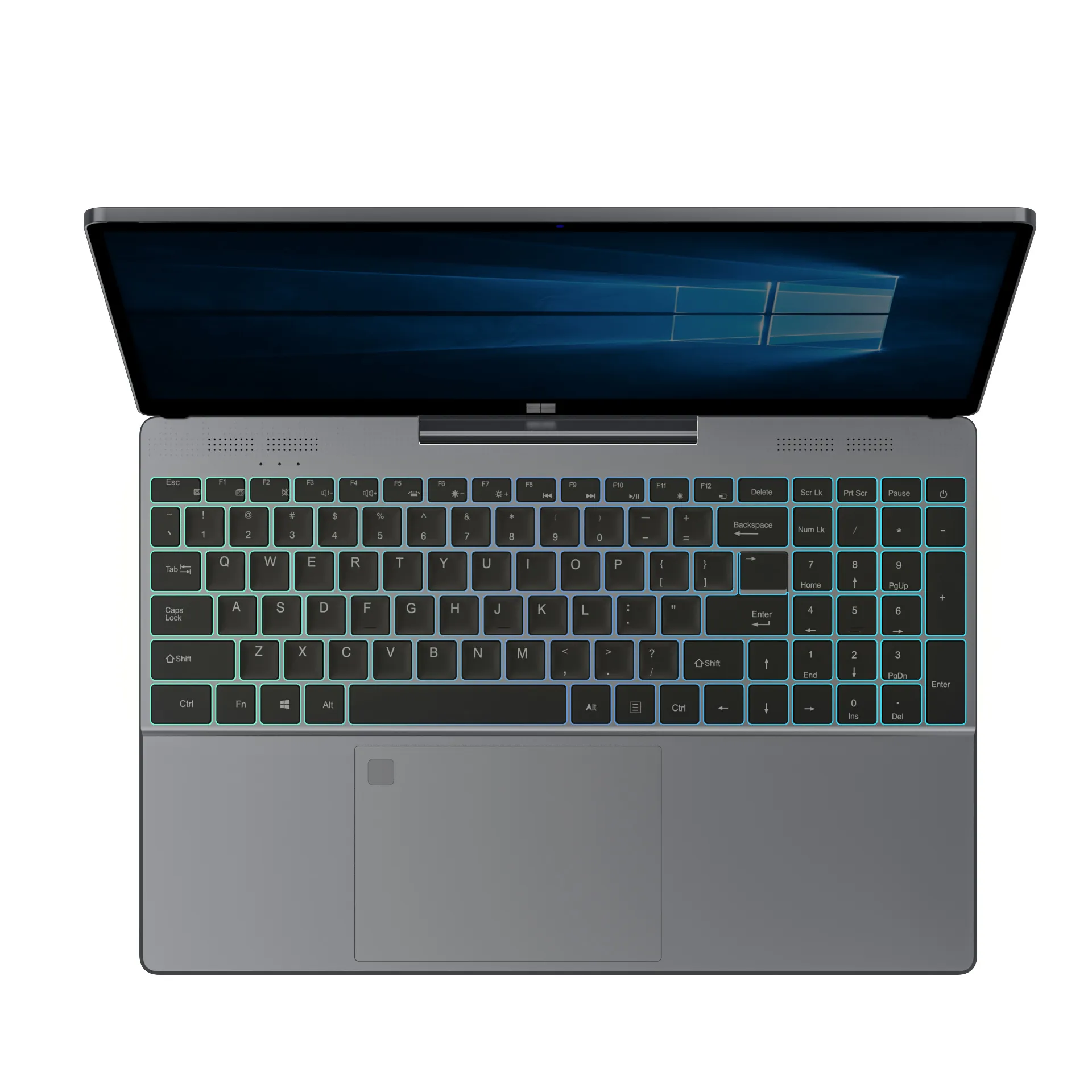
The NXTCORE Lite F146-4105 is built for exactly what fills a student's day. With an Intel Celeron J4105 processor, 8GB of DDR4 RAM, NVMe SSD storage configurable up to 1TB and a 14.1-inch FHD IPS display, it runs Google Docs, Zoom, Spotify and a wall of browser tabs without fuss. At $179 USD (shown in CAD at checkout for Canadian shoppers), it is the most affordable option here by a wide margin, and Windows 11 Pro is already installed so you are logged into campus Wi-Fi on day one.
2. NXTCORE Lite F152G-5095 — A Little More Headroom ($219 USD)
If you want a touch more breathing room without leaving the entry tier, the NXTCORE Lite F152G-5095 steps up to a slightly newer platform at $219 USD. It suits students who keep a lot of apps open at once — a reading PDF, a citation manager and a lecture recording running side by side — while staying firmly in first-year-budget territory.
3. NXTCORE Flex S140N — Best 2-in-1 for Note-Taking ($329 USD)

Prefer handwriting your notes or marking up diagrams? The NXTCORE Flex S140N is a detachable 2-in-1 whose screen pops off to become a standalone tablet. The touchscreen makes it a natural fit for design, nursing, architecture or any program where annotating slides and PDFs directly on screen beats typing, and being able to leave the keyboard base behind keeps it light for reading in the library. At $329 USD it stays well under premium 2-in-1 pricing while still being one of the best budget laptops for students who want that flexibility. If you would rather have a 360-degree convertible hinge than a detachable screen, the NXTCORE Flex Y156N at $359 USD offers that form factor instead.
4. NXTCORE Pro G1568-R7 — Best for STEM Students ($459 USD)
Computer science, engineering and data-science students need more horsepower than an essay machine. The NXTCORE Pro G1568-R7 pairs an AMD Ryzen 7 processor with the memory and SSD storage that coding environments, virtual machines and light data work demand. At $459 USD it undercuts many name-brand laptops that cost far more, on paper. For more value options priced in CAD, see our guide to the best laptops under $500 in Canada.
| Laptop | Best For | Reference Price (shown in CAD at checkout) |
|---|---|---|
| NXTCORE Lite F146-4105 | Tightest budget / overall value | $179 USD |
| NXTCORE Lite F152G-5095 | A little extra headroom | $219 USD |
| NXTCORE Flex S140N | Note-taking / 2-in-1 | $329 USD |
| NXTCORE Pro G1568-R7 | STEM & coding | $459 USD |
Timing Your Back-to-School Order in Canada
The smartest move a Canadian student can make is to skip the campus-bookstore markup and buy direct. NXTCORE's lineup runs from $179 to $899 USD, so there is a genuinely affordable pick for nearly every program. Order a week or two before move-in rather than during frosh week, and the money you save on a budget laptop from NXTCORE's everyday laptops can go toward a sleeve, a decent pair of headphones for the library, or simply your textbook bill.
For more Canadian back-to-school shopping ideas, compare our best back-to-school laptops in Canada and our roundup of the best cheap laptops in Canada.
Frequently Asked Questions (Canadian Students)
Does NXTCORE ship to Canada, and is shipping free?
Yes. Every laptop in this guide ships to Canadian addresses with free shipping, whether you are heading to a campus in Vancouver, Montreal or St. John's. Order a couple of weeks ahead of move-in so your machine is set up before your first lecture rather than during add/drop week.
Will I see prices in CAD or USD?
The store detects that you are shopping from Canada and displays prices in Canadian dollars at checkout. We quote the USD figures in this article as a fixed reference so the comparison stays consistent, but the amount you actually pay is shown to you in CAD before you confirm the order.
Is the warranty and return policy valid for Canadian buyers?
Yes. Your purchase comes with a one-year warranty and a 90-day return window that apply to Canadian orders. That means if the laptop turns out to be underpowered for your program, you have most of a semester's opening stretch to return it, and coverage for the rest of your first year.
Do I need to buy Windows or Office separately for school?
Windows 11 Pro comes pre-installed, so there is no separate operating-system purchase — the laptop is ready for campus login out of the box. Most Canadian schools also provide Microsoft 365 or Google Workspace to enrolled students for free, so you generally will not need to buy an Office licence on top.
Which NXTCORE laptop is best for a Canadian student on a tight budget?
The NXTCORE Lite F146-4105 at $179 USD (shown in CAD at checkout) is the value leader. With an Intel Celeron J4105, 8GB of DDR4 RAM, NVMe SSD storage (configurable up to 1TB) and Windows 11 Pro, it covers essays, research, video lectures and streaming — enough for the vast majority of undergraduate coursework without straining a student budget.
Getting set for the new school year in Canada? Browse NXTCORE's student-friendly laptops, see your price in CAD, and pick the right fit for your program and budget.