Everyday
  About Company
 Refund Policy
 Privacy Policy
 Terms And Conditions
 Support
 Open Ticket
 Contact Us
 Knowledgebase
 News
News
Best Laptops for College Students in Canada 2026: Top Picks Under $600
Starting college means juggling lectures, assignments, research papers, video calls, and probably some Netflix between study sessions. You need a laptop that keeps up without requiring a student loan to afford it. The good news? You don't need a $1,500 machine to succeed. The best laptops for college students in Canada 2026 balance performance, battery life, and price — and every pick below lands well under $600 CAD (roughly US$550 or less).
What College Students Actually Need in a Laptop
Before we dive into specific models, let's talk about what matters most for college use. Forget about gaming specs or video editing power unless that's literally your major. Most college students need a laptop that handles everyday tasks reliably.
The Must-Have Specs
- At least 8GB RAM — for smooth multitasking between browser tabs, Word docs, and PDFs
- 256GB SSD minimum — for fast boot times and storing course materials (you can always use cloud storage)
- 6+ hour battery rating — because finding outlets on campus is a competitive sport
- Lightweight design under 4.5 lbs — you'll be carrying this between classes daily
- Full-size keyboard — typing essays and notes needs to be comfortable
- Reliable Wi-Fi connectivity — for online classes, research, and submitting assignments on time
You'll notice we didn't list cutting-edge processors or dedicated graphics cards. That's intentional. A mid-range Intel Core i3 or i5 (or an AMD Ryzen equivalent) handles everything from Google Docs to Zoom calls comfortably. Save the high-end specs for specialized programs like engineering CAD software or video-production majors. For more detail on what specs actually matter, read our guide on laptop specs explained for beginners.
Best Overall Laptop for College Students: NXTCORE Pro 1165G7
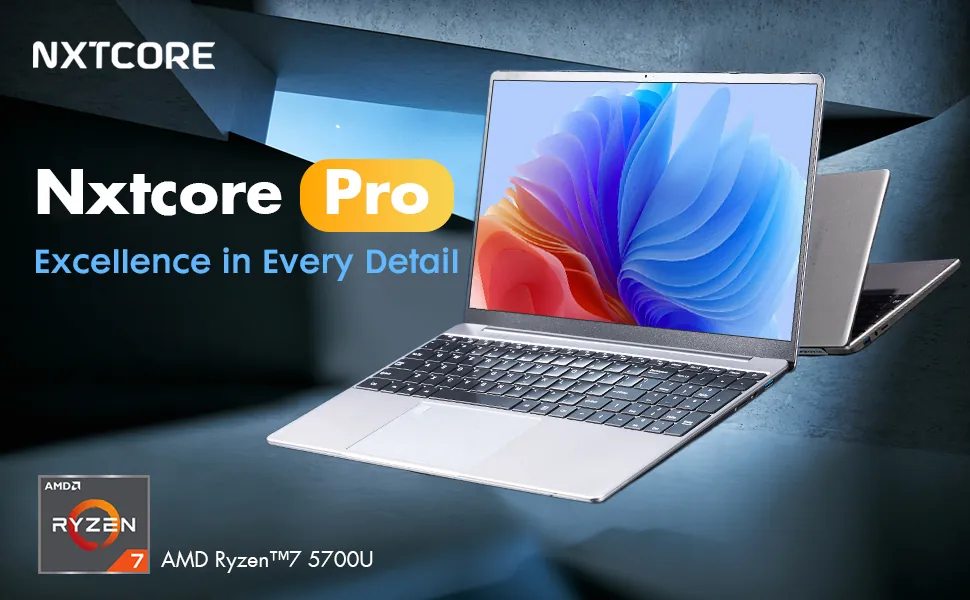
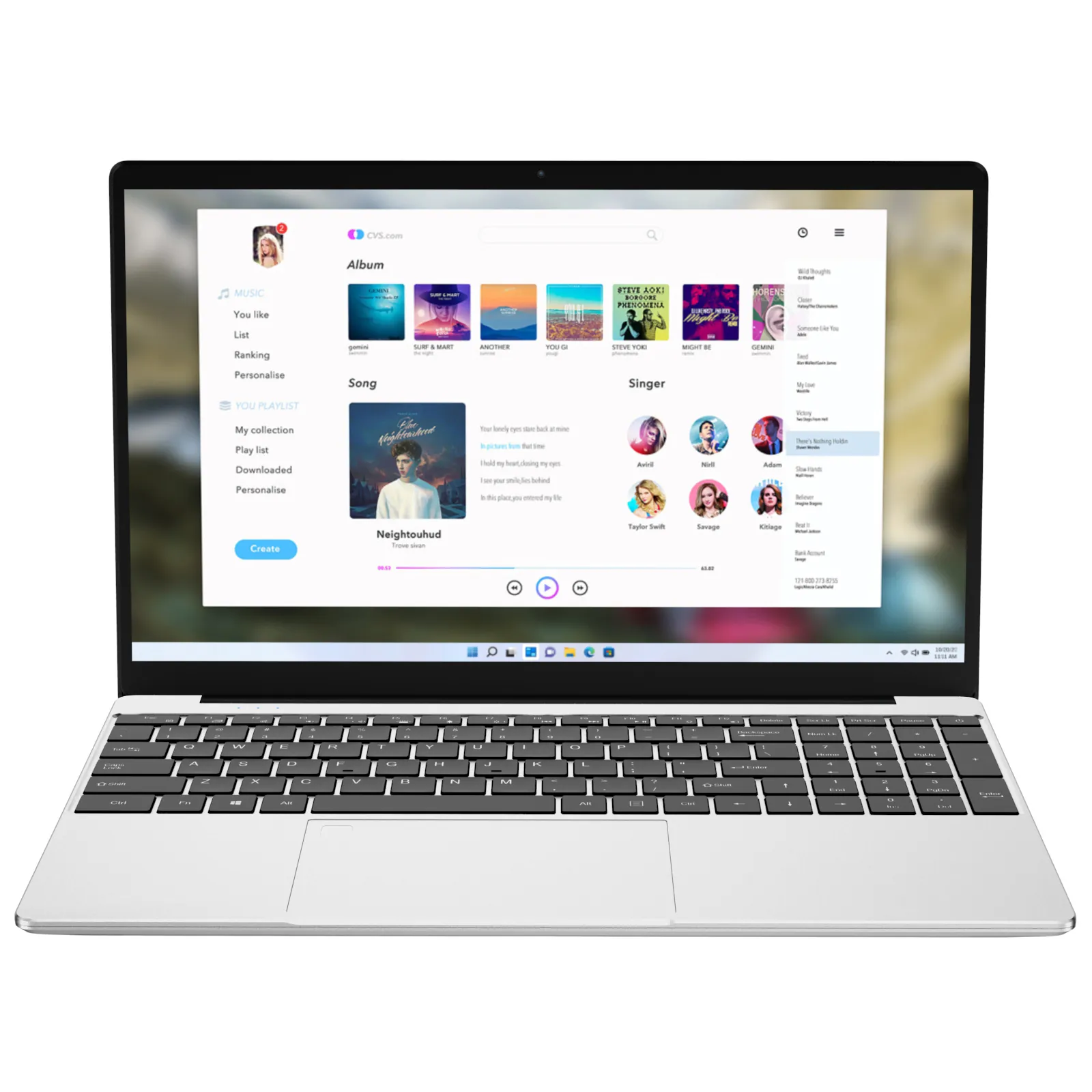
The NXTCORE Pro 1165G7 (US$549) hits the sweet spot for college students who need reliable performance without overspending. According to the manufacturer's specifications, it pairs an 11th-generation Intel Core processor with ample RAM and fast SSD storage — a combination that comfortably handles multiple browser tabs, Office apps, video streaming, and light photo editing at the same time. Its 15.6-inch display offers comfortable screen real estate for research papers and spreadsheets.
What makes it our top pick? Manufacturer specifications rate it for all-day battery life, so you can go from morning lectures to evening study sessions without constantly hunting for outlets. A full-size keyboard makes it well suited to data-heavy courses like business or statistics. And at roughly $550 CAD, it lands well below the price of comparably specced laptops from mainstream brands.
Best For
- Business, humanities, and social-science majors
- Students who multitask heavily (20+ browser tabs isn't unusual)
- Those who need one laptop for both coursework and entertainment
- Anyone wanting a machine that'll last all four years of undergrad
Best Budget Pick: NXTCORE Lite F152G-5095
Not every student needs maximum power. If your coursework centers on word processing, web research, online-learning platforms, and streaming lectures, the NXTCORE Lite F152G-5095 (US$219) delivers exactly what you need for under $350 CAD. The Intel Celeron N5095 processor won't win speed records, but it handles Google Docs, PowerPoint presentations, and video conferencing dependably.
According to manufacturer specifications, it ships with 8GB of RAM and a 256GB SSD — enough for smooth everyday performance and several semesters of coursework. The 15.6-inch screen makes reading dense academic PDFs less eye-straining, and its lightweight design makes it easy to carry between classes. Manufacturer specifications rate it for around 7 hours of mixed-use battery life — enough for a full day on campus.
Best For
- First-year students testing the waters
- Liberal-arts majors focused on reading and writing
- Students on tight budgets who still need reliability
- Anyone who primarily works in web browsers and Office apps
Best for STEM Majors: NXTCORE Pro G1568-R7
Engineering, computer-science, and data-analysis students need more processing headroom. According to manufacturer specifications, the NXTCORE Pro G1568-R7 (US$459) is built around an AMD Ryzen 7 processor with generous RAM and SSD storage. On paper, that configuration is suited to coding IDEs, statistical software (SPSS, R, MATLAB), basic 3D modeling, and running virtual machines for programming classes.
Its 15.6-inch full-HD panel offers enough resolution for detailed spreadsheets and code review, and the port selection (including USB-C) is designed to connect external monitors, lab equipment, or peripherals without dongles. While it's our most expensive recommendation at around $580 CAD, it's still hundreds less than comparable performance laptops from mainstream brands.
Best For
- Computer-science and engineering students
- Business-analytics and data-science majors
- Students running specialized software (AutoCAD, SolidWorks basics, etc.)
- Anyone who needs a laptop that won't slow down under heavy workloads
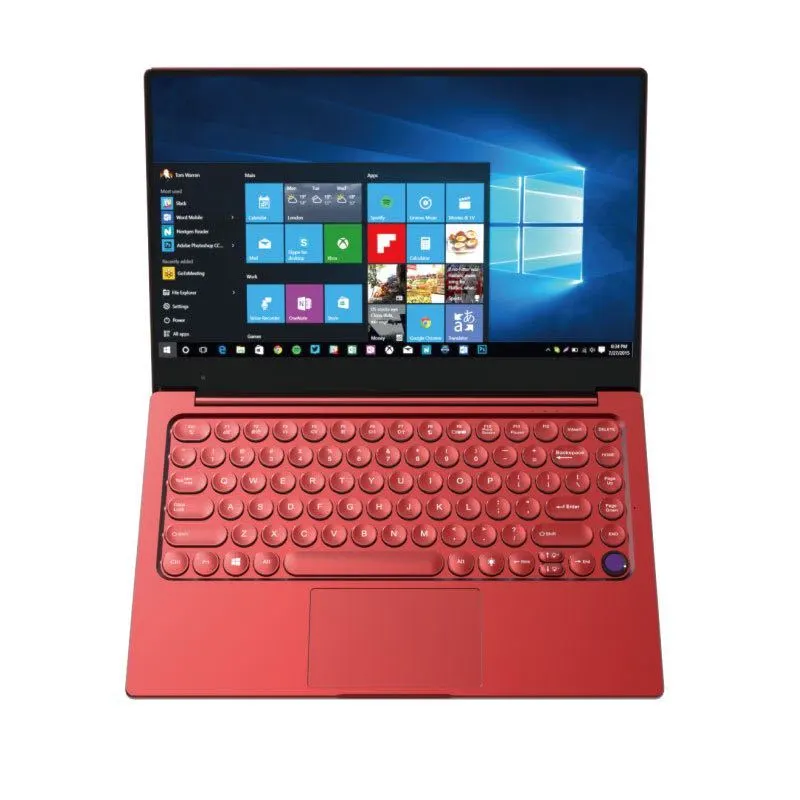
Best Portable Option: NXTCORE Flex S140N

Some students prioritize portability above all else. If you're constantly moving between classes, the library, coffee shops, and study groups, the NXTCORE Flex S140N (US$329) is built around a slim, lightweight 14-inch form factor that's easy to slip into a backpack. According to manufacturer specifications, it comes with 8GB of RAM, a 256GB SSD, and Intel Core processing suited to typical college workloads.
The smaller screen takes some adjustment if you're used to 15-inch displays, but the 14-inch format is well suited to note-taking, research, and writing papers. Manufacturer specifications rate it for all-day battery life, and the lightweight chassis means you'll barely notice it in your backpack. At roughly $420 CAD, it's an excellent middle ground between budget and performance.
Best For
- Students with long commutes or extensive walking between classes
- Those working at crowded coffee shops or small desks
- Anyone who values portability as much as performance
- Students living in dorms with limited desk space
Quick Comparison: College Laptop Picks
| Model | Price (USD) | Best for |
|---|---|---|
| NXTCORE Pro 1165G7 | $549 | All-round college use |
| NXTCORE Lite F152G-5095 | $219 | Budget & everyday coursework |
| NXTCORE Pro G1568-R7 | $459 | STEM & heavy multitasking |
| NXTCORE Flex S140N | $329 | Portability & commuting |
How to Make Your College Laptop Last All Four Years
Buying the right laptop is step one. Making it last through graduation takes some basic care. Here's what actually matters, drawn from widely recommended maintenance practices.
- Get a protective sleeve or case — backpacks get thrown around, and even minor drops can crack screens
- Keep software updated — Windows updates aren't just annoying; they include security patches and performance improvements
- Use cloud storage for major projects — don't rely solely on your hard drive. Google Drive, OneDrive, or Dropbox prevent disaster when hardware fails
- Clean the vents every few months — dust buildup causes overheating, which shortens your laptop's lifespan
- Manage your battery properly — avoid leaving it plugged in 24/7 at full charge; modern laptops are smart, but habits still matter
- Install reliable antivirus software — college networks are targets, and one infected download can wreck your semester
For more detailed maintenance tips, read our guide on essential laptop care to extend its lifespan. Following these basics keeps your $400–600 investment reliable through graduation.
What About Chromebooks for College?
Chromebooks look attractive at $250–350 price points, but they come with serious limitations for college students. While they're fine for web browsing and Google Docs, many college-required software programs don't run on ChromeOS. Need Microsoft Office desktop apps? Specialized software for your major? Offline access to important files? Chromebooks struggle.
That said, if your program is almost entirely web-based and your school leans on Google Workspace, a Chromebook might work — just verify your program requirements first. For most students, spending $350–400 on a Windows laptop from the NXTCORE everyday-laptops range offers far more flexibility. Our Chromebook vs Windows laptop comparison breaks down the details.
Frequently Asked Questions
Do I need a touchscreen?
Probably not. Touchscreens add cost and slightly reduce battery life. Unless you're an art or design student who'll use a stylus regularly, a standard display works perfectly well for note-taking, research, and assignments. Put the savings toward more RAM or storage instead.
Is 256GB storage enough?
For most students, yes. Course materials, documents, and presentations take minimal space. If you download lots of movies or large software programs, consider 512GB. But with cloud storage and cheap external drives available, starting at 256GB makes sense — you can always expand later. For more affordable options, see our roundup of the best budget laptops for students in Canada.
Should I wait for back-to-school sales?
Back-to-school sales (typically July–August) do offer discounts, but honestly the deals aren't dramatically better than shopping year-round at value-focused stores. If you need a laptop now, don't wait months hoping to save $50. For seasonal timing, our guide to the best back-to-school laptops in Canada is worth a look — but getting the right laptop sooner usually matters more than minimal savings.
Making the Final Decision
Choosing the best laptops for college students in Canada 2026 comes down to matching your actual needs with your budget. If you're unsure of your requirements, start with our overall pick — the NXTCORE Pro 1165G7 handles about 90% of college workloads comfortably and leaves room to grow into more demanding tasks. Browse the full NXTCORE performance-laptops range to compare configurations.
For students on strict budgets, the NXTCORE Lite series delivers reliable performance for everyday coursework at prices that won't drain your savings. And if your major demands serious processing power, the NXTCORE Pro G1568-R7 gives you near-professional performance at student-friendly pricing.
Remember, the best college laptop is the one you'll actually use every day without frustration. It doesn't need to be the fastest or most expensive — it needs to be reliable, comfortable, and capable enough to carry your workload from orientation through graduation. You can browse every affordable NXTCORE laptop to find the right fit. Focus on those priorities, and you'll make a choice that serves you well for years.