Everyday
  About Company
 Refund Policy
 Privacy Policy
 Terms And Conditions
 Support
 Open Ticket
 Contact Us
 Knowledgebase
 News
News
How Much RAM Do You Actually Need in 2026? A Simple Guide
How much RAM do you need in 2026? RAM is one of those laptop specs that gets thrown around in every product listing, every review, and every "what laptop should I buy" conversation. Yet most people have no idea what RAM actually does, how much they really need, or whether paying extra for more memory is worth it.
The good news: understanding RAM is simple, and choosing the right amount doesn't require a computer science degree. This guide explains what RAM does in plain English, walks through real-world usage for 4GB, 8GB, and 16GB configurations, and helps you figure out exactly how much you need — without overspending. If you want the wider picture, our companion guide on laptop specs explained for beginners covers the other numbers on a spec sheet.
What Is RAM? (The Simple Version)
RAM stands for Random Access Memory. Think of it as your laptop's short-term memory — the workspace where your computer keeps everything it's actively working on.
Here's a useful analogy: imagine your desk at work. Your hard drive (or SSD) is the filing cabinet where all your documents are stored. RAM is the surface of the desk — the space where you spread out the documents you're currently reading, editing, or referencing. The bigger your desk, the more documents you can have open at once without constantly shuffling papers back and forth to the filing cabinet.
When you open a program, your laptop loads it from storage into RAM so it can access the data quickly. When you switch between apps — say, from a browser to a spreadsheet to a video call — all of those programs sit in RAM. If you run out of RAM, your laptop starts using storage as overflow (called "swap" or "paging"), and everything slows down dramatically.
Why RAM Matters More Than You Think
RAM is one of the biggest factors in how smooth your laptop feels in daily use. It's not about raw speed — that's more about the processor (CPU). RAM determines whether your laptop can handle everything you're doing simultaneously without stuttering, freezing, or grinding to a halt.
Based on typical memory footprints reported by software makers and independent reviewers, these are common RAM-hungry activities in 2026:
- Web browsing: each Chrome or Edge tab typically uses 100-500MB of RAM. Open 15 tabs (about average for most people) and you're already using 2-4GB on your browser alone
- Video calls: Zoom, Google Meet, and Microsoft Teams each use roughly 500MB-1.5GB during active calls
- Streaming: Netflix, YouTube, and Spotify all consume RAM in the background
- Office applications: Word, Excel, and Google Docs each use 200-800MB depending on document size
- Background processes: Windows itself, antivirus, updates, and notifications commonly use 2-3GB before you open anything
Add those up and you can see why 4GB feels cramped in 2026, 8GB is comfortable for most people, and 16GB gives you breathing room for heavier workloads.
4GB RAM: Is It Still Usable in 2026?
Let's be straightforward: 4GB of RAM is the bare minimum for a functional experience in 2026. It was the standard a decade ago, and software has only grown more demanding since.
With 4GB, you can:
- Browse the web with 3-5 tabs open (not 15+)
- Use Google Docs or a lightweight word processor
- Watch a single video stream
- Send emails and do basic file management
What you'll struggle with:
- Multitasking (switching between browser, email, and a video call)
- Running Zoom or Teams while doing anything else
- Using larger spreadsheets or documents with images
- Any kind of photo editing, even basic cropping tools
As a general rule, avoid 4GB if you can. The price difference between a 4GB and an 8GB laptop is usually small — often just $20-$40 — and the day-to-day difference is massive.
8GB RAM: The Sweet Spot for Most People
For most people reading this guide, 8GB is the right answer. It handles everything a typical user does without bottlenecks, and it does so at a price point that doesn't require stretching your budget.

With 8GB, you can comfortably:
- Browse with 15-20 Chrome/Edge tabs open simultaneously
- Run a Zoom or Teams video call while taking notes in a document
- Work in Microsoft Office or Google Workspace with multiple files open
- Stream music or video in the background while working
- Use basic photo editing tools (Windows Photos, Paint.NET, Canva)
- Run light business software (invoicing, CRM dashboards, email clients)
- Play casual games and older titles without issues
8GB comfortably covers the daily workflow of students, remote workers, small business owners, and casual users. If you're shopping on a budget, NXTCORE's everyday laptops start at $329 for the NXTCORE Flex S140N, while the entry-level lineup opens at just $179 — proof that comfortable everyday performance doesn't require a big budget. For a use-case walkthrough, see our picks for cheap laptops for remote work under $300.
16GB RAM: When Do You Actually Need It?
16GB is more than most people need — but if you fall into any of the following categories, it's worth the upgrade:
- Creative professionals: photo editing in Photoshop or Lightroom, video editing in Premiere Pro or DaVinci Resolve, graphic design work
- Software developers: running IDEs, virtual machines, Docker containers, or local development environments
- Heavy multitaskers: 30+ browser tabs, multiple Office documents, a video call, and Slack all running at once
- Data work: large spreadsheets (1,000+ rows), database tools, data analysis in Python or R
- Gaming: modern games in 2026 often recommend 16GB for smooth performance
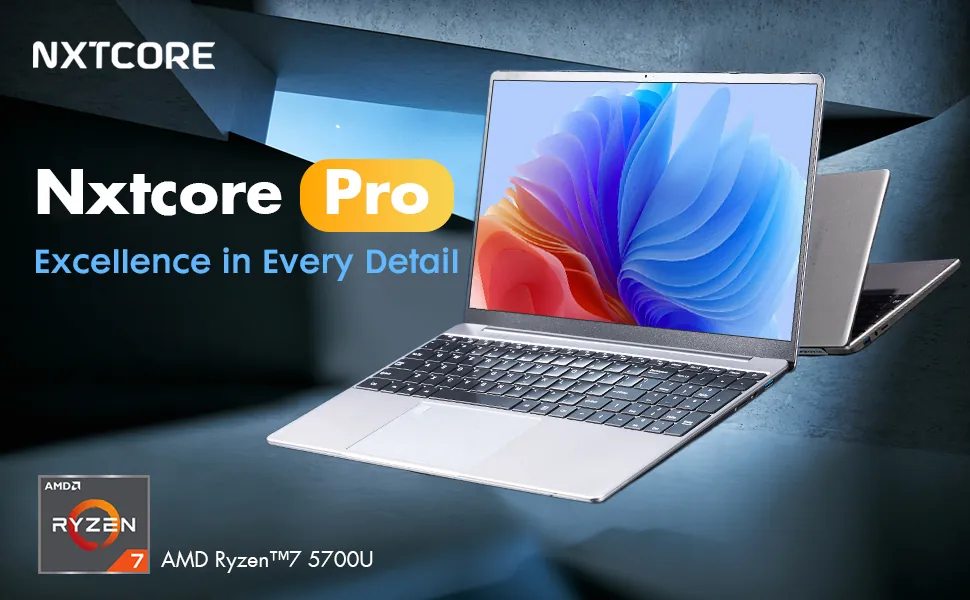
If you're a student writing papers and attending online classes, 8GB is plenty. If you're a freelance video editor who also runs a dozen tabs and a chat app, 16GB will keep things smooth. On NXTCORE's performance laptops, the NXTCORE Pro 1165G7 at $549 is configurable up to 32GB DDR4, giving heavier workloads room to grow.
32GB RAM and Beyond: Do You Need It?
For the vast majority of laptop users, 32GB is overkill. It's designed for professional workstation tasks:
- Editing 4K or 8K video with complex timelines
- Running multiple virtual machines simultaneously
- 3D rendering and CAD work (AutoCAD, SolidWorks, Blender)
- Large-scale machine learning projects
- Professional music production with dozens of virtual instruments
If you need 32GB of RAM, you probably already know it — and you're likely not shopping for budget laptops. For everyone else, 8-16GB covers everything.
How to Check How Much RAM Your Current Laptop Has
Curious about your current machine? Here's how to check:
On Windows
- Right-click the Start button and select System
- Look for "Installed RAM" under Device Specifications
- You'll see something like "8.0 GB" — that's your total RAM
On Mac
- Click the Apple menu in the top-left corner
- Select About This Mac
- RAM is listed as "Memory" — e.g., "8 GB"
How to Check RAM Usage in Real Time
To see how much RAM you're currently using, press Ctrl + Shift + Esc on Windows to open Task Manager, then click the "Performance" tab and select "Memory." This shows your total RAM, how much is in use, and how much is available. If you're consistently above 85% usage during normal work, you need more RAM.
Can You Upgrade RAM Later?
This depends on the laptop. Some laptops have soldered RAM — the memory is permanently attached to the motherboard and cannot be replaced or upgraded. This is increasingly common in thin ultrabooks and most Chromebooks (see our Chromebook vs Windows laptop comparison for the trade-offs).
Other laptops have removable RAM slots (SO-DIMM), which means you can pop out the existing sticks and replace them with higher-capacity ones. This is more common in business-class laptops and budget laptops with user-serviceable designs.
If upgradeability matters to you, check the laptop's specifications before buying. Many NXTCORE everyday laptops are designed with practical serviceability in mind, so your laptop can grow with your needs rather than forcing an early replacement.
Quick RAM Recommendation Chart
| Use case | Recommended RAM |
|---|---|
| Light use (email, web, streaming) | 8GB minimum |
| Student / school work (documents, research, video calls) | 8GB recommended |
| Remote work (Office suite, video conferencing, multitasking) | 8GB recommended, 16GB ideal |
| Creative work (photo/video editing, design) | 16GB recommended |
| Development (coding, VMs, Docker) | 16GB recommended |
| Gaming (modern titles) | 16GB recommended |
| Professional workstation (3D rendering, 4K video) | 32GB or more |
Don't Overpay for RAM You Won't Use
One of the biggest mistakes laptop buyers make is paying a premium for specs they'll never utilize. A $900 laptop with 16GB of RAM is wasted money if you only use your computer for email, web browsing, and Netflix. That extra $400+ isn't buying you a better experience — it's buying unused capacity.
NXTCORE's lineup spans $179 to $899, averaging about $396, from affordable everyday models like the NXTCORE Flex S140N ($329) to performance options such as the NXTCORE Pro 1165G7 ($549), which is configurable up to 32GB. Either way, you can match your memory to your actual workload at a fair price. Weighing overall value? Our roundup of the best budget laptops of 2026 puts these picks in context.
The right amount of RAM isn't the most RAM — it's the amount that matches your actual usage. For most people in 2026, that's 8GB. Spend the money you save on something you'll actually notice, like a larger SSD or a better display.
Frequently Asked Questions
How much RAM do I need for everyday use in 2026?
For everyday use — web browsing, email, streaming, Office apps, and video calls — 8GB of RAM is the sweet spot in 2026. It handles comfortable multitasking without the premium price of higher configurations.
Is 4GB of RAM enough in 2026?
4GB is the bare minimum. It works for very light, single-task use, but you'll hit slowdowns as soon as you multitask. Since 8GB usually costs only $20-$40 more, it's almost always worth the upgrade.
Do I really need 16GB of RAM?
Only if you do memory-heavy work: photo and video editing, software development with VMs or Docker, very heavy multitasking, or modern gaming. For students and typical office users, 8GB is plenty.
Does more RAM make my laptop faster?
Up to a point. Adding RAM helps only if you were running out — it removes slowdowns from swapping to storage. Beyond what your workload uses, extra RAM sits idle and won't speed anything up. Your processor and SSD matter more for raw speed.
Can I add more RAM to my laptop later?
It depends on the design. Laptops with soldered RAM can't be upgraded, while those with SO-DIMM slots can. Always check the specifications before buying if future upgrades matter to you.