Everyday
  About Company
 Refund Policy
 Privacy Policy
 Terms And Conditions
 Support
 Open Ticket
 Contact Us
 Knowledgebase
 News
News
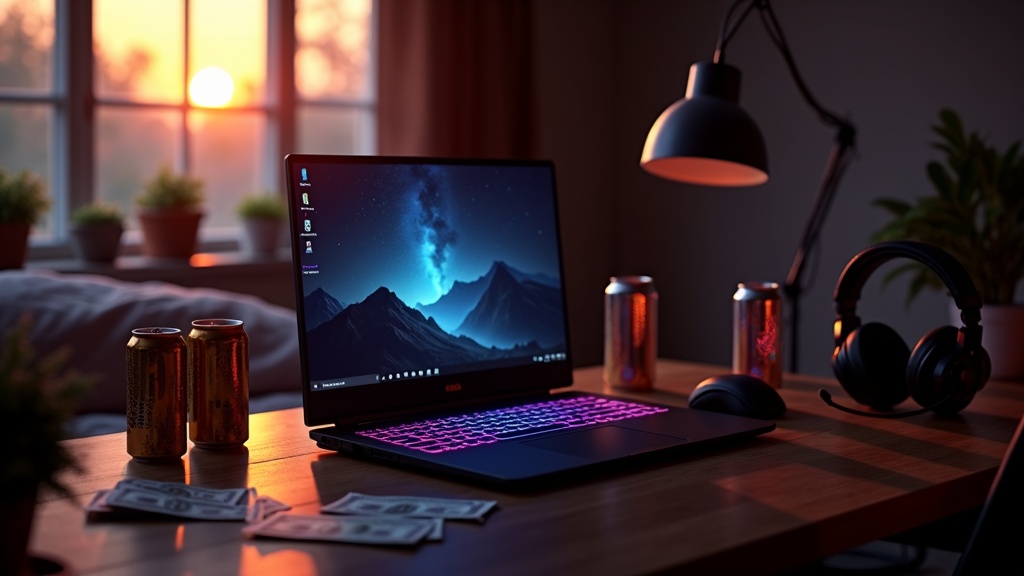
If your idea of gaming is a nightly round of Valorant, a CS2 ranked grind, League with friends, some Rocket League, or working through a backlog of older AAA and indie games, you do not need a $1,200 machine with a discrete GPU. The honest question for a budget gaming laptop is not "can it run Cyberpunk on ultra" (it can't, and neither can most laptops twice the price) but "which cheap laptops genuinely play the games I actually open?" For esports, older titles, and indies, the answer is: quite a lot of them, on integrated graphics.
NXTCORE sells affordable laptops in the $179–$899 range, and every model in the budget end of that lineup rides on integrated graphics — Intel Iris Xe / Iris Plus or AMD Radeon — rather than a dedicated gaming GPU. That is not a footnote; it defines what is and isn't playable. This guide is built around that reality: what esports and older/indie titles run comfortably on integrated graphics, and which NXTCORE machines make the most sense if that is the gaming you actually do.
Integrated vs. entry dedicated GPU: the low-end reality
At the genuinely cheap end of the market, there is no such thing as a real gaming graphics card. A budget laptop that costs less than roughly $600 almost always leans on the GPU baked into the processor. It helps to understand the three rungs you're choosing between:
- Basic integrated (Intel UHD, Pentium/Celeron class): fine for browser games, 2D indies, and lightweight esports at low settings, but it runs out of headroom fast. This is the $179–$219 tier.
- Capable integrated (Intel Iris Xe / Iris Plus, AMD Radeon on Ryzen): the sweet spot for budget esports and older/indie gaming. Independent benchmarks widely show these chips handling Valorant, CS2, League, Dota 2 and Rocket League at 1080p with playable-to-smooth frame rates once settings are tuned.
- Entry dedicated GPU (GTX/RTX-class in a laptop): the next rung up, needed for modern AAA at medium/high. These start well above the budget tier and are not what this lineup is about.
The practical takeaway: for the games this guide targets, a strong integrated GPU is not a compromise you tolerate — it's the right tool. A dedicated card would add cost, heat, weight, and worse battery life for frame rates you don't need in a 128-tick shooter or a cozy indie. Where you feel the ceiling is modern, graphically heavy AAA — and no laptop in this price band clears that bar, regardless of marketing.
What's genuinely playable cheaply
Here's a realistic map of what capable integrated graphics (Iris Xe / Radeon class) can handle at 1080p on a budget laptop. Frame-rate bands below reflect the broad consensus of published reviews and community benchmarks for these chips — not NXTCORE lab results — and vary with the exact model, RAM speed, and settings.
| Category | Examples | Realistic experience on capable integrated graphics |
|---|---|---|
| Competitive esports | Valorant, CS2, League of Legends, Dota 2, Rocket League, Overwatch 2 (low) | Very playable at 1080p — typically comfortably above 60 FPS on low/medium once tuned |
| Older AAA (2015–2020) | GTA V, The Witcher 3, Skyrim, Fallout 4, Portal 2 | Playable at 1080p low/medium; a genuinely enjoyable way to work through a backlog |
| Indies & 2D | Stardew Valley, Hades, Hollow Knight, Celeste, Vampire Survivors, Terraria | Runs great — these are exactly what budget laptops are built to play |
| Strategy & sim | Civilization VI, Cities: Skylines (modest), Slay the Spire | Playable; late-game turns and huge cities are the main slowdown, not the intro |
| Modern heavy AAA | Cyberpunk 2077, Starfield, Alan Wake 2, ray-traced titles | Not the target here — expect low settings and compromises at best, or cloud streaming |
If most of your library lives in the first three rows, a budget integrated-graphics laptop isn't a downgrade — it's a match. If you live in that bottom row, budget gaming laptops are the wrong product category entirely, and honesty saves you money.
NXTCORE picks that fit budget esports & indie gaming
From the nine NXTCORE models, these are the ones that make sense for the games above. They're ordered by how much integrated-graphics headroom you get, not by price alone. All ship with Windows 11 Pro, a 1-year warranty, 90-day returns, and free shipping across the US and Canada; prices shown are USD reference figures and display in your local currency on the store.
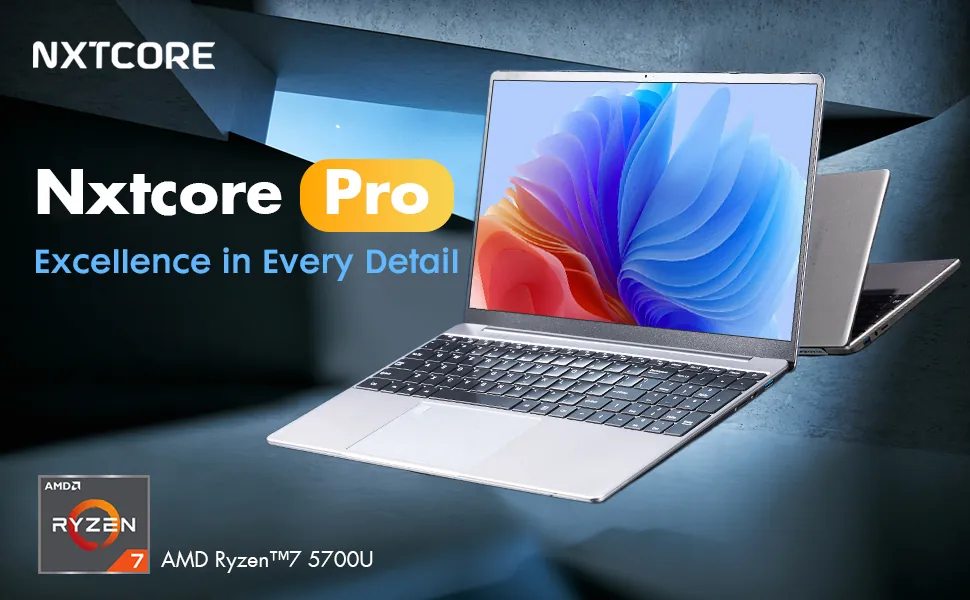
NXTCORE Pro G1568-R7 — $459 — best integrated GPU for esports
The Ryzen 7 in the Pro G1568-R7 pairs an 8-core CPU with AMD Radeon integrated graphics, which is consistently the strongest iGPU footing in this lineup for fast shooters. If your priority is holding high, stable frame rates in Valorant, CS2, League, Dota 2 and Rocket League — the kind of consistency competitive play rewards — this is the pick to start with. The extra CPU cores also give you room to run Discord, a browser, and a stream overlay without the game stuttering.
NXTCORE Pro 1165G7 — $549 — best Intel Iris Xe option
The Core i7-1165G7 in the Pro 1165G7 carries Intel's Iris Xe graphics, one of the most-benchmarked integrated GPUs for budget gaming. Reviews across the web put it in the same competitive-esports-capable class as the Radeon pick, with strong single-thread speed that helps in CPU-bound titles like CS2 and League. It's the choice if you prefer the Intel/Iris Xe ecosystem or want a well-rounded machine that also handles work and study. Browse it in the performance laptops collection.
NXTCORE Pro 1030NG7 — $369 — the value entry into real esports
The Pro 1030NG7 brings Intel Iris Plus graphics at a lower price. It's the most affordable NXTCORE model that still steps up from basic UHD graphics into genuinely comfortable 1080p esports and older-AAA territory. If $459+ is a stretch but you want more than a browser-game machine, this is the sensible floor for the games in this guide.
NXTCORE Flex Y156N — $359 & Flex S140N — $329 — lighter esports & indie
The Flex pair sits in the everyday laptops group and leans toward lighter play: esports at low/medium, the whole indie and 2D catalog, and older titles you're happy to run at modest settings. If your "gaming" is mostly League with friends plus a Stardew Valley or Hades habit, a Flex covers it for the least money while staying a capable day-to-day laptop.

Getting the most out of integrated-graphics gaming
A tuned integrated GPU punches well above what its stock settings suggest. A few habits make the difference between "stutters" and "smooth":
- Play at 1080p, drop settings not resolution first. Native resolution keeps esports crisp; shadows, anti-aliasing, and effects are where the frames hide.
- Turn on upscaling (FSR) where a game offers it. AMD FSR and similar upscalers are made for exactly this hardware and can lift frame rates meaningfully in supported titles.
- Give the iGPU fast, dual-channel RAM. Integrated graphics borrow system memory, so RAM speed and dual-channel configuration directly affect frame rates — more so than on a dedicated-GPU machine. See our RAM requirements guide.
- Cap frame rates to your display. Locking to your panel's refresh keeps frame times even and the laptop cooler and quieter.
- Lean on cloud gaming for the heavy stuff. For the occasional modern AAA craving, GeForce Now or Xbox Cloud Gaming turns any of these laptops into a streaming client on decent internet.
FAQ: budget esports & indie gaming
Can integrated graphics really run Valorant or CS2 well?
Yes — this is their comfort zone. Valorant and CS2 are deliberately built to run on modest hardware, and capable integrated graphics like Iris Xe or Ryzen Radeon are widely benchmarked playing both at 1080p above 60 FPS once settings are tuned. They are two of the safest bets for a budget laptop.
Which esports titles run best on a cheap laptop?
The lightweight, competition-focused ones: Valorant, League of Legends, CS2, Dota 2, Rocket League, and Overwatch 2 on low. These are engineered for wide hardware reach, so they'll feel smooth long before a modern single-player AAA game becomes playable on the same machine.
Are older AAA and indie games playable on integrated graphics?
Very much so. Titles from roughly 2015–2020 — GTA V, The Witcher 3, Skyrim, Fallout 4 — run at 1080p on low/medium, and the entire indie catalog (Hades, Hollow Knight, Stardew Valley, Vampire Survivors) runs great. A budget laptop is arguably the ideal way to finally clear a backlog.
Do I actually need a dedicated GPU for esports?
No. For pure esports and older/indie play, a dedicated GPU mostly adds cost, heat, and weight for frames you won't use. A dedicated card only earns its keep once you want modern, graphically demanding AAA at medium/high settings — which is a different budget and a different laptop.
Will FSR or a lower resolution help my frame rates?
Both help, in that order of preference. Enable FSR or any built-in upscaler first; it was designed for this class of hardware. If a game has none, lowering in-game settings beats dropping below 1080p for competitive titles, where a sharp image matters. Fast dual-channel RAM quietly helps everything.
What's the cheapest NXTCORE laptop that handles esports comfortably?
The Pro 1030NG7 at $369 is the practical floor — Iris Plus graphics are enough for smooth 1080p esports. For the strongest headroom, the Pro G1568-R7 ($459) with Ryzen 7 + Radeon is the step up most competitive players will feel.
How these recommendations are put together
A quick word on method, because it matters: NXTCORE is a store that sells affordable laptops — not a testing lab. We don't sit these machines on a bench with a frame counter or publish our own benchmark numbers. The playability guidance here is assembled from each model's published component specs together with the large public record of independent reviews and community benchmarks for those exact processors and integrated graphics chips. Read the frame-rate expectations as well-informed estimates rather than lab-certified figures, and always check the live product page for the current configuration and the price shown in your currency.
Ready to match a laptop to the games you actually play? Compare the esports-ready models in the performance laptops and everyday laptops collections, or dig deeper with our cheap gaming laptops under $600 guide.