Everyday
  About Company
 Refund Policy
 Privacy Policy
 Terms And Conditions
 Support
 Open Ticket
 Contact Us
 Knowledgebase
 News
News

Best Budget Business Laptops with Windows 11 Pro for Small Business Owners (2026)
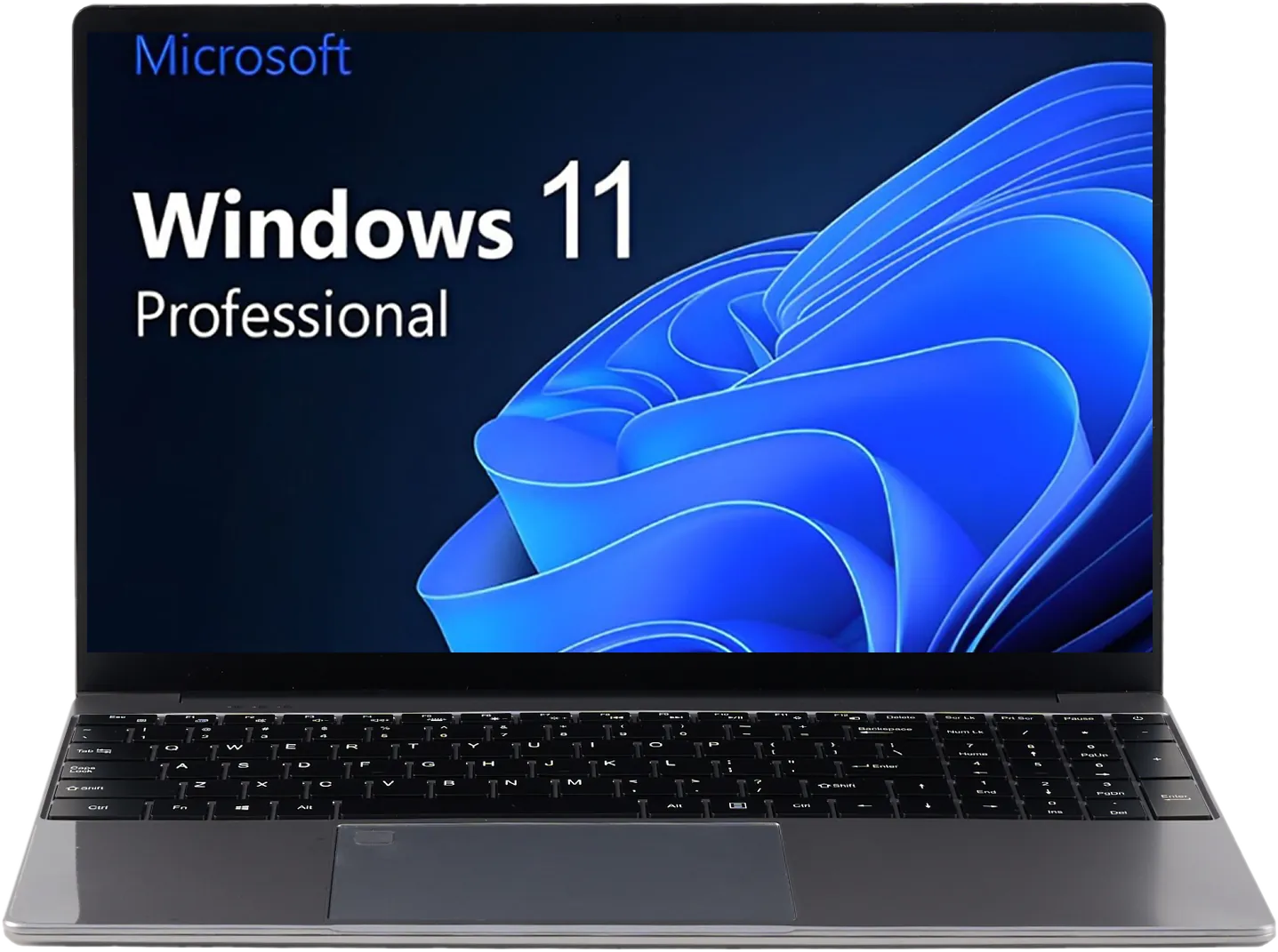
The one spec that separates a real business laptop from a consumer machine isn't the processor or the screen — it's the operating system edition. Windows 11 Home can't encrypt your drive with BitLocker, can't host a Remote Desktop session, and can't join a company domain or Microsoft Entra (Azure AD). Windows 11 Pro does all three. That's why big brands charge a premium for their 'business' line: they're really selling you the Pro edition and a warranty. Here's the part nobody advertises — every NXTCORE laptop already ships with Windows 11 Pro, from the $179 model up, each backed by a 1-year warranty and 90-day returns. This guide walks through the best budget business laptops for small business owners in 2026, chosen around the Pro security features and day-in, day-out reliability that a working business actually depends on.
Why Windows 11 Pro Is the Feature Small Businesses Should Care About
If you handle client data, invoices, contracts, or payment details — and every small business does — the security tools built into Windows 11 Pro are not optional nice-to-haves. They're the difference between a lost laptop being an inconvenience and being a data breach. These features come standard on every NXTCORE machine at no extra cost:
- BitLocker full-disk encryption: Turn it on once and your entire drive is scrambled. If the laptop is lost, stolen, or left in a rideshare, your client files, tax records, and saved passwords are unreadable to whoever finds it. Windows 11 Home cannot do this.
- Remote Desktop (host): Connect to your office laptop from home, or let your IT contractor log in to fix a problem without driving to your location. Only the Pro edition can receive a Remote Desktop connection.
- Domain / Microsoft Entra (Azure AD) join: As you add employees, you can manage every laptop's sign-ins and policies centrally instead of touching each machine by hand.
- Group Policy & Windows Update for Business: Enforce screen-lock timeouts, control which apps run, and defer feature updates so a Windows change never breaks your workflow mid-quarter.
- Windows Sandbox & Hyper-V: Open a risky email attachment or test new software inside a disposable, isolated environment that can't touch your real system.
- Windows Information Protection & Assigned Access: Separate business and personal data, or lock a shared front-desk laptop down to a single app.
A competing retailer selling a similar-spec machine on Windows 11 Home would need you to buy a Pro upgrade (about $99 retail) just to unlock BitLocker and Remote Desktop. NXTCORE bakes that in from $179 — so the security floor is the same whether you spend $179 or $549.
Reliability and Warranty: What Keeps a Business Running
Security is only half of what a business machine owes you. The other half is uptime — the laptop being ready every morning without drama. A few things on every NXTCORE laptop are built with that in mind:
- NVMe SSD storage on every model — no spinning hard drive to fail. SSDs boot in seconds and have no moving parts to wear out, which is the single biggest reliability upgrade a working laptop can have.
- 1-year warranty on every machine — if the hardware fails within the first year, it's covered. That's the same baseline coverage the premium 'business' brands lead with.
- 90-day returns — a full quarter to confirm the laptop fits your workflow before you're committed, which matters when you're buying for a team.
- Free shipping to the US and Canada — and Canadian buyers see prices in CAD at checkout, with the same warranty and return window.
- Windows Update for Business control — defer major updates so a surprise Windows release never takes your point-of-sale or invoicing app down during business hours.
Because everything runs on an SSD and ships with Windows 11 Pro's update controls, the day-to-day experience is the boring, dependable kind you want from a work tool — it turns on, it's fast, and it stays out of your way. If you're weighing a Windows machine against a Chromebook for the shop, our Chromebook vs Windows laptop comparison covers where each one fits a business.
The Best Budget Business Laptops — Curated for Small Business
NXTCORE's full lineup runs from $179 to $899, but not every model is a business machine. Below are the four that make the most sense for a small business — each chosen for a specific way an owner works. Every one runs Windows 11 Pro with the full security toolkit above.
| Laptop | Price (USD) | Best for the business owner who... |
|---|---|---|
| NXTCORE Lite F146-4105 | $179 | Runs on email, invoicing & browser apps |
| NXTCORE Flex S140N | $329 | Meets and presents to clients in person |
| NXTCORE Pro 1030NG7 | $369 | Juggles many cloud apps all day |
| NXTCORE Pro 1165G7 | $549 | Runs desktop accounting, VMs & heavier tools |
1. NXTCORE Lite F146-4105 — $179 (The Secure Starter Machine)
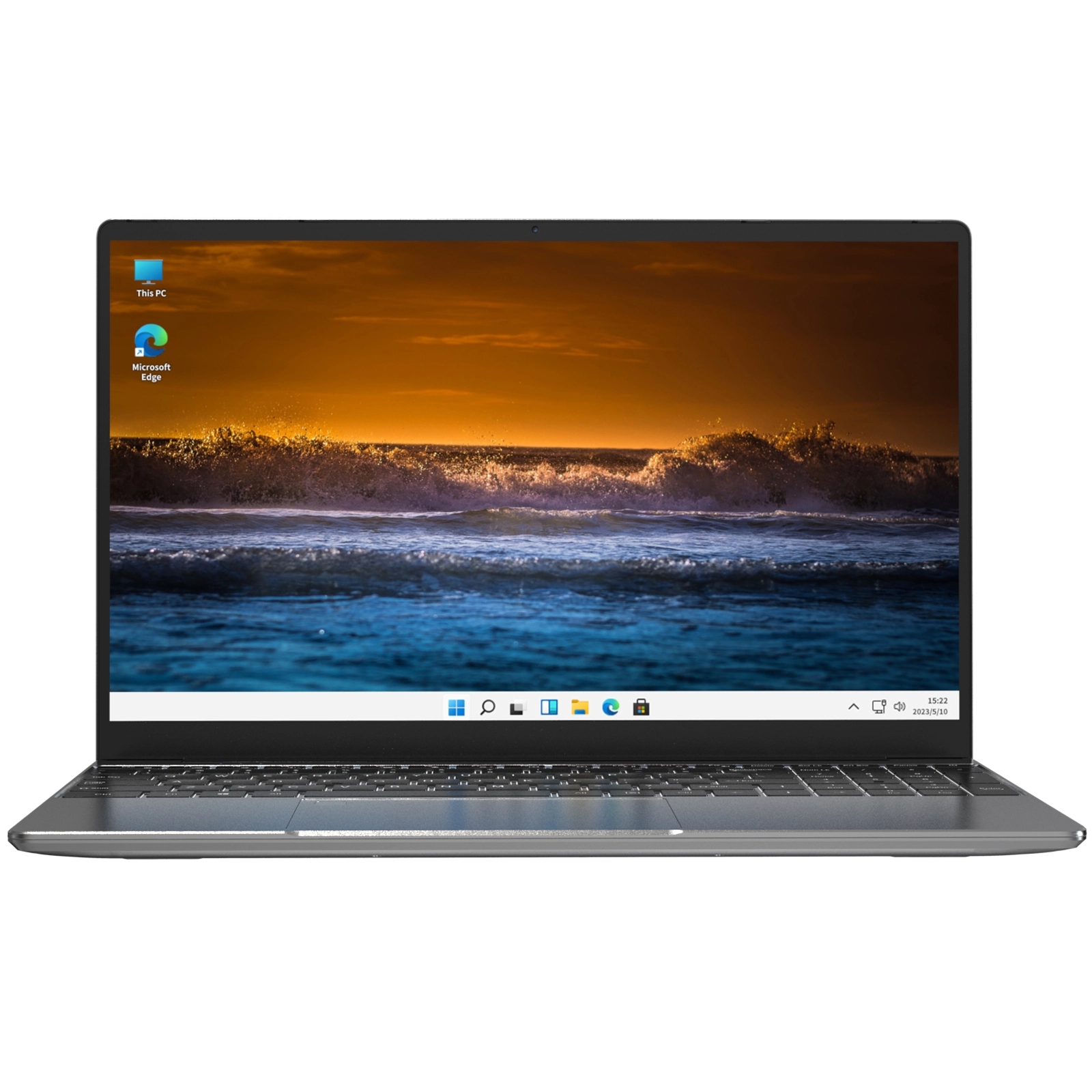
For a solo operator, freelancer, or side business whose work is email, invoicing, and client communication, the NXTCORE Lite F146-4105 at $179 is a complete business machine — and its Windows 11 Pro edition means it's as secure as laptops costing five times more.
- Intel Celeron J4105 — handles browser-based business tools comfortably
- 8GB DDR4 RAM — enough for the tabs, CRM, email, and video calls of a normal workday
- NVMe SSD (configurable up to 1TB) — fast boot and no moving parts to fail
- 14.1-inch FHD display — comfortable for all-day work
- Windows 11 Pro — BitLocker, Remote Desktop, and domain join included
- 1-year warranty, 90-day returns, free US & Canada shipping
The math is what makes this compelling for a small team. Three Lite units cost $537 total — less than a single premium business ultrabook — and every one of them can be BitLocker-encrypted and centrally managed. Best for: freelancers, Etsy and eBay sellers, real estate agents, consultants, and tutors whose business lives in a browser.
2. NXTCORE Flex S140N — $329 (Best for Client-Facing Work)
If you sit across the table from clients — at their office, a co-working space, or a coffee shop — the NXTCORE Flex S140N at $329 presents better, with a 2K touchscreen and a detachable design. It still carries the same Windows 11 Pro security as the rest of the range, so a client-facing machine isn't a less-protected one.

- 14.1-inch 2K touchscreen — tap through proposals and demo on-screen
- Detachable 2-in-1 design — hand the tablet to a client to review a mockup or contract up close
- 12GB RAM and an NVMe SSD (configurable up to 1TB) — dependable for everyday business apps
- Windows 11 Pro with touch optimization, BitLocker, and Remote Desktop
- 1-year warranty, 90-day returns, free US & Canada shipping
Best for: real estate agents, sales reps, interior designers, personal trainers, and any owner who demos products or walks a client through documents in person.
3. NXTCORE Pro 1030NG7 — $369 (Best for All-Day Multitasking)
When your day means a dozen cloud apps open at once — accounting, CRM, e-commerce dashboard, email, and three video calls — the NXTCORE Pro 1030NG7 at $369 gives you the headroom to keep them all running without the slowdown.
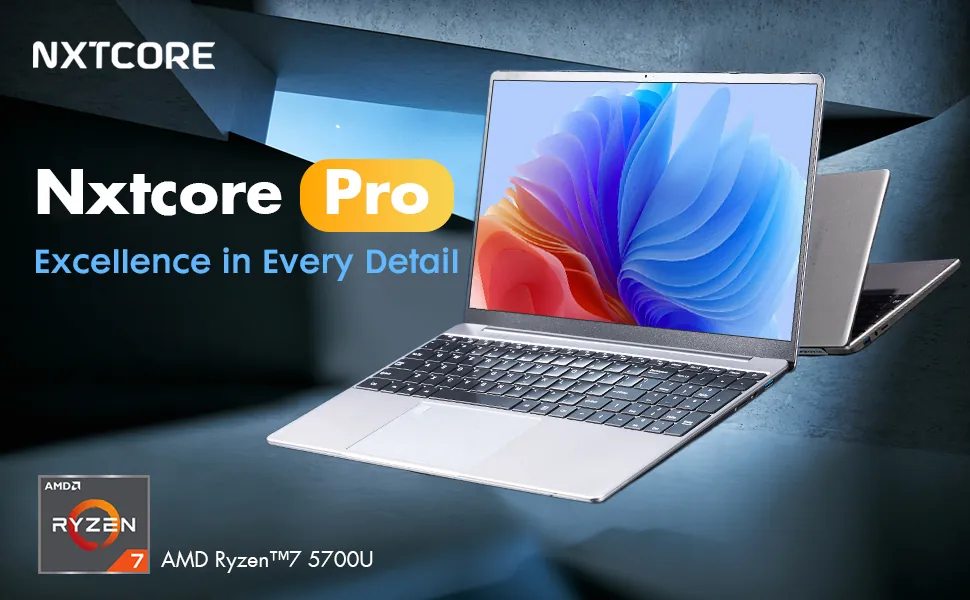
- Intel Core i5-1035G4 (4 cores / 8 threads) for smooth multitasking under load
- 16GB DDR4 RAM for many cloud apps running at once
- NVMe SSD (configurable up to 2TB) for fast, responsive operation
- 15.6-inch FHD display — room for spreadsheets and multi-column dashboards
- Windows 11 Pro — full BitLocker, Remote Desktop, and Group Policy support
- 1-year warranty, 90-day returns, free US & Canada shipping
Best for: owners running several cloud apps simultaneously, managing a small team, or working 8+ hours a day on the laptop.
4. NXTCORE Pro 1165G7 — $549 (Best for Heavier Business Software)
Some businesses outgrow browser-only work — desktop QuickBooks, a Hyper-V virtual machine for testing, or Windows Sandbox for opening untrusted files. The NXTCORE Pro 1165G7 at $549 is the machine for that, and it leans directly on the Windows 11 Pro virtualization features a smaller laptop can't fully use.
- Intel Core i7-1165G7 — comfortable with desktop accounting suites and virtualization
- RAM configurable up to 32GB for running virtual machines alongside your daily apps
- NVMe SSD (configurable up to 2TB) for fast local databases and large files
- Windows 11 Pro with Hyper-V and Windows Sandbox for safe testing and isolation
- 1-year warranty, 90-day returns, free US & Canada shipping
Best for: bookkeepers and accountants on desktop software, owners who test apps in isolated VMs, and anyone running larger local datasets. Even here you're paying a fraction of what a premium 'business' ultrabook with the same Pro edition would cost.
The 'Business' Premium You're Not Actually Buying
A $1,100 premium 'business' Windows ultrabook and a $179 NXTCORE Lite both ship the same Windows 11 Pro edition, the same BitLocker, the same Remote Desktop, and a 1-year warranty. So what does the extra $900 buy? Usually a thinner chassis and a brand name. Here's what that $900 could do for your business instead:
- A year-plus of Google Workspace or Microsoft 365 Business — professional email, cloud storage, and the Office apps
- Six months of QuickBooks Online — accounting and invoicing that runs in the browser
- A quality external monitor ($200-300) — which improves daily productivity more than a faster CPU ever will
- Three to four more NXTCORE laptops — so every employee has an encrypted, Pro-managed machine
For browser and cloud work, a $179 machine handles the job as capably as a $1,200 one — and with identical security. As a business owner maximizing ROI, that's the easy call. For a deeper look at how much memory the work truly needs, see how much RAM you actually need in 2026.
Locking Down a New Business Laptop (First-Day Checklist)
- Turn on BitLocker (Settings → Privacy & security → Device encryption). Save the recovery key to your Microsoft account or a printed copy in a safe. This is the single most important step for any business handling customer data.
- Set a strong sign-in and enable Windows Hello. A PIN or fingerprint is faster than a password and harder to shoulder-surf.
- Configure Windows Update for Business to defer feature updates, so a major Windows release never lands in the middle of a busy week.
- Add a professional email via Google Workspace or Microsoft 365 (about $6/month) — a [email protected] address builds trust.
- Install a password manager (Bitwarden is free; 1Password is $36/year) so business logins never live on sticky notes.
- Set up cloud backup with OneDrive or Google Drive so a hardware failure never costs you a document — even with the warranty, the data matters more than the machine.
- If you'll manage more than a couple of machines, join them to Microsoft Entra (Azure AD) now so policies and sign-ins stay centralized as you grow.
Don't Forget the Tax Deduction
A laptop used for business is generally a tax-deductible expense. In the US you can typically deduct the full cost under Section 179 in the purchase year; in Canada it usually falls under CCA Class 50 (55% depreciation). A $179 laptop that's also a write-off has an even lower effective cost. Confirm the specifics with your accountant.
Frequently Asked Questions
Does the Windows 11 Pro on a $179 laptop include the same BitLocker and Remote Desktop as expensive business laptops?
Yes — identically. Windows 11 Pro is a single edition; BitLocker encryption, Remote Desktop hosting, Group Policy, and domain join work the same on the $179 NXTCORE Lite as on a $1,100 premium machine. The edition is what unlocks those features, not the price of the hardware.
Can I join these laptops to my company domain or Microsoft Entra (Azure AD)?
Yes. Because every NXTCORE laptop runs Windows 11 Pro, each one can join an on-premises Active Directory domain or Microsoft Entra ID. That lets you manage sign-ins, push policies, and deploy apps centrally as you add employees — something Windows 11 Home simply can't do.
How reliable are budget laptops for daily business use, and what's covered if one fails?
Every model uses an NVMe solid-state drive — no spinning disk to wear out — which is the biggest reliability factor in a working laptop. Each machine ships with a 1-year warranty covering hardware faults, plus a 90-day return window so you can confirm it fits your workflow. Pair that with a cloud backup and your business stays running even if a machine ever needs service.
Is a $179 laptop secure enough to handle client data and compliance?
For most small businesses, yes. With BitLocker encryption enabled, Windows Hello sign-in, and a password manager, the $179 Lite meets the core data-protection expectations behind common frameworks. If your industry has specific compliance requirements, confirm them with your provider — but the encryption and access controls you'd need are all present in the included Windows 11 Pro.
Can I run desktop QuickBooks, virtual machines, or Windows Sandbox on these?
Browser-based QuickBooks Online runs fine on any of them, including the $179 Lite. For QuickBooks Desktop, Hyper-V virtual machines, or Windows Sandbox running alongside your other apps, step up to the NXTCORE Pro 1165G7 at $549, which is configurable to 32GB of RAM for exactly that kind of load. Windows Sandbox and Hyper-V are Pro-edition features, so they're available across the range where the hardware supports them.
How much should a small business actually spend on a laptop?
Only as much as the workload demands. Browser and cloud work is well served at $179; heavy multitasking is comfortable at $369; desktop software and virtualization call for the $549 Pro. Spending beyond that on a budget-friendly setup usually buys thinness and branding, not more security — the Pro feature set is the same either way. For value picks across other use cases, see our best budget laptops of 2026 roundup.
Equip Your Business Without Overpaying
You don't need to spend $1,000 to run a secure, reliable business. Every NXTCORE laptop ships with Windows 11 Pro — BitLocker, Remote Desktop, domain join — on a fast NVMe SSD, backed by a 1-year warranty, 90-day returns, and free shipping to the US and Canada, with RAM that scales from 8GB on the Lite up to 32GB on the top Pro. Browse everyday laptops from $179 or step up to performance models from $369. No hidden fees, no retail markup — just the secure, dependable hardware a small business runs on.