Everyday
  About Company
 Refund Policy
 Privacy Policy
 Terms And Conditions
 Support
 Open Ticket
 Contact Us
 Knowledgebase
 News
News

Three hundred dollars. That's the whole budget this guide works with — no “but if you stretch to $400” escape hatch, no bait-and-switch to a pricier pick in the last paragraph. The real question about a cheap laptop under $300 in 2026 isn't whether one exists (plenty do). It's what that exact number actually buys you, and what you quietly give up to hit it. This guide draws a hard line at $300 and shows you both sides of it: the specs you can genuinely expect, the honest trade-offs, and the sub-$300 models — including our own NXTCORE Lite picks from $179 — that spend the budget well.
Every recommendation below stays under the cap, and every compromise is spelled out rather than buried. We rank sub-$300 laptops on the things that actually change at this tier — the processor floor, how much RAM you get, and whether you land an SSD or slower eMMC — then set realistic expectations so nothing about the machine surprises you on day two.
What $300 Actually Buys You in 2026
Before any specific model, it helps to see the envelope. Under $300 you are shopping a fairly narrow band of hardware, and knowing its floor and ceiling stops you from overpaying for the same chip or under-buying on storage. Here's the realistic range you can expect between the cheapest functional Windows laptop (around $180) and the very top of the sub-$300 tier (right at $299).
| Component | Floor (~$180) | Ceiling (~$299) |
|---|---|---|
| Processor | Dual-core Celeron N4020 | Quad-core Celeron N5095 / Pentium Silver N6000 |
| RAM | 4GB DDR4 | 8GB DDR4 |
| Storage | 64GB eMMC | 256GB SSD |
| Display | 14" HD (1366×768) | 15.6" FHD (1920×1080) IPS |
| Graphics | Integrated (no dedicated GPU) | Integrated (no dedicated GPU) |
Notice what doesn't change: there is no dedicated graphics card anywhere in this budget, and no current-generation Intel Core or Ryzen chip either. Every real gain you can make with $300 happens across three axes — more RAM, an SSD instead of eMMC, and a sharper/larger screen. Spend your dollars on those, not on a brand badge.
What You Get vs What You Give Up at $300
The honest way to think about a sub-$300 laptop is as a clear trade: you get genuine, functional computing, and you give up headroom, polish, and future-proofing. Here's both columns laid out plainly so you go in with eyes open.
What you get for your $300:
- A real Windows 11 machine that browses, streams, video-calls, and runs Office and Google Workspace without drama
- Fast, near-instant boot and app launches — as long as you buy an SSD model and skip eMMC
- Enough RAM (6–8GB at the top of the tier) to keep a sensible number of browser tabs and documents open at once
- A screen large enough to work on all day (14–15.6"), and at the very top, a genuine Full HD IPS panel
- Free shipping, a 1-year warranty, and a real return window on NXTCORE's own models — no gray-market gambles
What you give up to stay under $300:
- Any gaming beyond browser and pre-2015 titles, and any dedicated graphics — there simply isn't a GPU in this budget
- Serious multitasking headroom: push past a dozen heavy tabs plus Teams and Spotify and even the best of these will hesitate
- Premium build — expect plastic chassis, modest speakers, and a 720p webcam as the norm, not the exception
- Peak battery honesty: real-world runtime lands around 5–8 hours, well short of optimistic spec-sheet claims
- Future-proofing: these are 3–4 year machines, not 6–7 year ones, and most can't be meaningfully upgraded later
If that trade sounds fair for how you actually use a laptop, you're the right buyer for this tier. If two or three of the “give up” items are dealbreakers, budget for one step above $300 instead — more on exactly where that line sits below.
Realistic Expectations: What a Sub-$300 Laptop Feels Like Day to Day
Specs on a page don't tell you how a cheap laptop feels. Here's the honest lived experience so your expectations match reality. On a well-chosen sub-$300 model — quad-core chip, 6–8GB RAM, an SSD — the everyday rhythm is genuinely fine: Windows boots in well under 20 seconds, Chrome opens instantly, and a Zoom call with your slides and notes alongside runs without stutter. For email, docs, research, streaming, and video calls, you will rarely think about the price you paid.
The seams show when you ask for more at once. Open twenty tabs, then layer in Teams, Spotify, and a background download, and a 4GB model will start swapping and stalling; an 8GB model holds up much longer but isn't infinite. Exporting a five-minute video clip that a pricier laptop finishes in a minute might take several here. And the first time you use a friend's $700 machine, you'll feel the difference in the trackpad, the speakers, and the screen — not the raw speed so much as the polish.
The single biggest expectation-setter is storage type. A $250 laptop with an SSD will feel dramatically faster than a $300 one with eMMC, every single day, in boot times and app loads. If you take one thing from this guide: at this budget, an SSD beats a slightly bigger number on almost every other spec.
The Best Sub-$300 Laptops of 2026, Ranked
These are the models that make the most of a strict $300 budget. The three NXTCORE Lite laptops anchor the list because they pair SSDs and quad-core chips with prices that leave room to spare; a short field of strong other-brand options follows, each chosen because it illustrates a specific trade-off at this price.
1. NXTCORE Lite F152G-5095 — The Most Laptop You Can Get Under $300 ($219)
Verdict: The best all-round use of a sub-$300 budget in 2026 — and it doesn't even spend the whole $300.
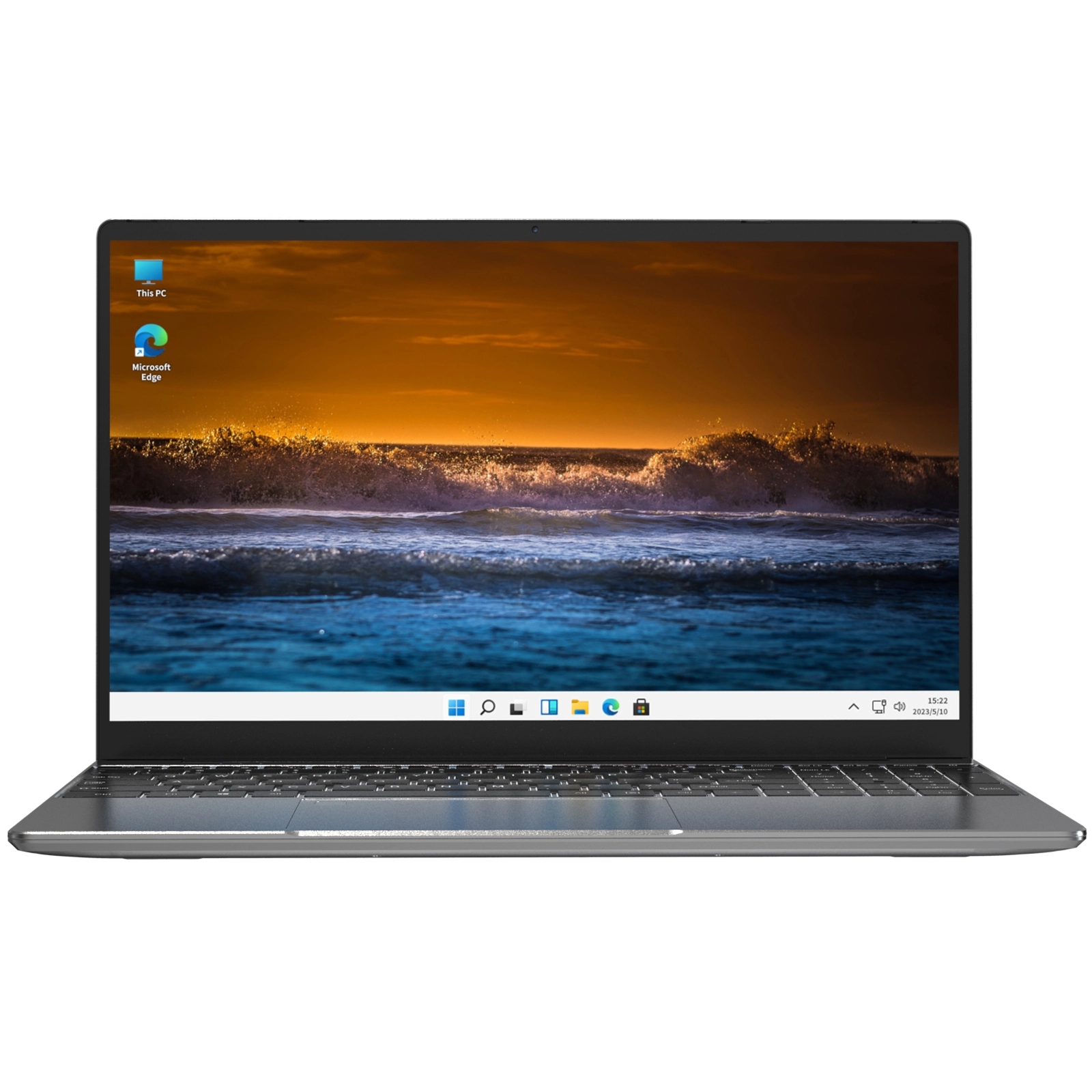
The NXTCORE Lite F152G-5095 lands the three upgrades that matter most at this tier all at once: a 15.6-inch Full HD display that's comfortable for a full day, 8GB of RAM for real multitasking, and a 256GB SSD so you're not constantly deleting things to make room. The quad-core Intel Celeron N5095 keeps browsing, streaming, Office, and Google Workspace smooth. At $219 it leaves roughly $80 of your $300 unspent.
The 8GB RAM is the quiet hero here. It's double what most sub-$300 laptops ship with, and that gap is exactly what separates a machine that shrugs off ten open tabs from one that starts to crawl. Pair that with SSD speed and Full HD sharpness and this reads like a laptop from a higher bracket that happens to sit at the value end of the tier.
Specs:
- Display: 15.6" FHD (1920×1080) IPS
- Processor: Intel Celeron N5095 (4 cores, up to 2.9GHz)
- RAM: 8GB DDR4
- Storage: 256GB M.2 SSD
- Ports: USB 3.0, USB-C, HDMI, headphone jack, microSD slot
- Battery: 6–7 hours typical use
- Weight: 3.7 lbs
- Price: $219
What you get:
- 8GB RAM — rare under $300 and the difference-maker for multitasking
- 256GB SSD — the most storage on this list, and it's fast SSD, not eMMC
- Full HD 15.6" IPS panel, uncommon at this price
- Roughly $80 of headroom left inside a strict $300 budget
What you give up:
- No gaming or serious video editing — integrated graphics only
- Plastic chassis and weak speakers (use headphones for media)
- 720p webcam — standard at this price, not a standout
Best for: Anyone who wants the single best sub-$300 all-rounder for productivity, browsing, calls, and streaming — and would rather pocket the leftover $80 than spend to the cap for its own sake.
2. NXTCORE Lite G141J-N5095 — Best Value at the $200 Line ($199)
Verdict: The sweet spot if your ceiling is really $200, not $300 — more memory and a real SSD than most machines at this price.
If your budget stops well short of $300, the NXTCORE Lite G141J-N5095 is the smart floor. At $199 it runs the same quad-core Intel Celeron N5095 as pricier picks, adds 6GB of RAM (a rarity near $200), and keeps things light in a 14.1-inch body. It proves you don't have to spend to the top of the tier to get the parts that matter.
Its 128GB SSD is tight but real — and critically, it's an SSD, not the eMMC many sub-$200 rivals still ship. That single choice is why it feels quicker in daily use than laptops that look similar on paper. Lean on cloud storage to stretch the 128GB and it holds up well for school, email, and light productivity.
Specs:
- Display: 14.1" HD (1366×768)
- Processor: Intel Celeron N5095 (4 cores, up to 2.9GHz)
- RAM: 6GB DDR4
- Storage: 128GB M.2 SSD
- Ports: USB 3.0, Mini HDMI, headphone jack, microSD slot
- Battery: 5–6 hours typical use
- Weight: 2.9 lbs
- Price: $199
What you get:
- 6GB RAM near the $200 mark — more than most rivals
- A true SSD, not eMMC, so boot and loads stay quick
- Same quad-core chip as laptops $100 dearer
- Light and portable at 2.9 lbs
What you give up:
- 128GB fills fast — cloud storage becomes part of the plan
- HD screen, not Full HD — fine for text, softer for media
- Only adequate battery life, and no USB-C port
Best for: A strict $200 shopper who wants schoolwork, email, and light productivity done well — or anyone after a capable second/travel laptop without touching the top of the budget.
3. NXTCORE Lite F146-4105 — The Absolute Floor ($179)
Verdict: The lowest-priced way into a functional Windows laptop — buy it because $179 is the number, not because it's the fastest.
The NXTCORE Lite F146-4105 is the entry point of the whole sub-$300 conversation: NXTCORE's cheapest Windows machine at $179. It covers the essentials — web, email, streaming, documents, video calls — and ships with the same Windows 11 Pro, 1-year warranty, and 90-day returns as every model above it. If the budget is truly fixed at rock bottom, this is the honest starting line; if you can find another $20, the G141J-N5095 above is the more comfortable buy.
How to Read Other-Brand Sub-$300 Laptops
You'll find plenty of mainstream budget laptops under $300, and they nearly always make one of three trades to hit the price. Learning the pattern lets you read any brand's spec sheet the same way you'd read ours — by looking past the headline feature to see what got cut to pay for it.
- The faster-chip pick: a slightly quicker budget processor, but often paired with just 4GB of RAM and slower eMMC storage — so the extra CPU speed is bottlenecked by the parts around it.
- The long-battery pick: an efficient low-power chip that stretches runtime, at the cost of a slower processor and usually a very small eMMC drive that pushes you onto cloud storage.
- The nice-screen pick: a genuine Full HD IPS panel that outclasses the HD screens nearby, typically funded by a weaker dual-core chip and 4GB of RAM — great for reading and watching, less so for multitasking.
None of those is wrong — they're just different answers to the same question of where a tight budget should go. The trap is buying the headline feature without noticing the compromise behind it: a faster chip means little if it's starved of RAM, and a beautiful screen doesn't help if the machine stalls under a normal workload.
Where the NXTCORE Lite models land is on the two levers you feel most every day — enough RAM and an SSD instead of eMMC — rather than a single standout feature you pay for elsewhere. That's the lens to carry into any sub-$300 spec sheet, ours or anyone else's.
The $300 Ceiling: What One Step Over the Line Gets You
Since this guide holds a hard line at $300, it's worth being honest about the very next rung — so you know exactly what you're choosing to skip. The clearest example in NXTCORE's range is the NXTCORE Flex S140N at $329, which sits just $30 past the cap and adds the one thing no sub-$300 model on this list offers: a touchscreen.
For $329 the Flex adds touch input — handy for annotating PDFs, taking digital notes, and scrolling documents — on a 14-inch panel, with an Intel Celeron N4020, 4GB RAM, a 128GB SSD, and USB-C charging. If touch is the feature you keep wishing your sub-$300 pick had, this is the smallest possible step to get it. If it isn't, staying strictly under $300 with the Lite F152G-5095 gets you more RAM and more storage for less money — which is exactly the point of drawing the line.

The takeaway isn't that $329 is better — it's that the sub-$300 line is a real boundary. Cross it only for a feature you'll genuinely use (like touch), not out of a vague sense that spending more must mean getting more. At this budget it often doesn't.
What $300 Still Can't Do — No Matter Which Model You Pick
Setting expectations is half of buying well. No laptop under $300, ours included, handles these tasks properly — the hardware simply isn't there:
- Modern gaming: Integrated graphics mean browser and pre-2015 titles only. For real budget gaming, see our guide to cheap laptops for gaming under $600.
- Video editing: Basic trims and short exports are possible but slow; 4K editing is off the table.
- Heavy photo work: Light edits in GIMP or Photopea are fine; large multi-layer Photoshop files will lag.
- Development at scale: Simple coding works; VMs, large compiles, and Android emulation exceed these chips.
- Hard multitasking: 20+ tabs plus Teams, Discord, Spotify, and downloads will stall even the best of these.
If any of those are core to your day, $300 is the wrong budget — step up to a performance laptop with a dedicated GPU rather than fight a machine that can't do the job.
Sub-$300 Laptop FAQ
Is $300 really enough for a laptop in 2026, or should I save for more?
It's enough if your workload is browsing, Office and Google Workspace, video calls, streaming, and light productivity — a well-chosen sub-$300 laptop does all of that comfortably. Save for more only if you specifically need gaming, video editing, or heavy multitasking, because those are the exact things this budget can't buy. Don't save toward a vague “better,” save toward a named feature you'll actually use.
If I can only prioritize one spec under $300, which should it be?
Storage type. An SSD instead of eMMC is the upgrade you feel every single day — the machine boots in seconds instead of leaving you waiting, and apps open right away. A $250 SSD laptop will feel faster in normal use than a $300 eMMC one, so chase the SSD before you chase a bigger RAM or storage number.
Why does one $300 laptop feel slower than a cheaper one?
Almost always because the pricier machine put its money somewhere you don't feel (a slightly faster chip, a bigger screen) while cutting the SSD for eMMC, or dropping to 4GB RAM. Price alone doesn't predict speed at this tier — the SSD-plus-6/8GB-RAM combination does. Read the parts, not the sticker.
Can I add RAM or storage to a sub-$300 laptop later?
Usually no. Most laptops at this price have RAM soldered to the board and limited or no accessible storage slots, so the configuration you buy is the one you keep. That's a strong argument for buying enough RAM up front — which is why the 8GB Lite F152G-5095 ages better than 4GB rivals you can't upgrade.
Will a sub-$300 laptop handle a full-time remote job?
For a document-, browser-, and video-call-based role, yes — an 8GB SSD model like the Lite F152G-5095 runs Teams or Zoom alongside your docs and email without complaint. It gets tight if your job means constant heavy multitasking, big spreadsheets, or media production, in which case one step up in RAM and budget pays off quickly.
Is it smarter to buy new at $300 or refurbished for the same money?
Manufacturer-refurbished units with a real warranty can occasionally get you stronger specs for $300 — that's a legitimate option. What to avoid is third-party refurbished gear from unknown sellers, where you inherit worn batteries and no support. A new sub-$300 laptop with a full warranty and return window removes that gamble entirely. See also: What Can a $200 Laptop Actually Do?
How long before a $300 laptop feels too slow?
Plan on 3–4 years of comfortable use with basic care. The battery gradually loses capacity as it ages, and rising software demands make the machine feel slower over time. Buying the most RAM you can up front, and keeping storage from filling up, are the two biggest levers on how long it stays pleasant.
Should I wait for a sale to get more laptop for my $300?
Direct-to-consumer prices (like NXTCORE's) already strip out retail markup, so the discount margin is smaller than on big-box stock — there's less “sale” to wait for. If you're shopping mainstream brands on Amazon, a price-history tracker helps you avoid buying at a fake markdown; if you're buying direct at a genuinely low fixed price, waiting rarely changes much.
The Bottom Line on $300 Laptops in 2026
Spend a strict sub-$300 budget well and you get a genuinely useful Windows laptop — you just get it by prioritizing an SSD and enough RAM over brand names and spec-sheet theater. The NXTCORE Lite F152G-5095 at $219 is the clearest expression of that: 8GB RAM, a 256GB SSD, and a 15.6" Full HD screen, with about $80 of your $300 left in your pocket.
If your ceiling is really $200, the NXTCORE Lite G141J-N5095 at $199 keeps the SSD and quad-core chip that matter, and the entry-level Lite F146-4105 opens the door at $179. Whichever you choose, go in with the trade in mind — real computing in exchange for headroom and polish — and a sub-$300 laptop won't disappoint you on day two.
Browse the full sub-$300 range at NXTCORE Everyday Laptops, or if the honest limits above rule this budget out for you, step up to NXTCORE Performance Laptops instead of fighting hardware that can't keep up.